

M.2 SATA SSD Cloner Duplicator 5-Bay Docking Station - Fast USB 3.0
M.2 SATA SSD Cloner Duplicator 5-Bay Docking Station - Fast USB 3.0
Price subject to change. Tap below for current.
Couldn't load pickup availability
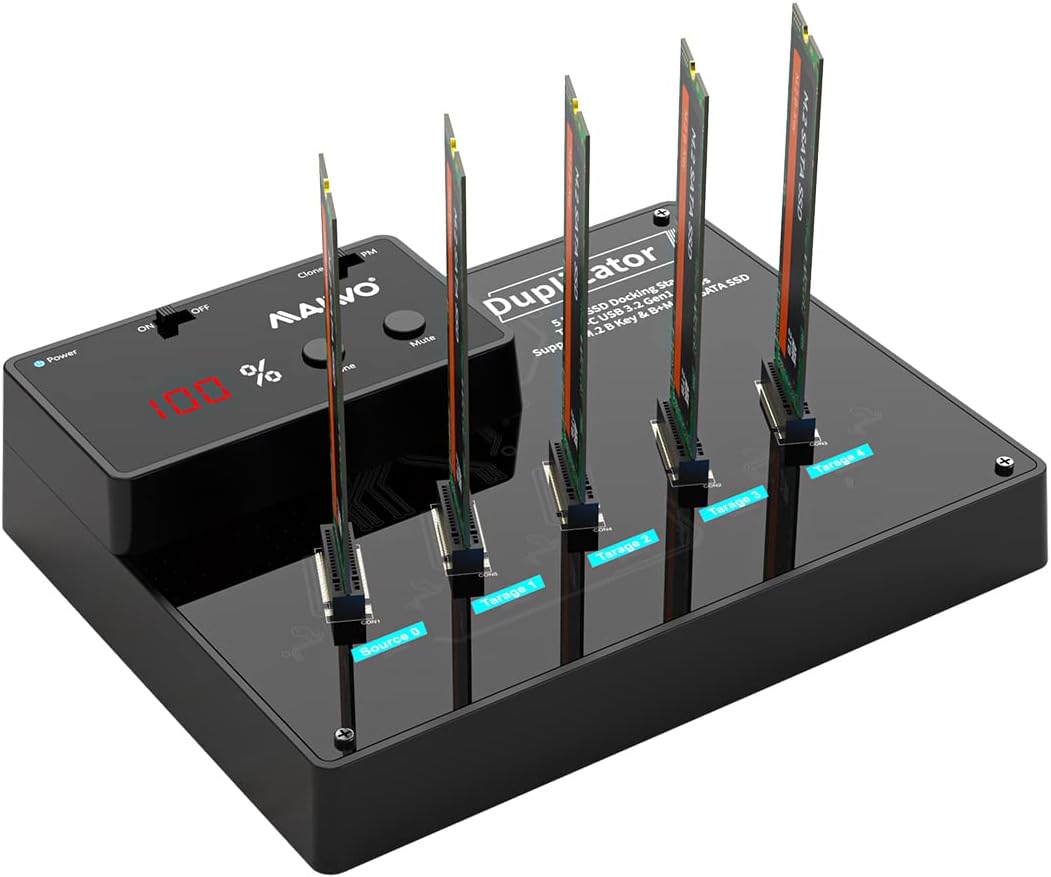
In this review the M.2 SATA SSD Cloner Duplicator proves itself as a practical tool for anyone who regularly manages multiple M.2 SATA drives. The bottom line: it is built for technicians, small IT teams, and power users who need fast, reliable cloning and bulk copying without a host computer. The unit's standout feature is offline one-key cloning with 1-to-4 bulk copy capability, which saves time and simplifies workflows for deploying or backing up up to five M.2 SATA SSDs at once.
Key Features
- 5-Bay Multi-Drive Support: Holds up to five M.2 SATA SSDs simultaneously to consolidate cloning and transfers into a single session.
- Offline Clone: Performs one-key cloning and 1-to-4 bulk copy without a computer, enabling stand-alone duplication tasks.
- SATA III Chipset: The SATA III chipset and USB 3.0 output boost throughput and support UASP on modern systems for faster file transfers.
- Large Capacity: Supports five 4TB M.2 SATA drives for up to 20TB of combined storage in one compact dock.
- Tool-Free Installation: Tool-free, plug-and-play design with an independent 12V 5A power adapter and a digital display for straightforward operation.
Who It's For
This docking station suits IT technicians, system builders, and enthusiasts who routinely clone drives or create multiple identical SSD images for deployment. The ability to do offline 1-to-4 cloning is particularly useful when preparing several devices or performing backups without dedicating a PC to the task.
It is not for users who require NVMe support, as it only accepts M.2 SATA (B+M key) drives in sizes 2230, 2242, 2260, 2280, and 22110. Casual single-drive users who only need a simple USB to M.2 adapter may find the 5-bay dock more than they need.
Pros & Cons
Pros
- Supports up to five M.2 SATA drives simultaneously for efficient bulk operations.
- Standalone one-key cloning and 1-to-4 bulk copy remove the need for a host computer.
- SATA III chipset with USB 3.0 and UASP support improves transfer speeds versus older chipsets.
- Tool-free setup, independent power adapter, and a digital display make it easy to use and monitor.
Cons
- Does not support M.2 PCIe NVMe drives, limiting use to SATA M.2 models only.
- Manual and instructions have been reported in foreign languages, which can complicate first-time setup for some users.
Specifications
| Supported Drive Types | M.2 SATA (B+M key), not NVMe |
| Supported Sizes | 2230, 2242, 2260, 2280, 22110 mm |
| Number of Bays | 5 |
| Maximum Combined Capacity | 20TB (5 x 4TB) |
| Interface | USB 3.0 output, SATA III chipset (up to 6Gbps) |
| Power | Independent 12V 5A power adapter |
| Features | Offline one-key clone, 1-to-4 bulk copy, digital display, tool-free |
Our Verdict
The M.2 SATA SSD Cloner Duplicator is a sensible buy for professionals and advanced users who need rapid, repeatable cloning of M.2 SATA drives without tying up a PC. Its offline cloning, SATA III chipset, and five-bay capacity deliver clear workflow advantages; just be sure you only plan to use SATA M.2 drives and accept that the documentation may require patience.
Frequently Asked Questions
Does this support NVMe M.2 SSDs?
No. The dock only supports M.2 SATA (B+M key) drives and does not accept PCIe NVMe SSDs.
Can it clone multiple drives at once without a computer?
Yes. It supports one-key offline cloning and 1-to-4 bulk copy so you can duplicate drives without connecting to a host computer.
What operating systems are compatible when connected to a computer?
When used with a host, it is compatible with Windows, macOS, and Linux and supports UASP on Windows 8.1 and later.
Editor's Take
The M.2 SATA SSD Cloner Duplicator is ideal for technicians and power users needing offline one-key cloning and 1-to-4 bulk copy of up to five M.2 SATA drives, offering strong value if NVMe is not required.

Recently viewed
Recently viewed products will appear here as customers browse the store.