

MacBook Pro Docking Station Dual Monitor 4K@60Hz - Vertical USB C Dock
MacBook Pro Docking Station Dual Monitor 4K@60Hz - Vertical USB C Dock
Price subject to change. Tap below for current.
Couldn't load pickup availability
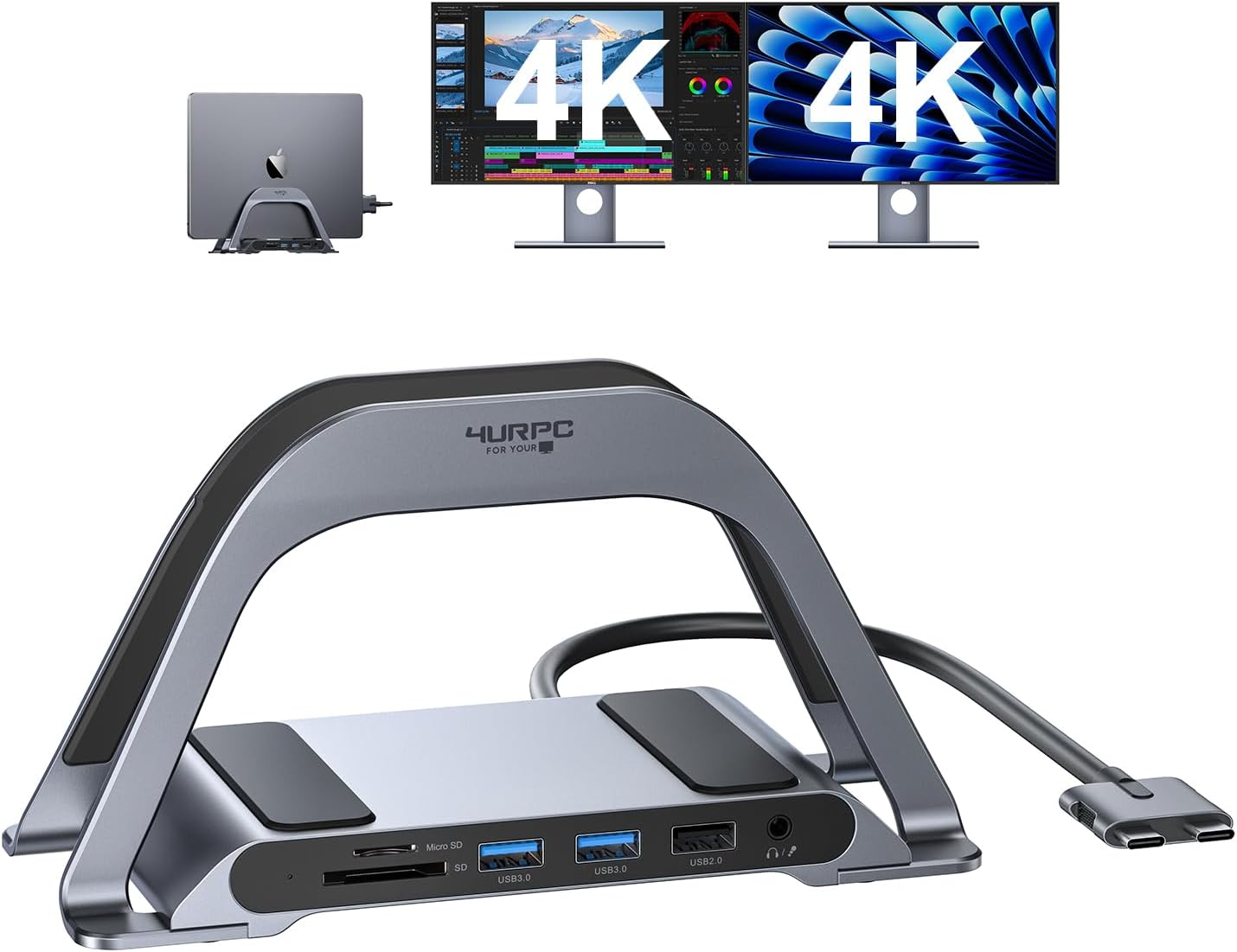
In this review the MacBook Pro Docking Station Dual Monitor 4K@60Hz is evaluated for users who need a compact way to expand their MacBook into a dual-monitor workstation. The bottom line: it is for MacBook owners who want a tidy vertical stand that adds two HDMI 4K@60Hz outputs, fast 100W charging and a handful of reliable ports. Setup is straightforward and the dock pairs useful connectivity with a small footprint, making it an attractive option for designers, developers and remote workers wanting more screen space.
Key Features
- Dual 4K@60Hz HDMI: Two HDMI outputs support 4K@60Hz, letting compatible Intel and newer Pro MacBooks run two external displays for more productive multitasking.
- Vertical stand design: The upright dock saves desk space by holding a laptop vertically and reducing clutter while keeping ports easily accessible.
- 100W GaN USB C charger: The included 100W power adapter supplies fast charging so the MacBook can be powered during demanding tasks without battery worry.
- Multiple USB A ports: Three USB 3.0 ports support up to 5Gbps data transfer for mice, keyboards, and thumb drives for reliable peripheral connectivity.
- SD and microSD slots: Built-in card readers provide easy media transfer at speeds up to 104Mb/s, useful for photographers and content creators.
- Gigabit Ethernet and audio: A RJ45 port delivers stable 1000Mb/s wired networking and the audio jack supports headsets or speakers for meetings and media.
Who It's For
The dock is best for MacBook Pro and Air owners who need two external 4K displays and a compact workspace setup, especially those using compatible Intel or Pro chip MacBooks listed for dual monitor support. It is a good fit for graphic designers, editors and professionals who value a stable Ethernet connection and fast charging while keeping a neat desk.
Users of M1, M2 or M3 MacBooks should note these chips typically support only one external monitor without additional adapters, so buyers with those models who need genuine dual external displays should look for a solution specifically designed to work around those GPU limitations.
Pros & Cons
Pros
- Solid build and thoughtful vertical design reduce desk clutter while holding the laptop securely.
- Two HDMI ports capable of 4K@60Hz deliver smooth external displays on supported MacBook models.
- Included 100W GaN charger supplies ample power for sustained workloads and fast charging.
- Multiple USB A ports, SD/microSD readers and Gigabit Ethernet cover common connectivity needs without extra adapters.
Cons
- Dual external monitor support is limited to specific Intel and Pro/M4 chip MacBooks; M1/M2/M3 chips generally only output one external display.
- SD transfer speeds top out around 104Mb/s, which is adequate but not class-leading for high-speed card readers.
Specifications
| Supported MacBook models | 13in/15in 2016-2020 Pro, 13in 2018-2020 Air, 14/16in 2021-2024 Pro and 2024 Air variants as listed |
| External displays | 2 x HDMI supporting 4K@60Hz (dual monitor support depends on MacBook chip) |
| Power adapter | 100W GaN USB C charger included |
| USB ports | 3 x USB A (USB 3.0) up to 5Gbps |
| Card readers | SD and microSD slots, up to 104Mb/s |
| Ethernet | RJ45 Gigabit Ethernet, 1000Mb/s |
| Other | 3.5mm audio jack, vertical stand design |
Our Verdict
The docking station is a practical, well-built accessory for MacBook owners who can take advantage of dual 4K@60Hz outputs and want a compact vertical stand with robust connectivity. It offers good value for professionals needing Ethernet, SD card access and fast 100W charging, but buyers with M1/M2/M3 systems should verify their external display limitations before purchase.
Frequently Asked Questions
Will this dock charge my MacBook at full speed?
The included 100W GaN USB C adapter will provide fast charging and can power MacBook models during heavy use.
Can I run two 4K external displays from any MacBook?
Dual 4K@60Hz is supported for the specific Intel and Pro/M4 chip MacBooks listed; M1, M2 and M3 chip models typically support only one external monitor.
Does the dock include wired Ethernet?
Yes, there is an RJ45 Gigabit Ethernet port that supports up to 1000Mb/s for stable wired networking.
Editor's Take
The dock is a practical, well-built accessory for MacBook owners who need dual 4K outputs, 100W charging and multiple ports in a space-saving vertical stand, though M1/M2/M3 Macs typically only support one external display.

Recently viewed
Recently viewed products will appear here as customers browse the store.