MageGee V550 Wireless Gaming Keyboard and Mouse Combo Review
MageGee V550 Wireless Gaming Keyboard and Mouse Combo Review
Price subject to change. Tap below for current.
Couldn't load pickup availability
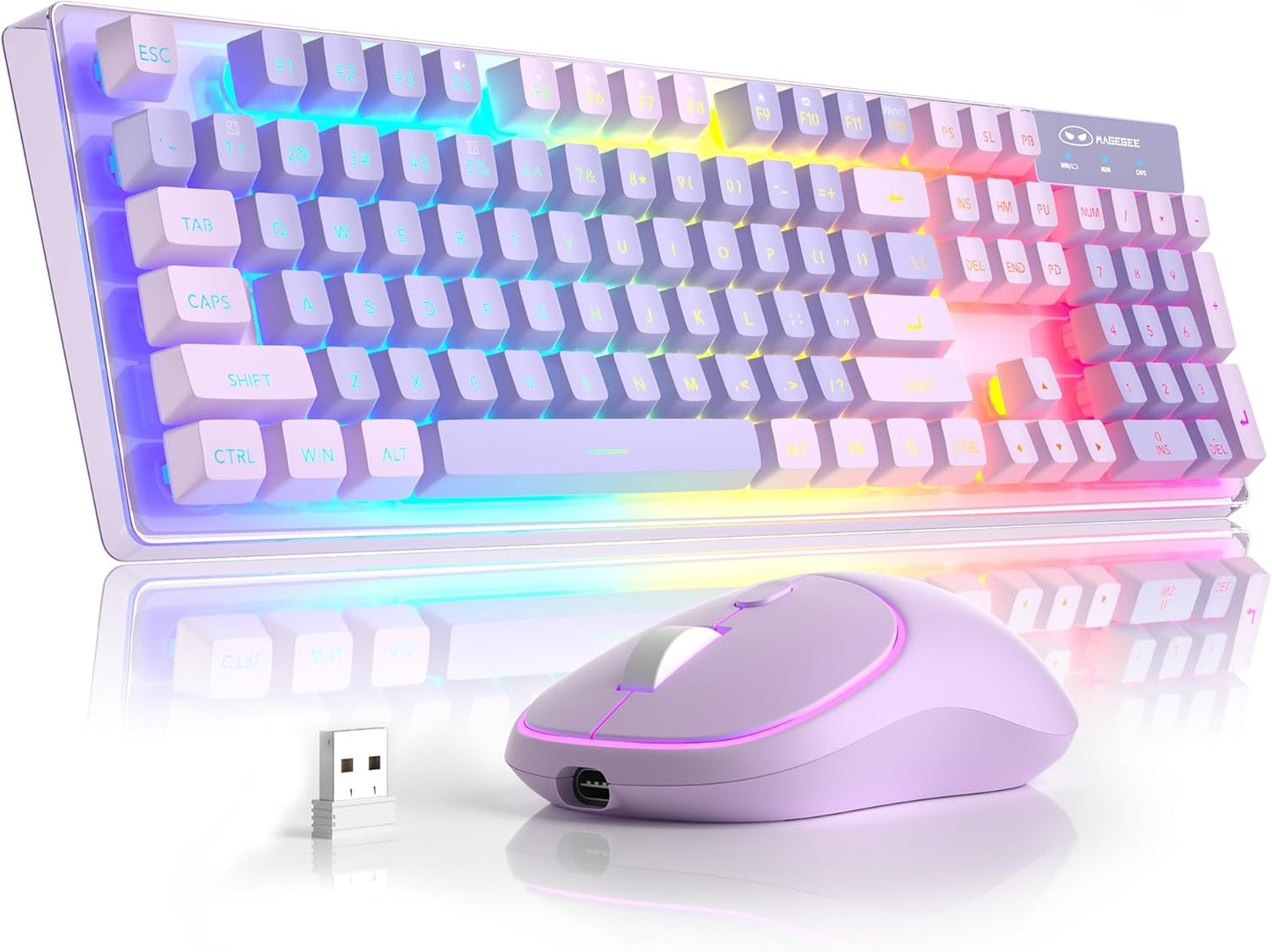
The MageGee V550 Wireless Gaming Keyboard and Mouse combo is a remarkable addition to any gaming setup. With its 2.4GHz wireless connection, this full-sized keyboard and mouse provide a seamless experience without the hassle of tangled wires. Simply plug in the USB receiver, and you are ready to go within a range of 10 meters (33 feet). This feature makes it incredibly convenient for both desktop and laptop users.
One of the standout features of the V550 is its dynamically adjustable RGB backlight. With five different light modes, seven solid color backlights, and a mesmerizing rainbow effect, you can customize your keyboard to match your mood or gaming environment. The three brightness levels and four light speeds allow for further personalization, ensuring that your keyboard looks stunning even in low-light conditions.
The unique and stylish appearance of the V550 is another highlight. Its transparent base allows the RGB lighting effects to shine through beautifully, creating an eye-catching display on your desk. The soft aesthetic is complemented by the matching keycap colors, making it a visually appealing choice without being overly flashy.
Battery durability is a crucial aspect of any wireless device, and the MageGee V550 excels in this area. It comes with a USB Type-C cable for easy charging, eliminating the need for constant battery replacements. The auto-sleep mode helps conserve power, and you can easily wake the keyboard and mouse by clicking any key. Each device has its own power switch, allowing you to turn off one without affecting the other.
Designed for comfort and efficiency, the V550 features a standard 104-key layout with 12 multimedia shortcuts and a number pad. The floating double-shot keycaps provide a satisfying typing experience, while the non-slip pads on the bottom minimize wobble, enhancing stability during intense gaming sessions. The keyboard is designed to be quiet, making it suitable for both gaming and office environments.
As a warm reminder, when charging the keyboard and mouse, ensure that the USB cable is securely connected to the keyboard first before plugging it into your computer. This ensures a stable connection and optimal charging performance.
In conclusion, the MageGee V550 Wireless Gaming Keyboard and Mouse combo is an excellent choice for gamers and professionals alike. With its stunning RGB lighting, reliable wireless connection, and comfortable design, it offers everything you need for an enhanced computing experience.
Share