

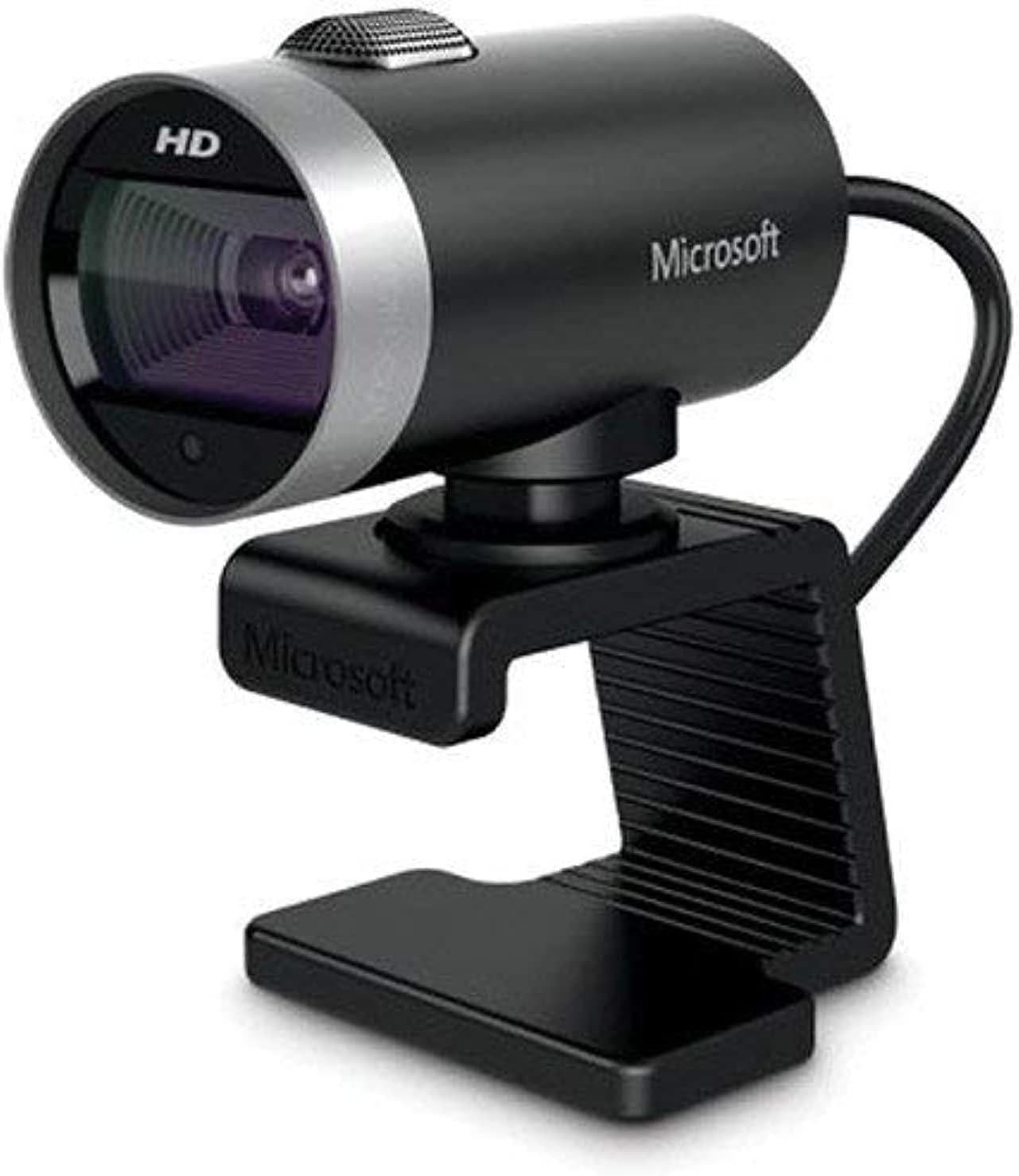
Microsoft LifeCam Webcam - 720p HD Widescreen Webcams
Microsoft LifeCam Webcam - 720p HD Widescreen Webcams
Price subject to change. Tap below for current.
Couldn't load pickup availability
In this review of the Microsoft LifeCam Webcam the bottom line is simple: it is a straightforward, affordable webcam for users who need reliable 720p video and built-in audio without fuss. The LifeCam Cinema targets remote workers, students, and casual streamers who value clear widescreen video and automatic image correction over ultra high resolution. Its automatic focus, TrueColor exposure adjustment and ClearFrame technology make video calls look consistently presentable in typical home or office lighting, which is the single biggest reason to consider it.
Key Features
- 720p HD video: Provides crisp 1280 x 720 widescreen video suitable for video calling and recorded presentations with a natural framing.
- Auto-focus lens: Keeps faces sharp during movement or when changing distance from the camera for uninterrupted calls.
- TrueColor technology: Automatically adjusts exposure so footage looks brighter and more balanced in everyday indoor lighting.
- ClearFrame enhancement: Improves perceived detail and smoothness in lower light, helping maintain usable video where cheaper webcams appear noisy.
- Built-in microphone: Captures clear audio without requiring a separate microphone for casual calls and meetings.
- USB 2.0 connectivity: Simple plug-and-play connection that works with most laptops and desktops without extra adapters.
Who It's For
The LifeCam is best for remote workers, students, and casual content creators who need dependable video for calls, lectures, or social streams without investing in higher-end cameras. It fits well on laptops or monitors and offers automatic corrections so non-technical users get good results quickly.
It is less appropriate for professional streamers or videographers who require full HD or 4K capture, advanced manual controls, or specialized microphones. If pixel-level detail, frame-rate flexibility, or studio audio are priorities, users should look at higher-spec models.
Pros & Cons
Pros
- Clear 720p widescreen video that suits most video conferencing needs.
- Auto-focus and TrueColor help maintain a polished image without manual adjustments.
- Built-in microphone simplifies setups for straightforward calls and recordings.
- USB 2.0 plug-and-play makes it broadly compatible and easy to use.
Cons
- Resolution is limited to 1280 x 720, so it is not ideal for users who need Full HD or higher fidelity.
- USB 2.0 means bandwidth and feature limitations compared with newer interface standards.
Specifications
| Brand | Microsoft |
| Product Line | LifeCam |
| Maximum Video Resolution | 1280 x 720 (720p) |
| Interpolated Image Resolution | 5 Megapixel |
| Image Sensor | CMOS |
| Features | Auto-focus, TrueColor, ClearFrame, Widescreen |
| Interface | USB 2.0 |
Our Verdict
The Microsoft LifeCam Webcam delivers consistent, presentable 720p video and usable onboard audio at an accessible price, making it a strong choice for everyday video calls, online classes, and casual streaming. It represents good value for users who need reliable, easy-to-use performance rather than the highest possible resolution or professional features.
Frequently Asked Questions
Does this webcam work with basic video call apps?
Yes. The USB 2.0 connection and plug-and-play design make it compatible with common video conferencing apps on most computers.
Can it record in higher than 720p?
No. The maximum video resolution specified is 1280 x 720; higher resolution capture is not supported.
Is the microphone good enough for meetings?
For standard meetings and calls the built-in microphone provides clear audio, though dedicated microphones will outperform it for professional recordings.
Editor's Take
The Microsoft LifeCam Webcam delivers reliable 720p HD widescreen video with auto-focus and TrueColor, making it a practical, good-value choice for video calls, online classes, and casual streaming.

Recently viewed
Recently viewed products will appear here as customers browse the store.