

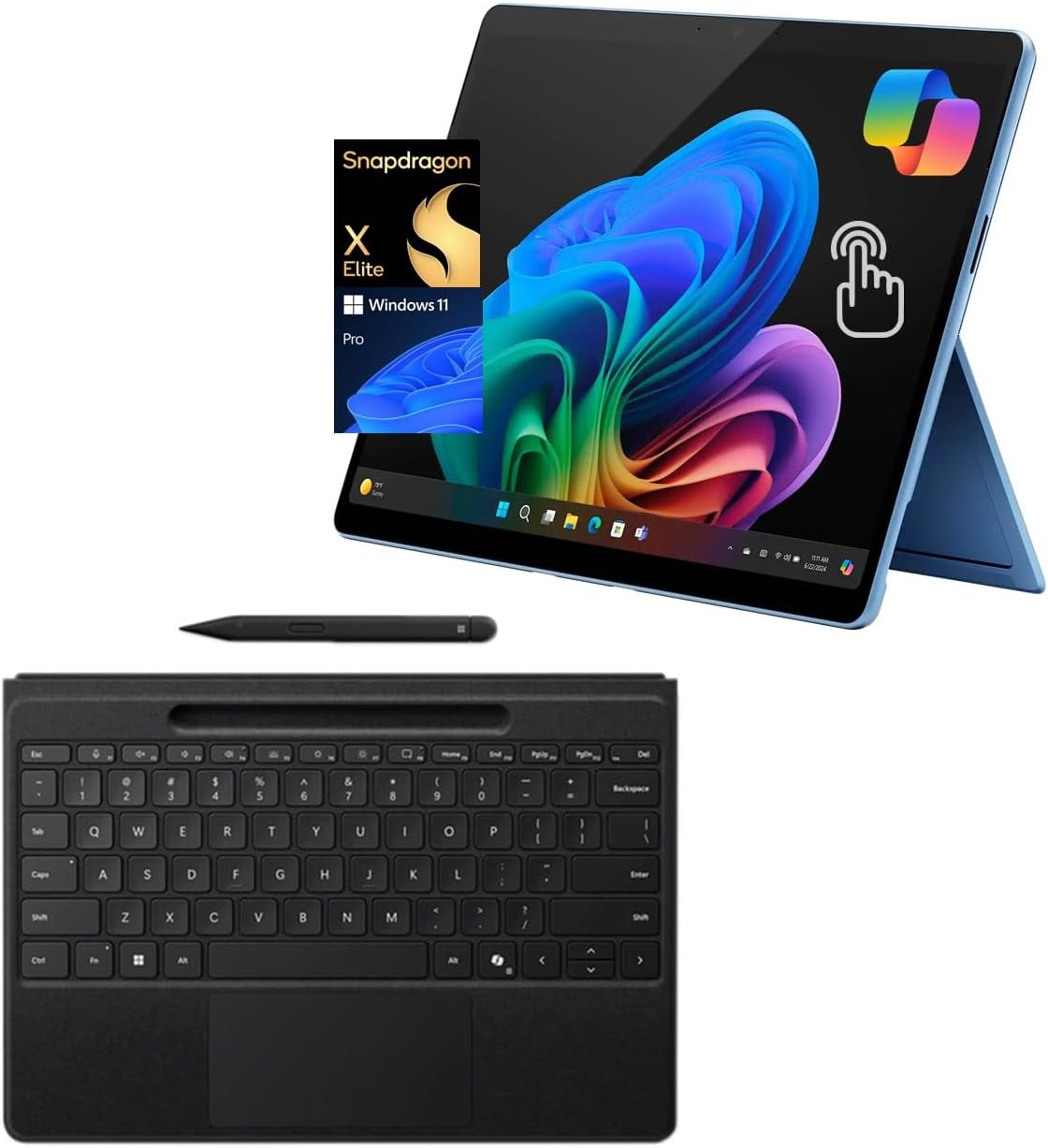
Microsoft Surface Pro 11 with Pro Flex Keyboard and Slim Pen - 13in
Microsoft Surface Pro 11 with Pro Flex Keyboard and Slim Pen - 13in
Price subject to change. Tap below for current.
Couldn't load pickup availability
In this review the Microsoft Surface Pro 11 is evaluated as a premium 2-in-1 for creative professionals and frequent travelers who want a lightweight tablet that can behave like a desktop. The biggest reason to buy is the combination of the Snapdragon X Elite chip and the 13in PixelSense Flow OLED display: together they deliver strong AI-enabled performance and a vivid, high-refresh visual experience without the bulk of a laptop. This review highlights who benefits most, realistic limitations, and why the bundle with Pro Flex Keyboard and Slim Pen matters for productivity.
Key Features
- Snapdragon X Elite processor: Provides ARM-based responsiveness and powerful on-device AI with 45 Tops NPU performance for tasks like image generation and real-time language features.
- 13in PixelSense Flow OLED display: A virtually edge-to-edge 2880 x 1920 panel with deep contrast and up to 120Hz refresh for smooth scrolling and accurate color when editing photos or viewing media.
- Copilot+ PC capabilities: Enables new AI workflows such as Recall search and Live Captions that accelerate creative work and research without constant cloud dependence.
- AI-Enhanced Studio Camera: The ultra-wide front camera with automatic framing keeps video calls centered and improves presence for remote meetings and content creation.
- Versatile connectivity: Two USB-C 4 ports allow fast charging, quick file transfers, and support for multiple 4K external displays for a desktop-like multi-monitor setup.
- Included Pro Flex Keyboard and Slim Pen: The bundle turns the tablet into a capable productivity device for note-taking, sketching, and long typing sessions while remaining highly portable.
Who It's For
The Surface Pro 11 is best for creative professionals, designers, and power users who value a high-quality OLED touch screen and AI-accelerated features on a thin, lightweight 2-in-1. Photographers and illustrators will appreciate color fidelity and pen input, while frequent travelers will enjoy the long battery life and compact footprint.
It is less well suited for users who rely on legacy x86-only applications or specialized software that may not be fully compatible with ARM architecture; those users should consider traditional x86 laptops. Budget buyers seeking a basic tablet without premium extras will also find the Pro 11 heavier on features than needed.
Pros & Cons
Pros
- Outstanding OLED display with high refresh rate for smooth visuals and accurate color.
- Strong on-device AI performance from the Snapdragon X Elite for creative and productivity tasks.
- Flexible 2-in-1 form with Pro Flex Keyboard and Slim Pen makes it a capable laptop replacement for many workflows.
- Modern connectivity with dual USB-C 4 ports for charging and multi-monitor setups.
Cons
- ARM-based architecture may cause compatibility issues with some legacy x86 applications.
- Renewed condition means units can vary slightly in cosmetic condition compared with new models.
Specifications
| Model | Surface Pro 11 (Renewed) |
| Processor | Snapdragon X Elite (ARM) |
| Neural Performance | 45 Tops NPU |
| Display | 13in PixelSense Flow OLED, 2880 x 1920, up to 120Hz |
| Memory | 16GB RAM |
| Storage | 512GB SSD |
| Operating System | Windows 11 Pro |
Our Verdict
The Surface Pro 11 with Pro Flex Keyboard and Slim Pen is a compelling choice for creatives and mobile professionals who want premium display quality and advanced AI features in a lightweight 2-in-1. It represents good value when the workflow benefits from on-device NPU power and pen input, provided you do not depend on legacy x86-only applications.
Frequently Asked Questions
Will legacy Windows apps run on this ARM-based model?
Most standard Windows apps will run, but some older or specialized x86 applications may have compatibility limitations on the ARM Snapdragon X Elite platform.
Does the package include the keyboard and pen?
Yes, this product is described with the Pro Flex Keyboard and Slim Pen included, which turns the tablet into a productive 2-in-1 setup.
How many external displays can it support?
With its USB-C 4 ports the Surface Pro 11 can support up to three 4K monitors at 60Hz when configured with the appropriate docks and adapters.
Editor's Take
The Surface Pro 11 with Pro Flex Keyboard and Slim Pen is a strong choice for creatives and mobile professionals seeking a premium 13in OLED screen and powerful on-device AI; avoid it if you depend on legacy x86-only applications.

Recently viewed
Recently viewed products will appear here as customers browse the store.