

Mirabox Capture Card for Nintendo Switch - 1080P 60FPS Capture with 4K
Mirabox Capture Card for Nintendo Switch - 1080P 60FPS Capture with 4K
Price subject to change. Tap below for current.
Couldn't load pickup availability
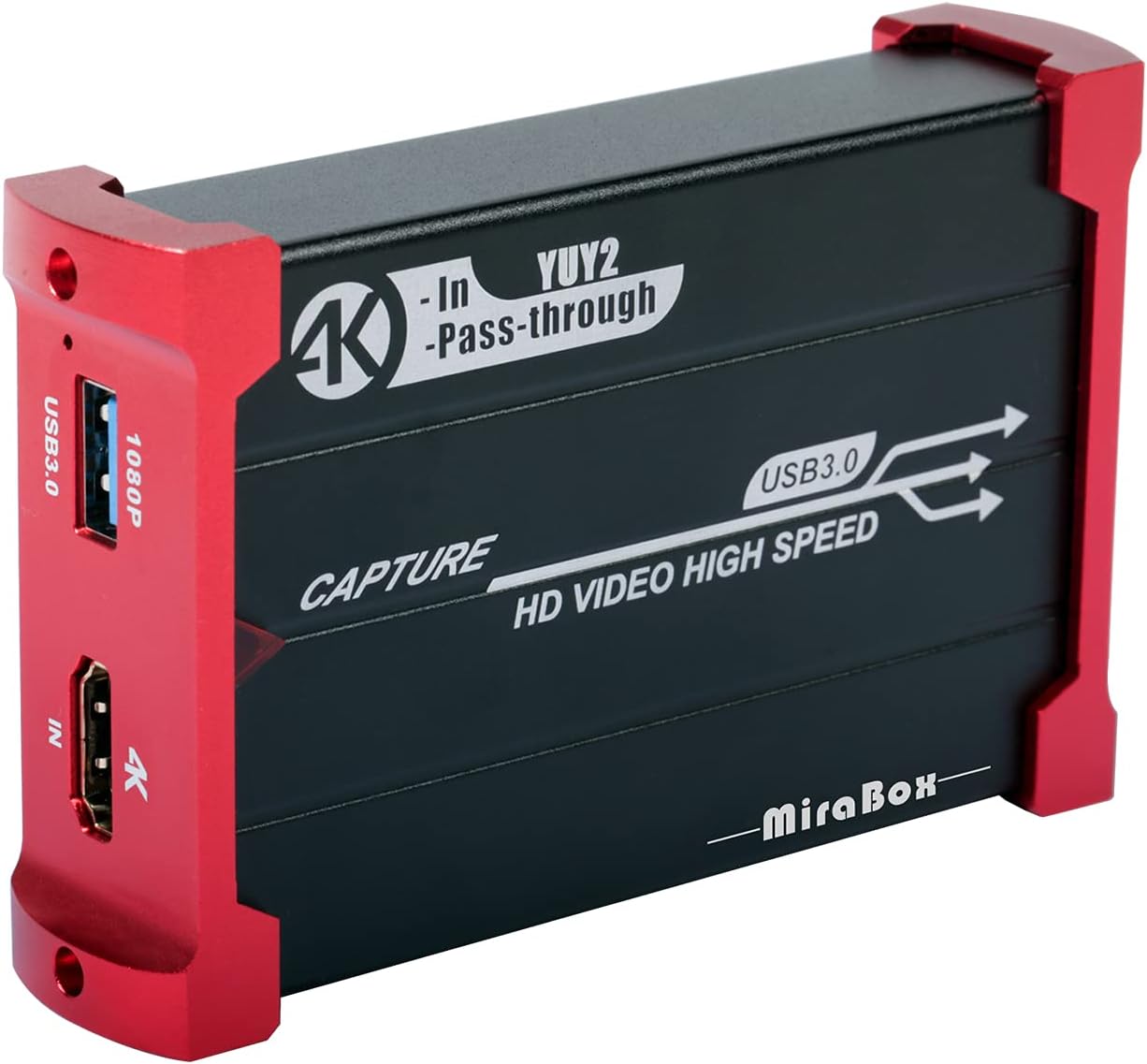
In this review the Mirabox Capture Card is presented as a budget-friendly capture solution for streamers and hobbyists who need reliable 1080P@60FPS recording and a lag-free monitor feed. The bottom line: this unit is best for content creators who want a simple, plug-and-play capture path with zero latency HDMI loopout for live gameplay monitoring, and who do not require native 4K recording. Setup is straightforward across Windows, Mac and Linux, making it an attractive entry-level option for Nintendo Switch, PS4/PS5 and DSLR capture.
Key Features
- 4K@30Hz input and passthrough: Accepts 4K@30Hz sources and provides a zero latency 4K@30Hz HDMI loopout so you can play on a monitor while capturing.
- 1080P@60FPS capture: Records at 1080P with 60FPS using a USB3.0 connection, giving smooth framerate suitable for live game streams and recordings.
- USB3.0 high speed transmission: The USB3.0 interface helps push incoming video to streaming software like OBS, Twitch, or YouTube with reduced bottlenecks.
- Wide device compatibility: Works with consoles, cameras, DSLR, set top boxes and other HDMI sources for flexible capture workflows.
- Plug and play: No driver installation is required for most systems, simplifying setup on Windows, Mac OS and Linux.
- YUY2 4:4:4 support: Uses a 4:4:4 chroma format option that can preserve colour detail for capture in supported apps.
Who It's For
The Mirabox card is ideal for beginner and budget-conscious streamers who need a dependable 1080P@60FPS capture device and a true zero-latency loopout for gameplay monitoring. It fits creators using the Nintendo Switch, PS4, PS5, Xbox, DSLR cameras or any HDMI-equipped source that will be displayed while being recorded.
It is not for users who require native 4K recording or professional audio capture. If you need guaranteed perfect audio fidelity or 4K capture at 30Hz+ resolution recording, a higher-end capture solution or dedicated audio interface should be considered instead.
Pros & Cons
Pros
- Zero latency HDMI loopout makes live play and streaming comfortable with no visible delay on the display.
- Solid value for price-conscious users seeking 1080P@60FPS capture via USB3.0.
- Broad compatibility with consoles, cameras and set top boxes simplifies setup across platforms.
- Plug-and-play convenience avoids driver headaches on most systems.
Cons
- Does not record in 4K; captures are limited to 1080P even though 4K input passthrough is supported.
- Some users report inconsistent audio quality, so audio monitoring or a dedicated audio solution may be needed for critical recordings.
Specifications
| Input | HDMI 4K@30Hz input |
| Passthrough | 4K@30Hz HDMI loopout (zero latency) |
| Capture Resolution | 1080P@60FPS |
| Connection | USB3.0 high speed |
| Compatibility | Windows 7/8/10, Mac OS, Linux; consoles and cameras |
| Color Format | YUY2 4:4:4 option |
Our Verdict
The Mirabox Capture Card is a pragmatic, cost-effective choice for streamers who want clean 1080P@60FPS capture and a true no-delay HDMI loopout for console or camera use. It delivers strong compatibility and easy setup, making it a good value for hobbyists and newcomers; just be aware that it will not record in 4K and that audio may require separate attention for higher-end productions.
Frequently Asked Questions
Can this card record in 4K?
The unit accepts 4K@30Hz input and provides 4K passthrough but captures video at 1080P@60FPS only.
Will it work without drivers?
Yes, it is designed to be plug-and-play on Windows, Mac OS and Linux with no driver installation required in most cases.
Is there any latency when monitoring?
No, the HDMI loopout offers zero latency passthrough so you can monitor gameplay or camera output without visible delay.
Editor's Take
The Mirabox Capture Card is a budget-friendly option for streamers needing reliable 1080P@60FPS capture and zero latency HDMI loopout; it offers broad compatibility and easy setup but does not record in 4K and may require separate audio handling.

Recently viewed
Recently viewed products will appear here as customers browse the store.