

Moleskine Pen+ Smart Writing Set with Dotted Smart Notebook - Digital
Moleskine Pen+ Smart Writing Set with Dotted Smart Notebook - Digital
Price subject to change. Tap below for current.
Couldn't load pickup availability
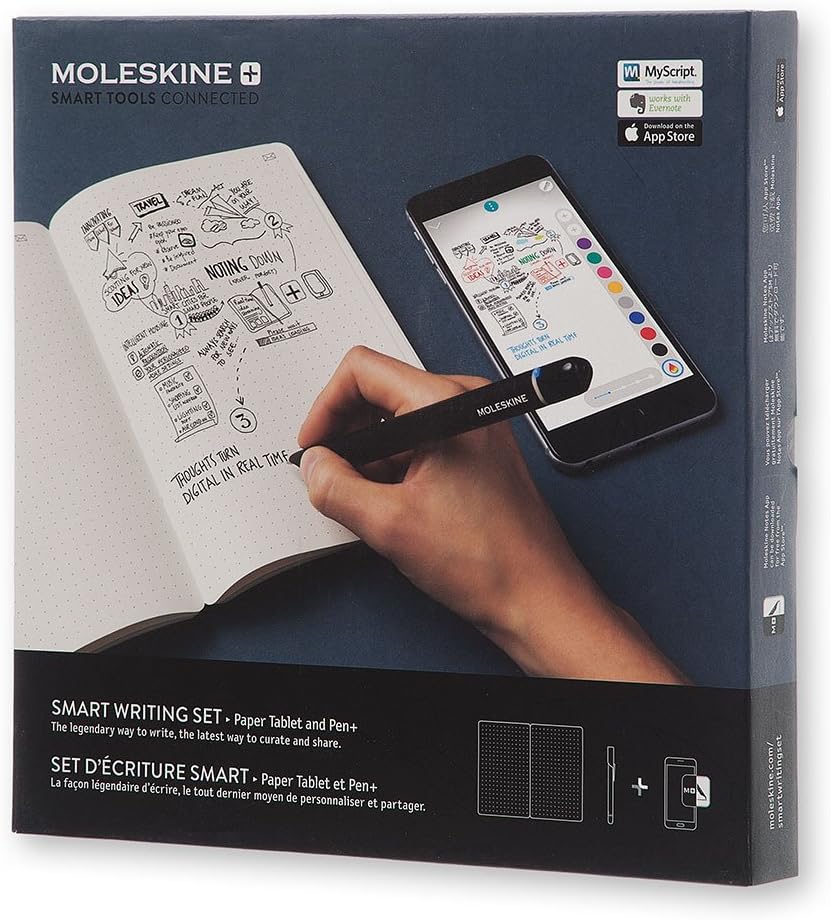
In this review the Moleskine Pen+ Smart Writing Set is judged as a bridge between analog sketching and digital organization for creative professionals and serious note takers. It combines a Pen+ digital smart pen with a dotted Paper Tablet to capture strokes using coded paper technology, then sends them to the companion app for editing, sharing, and storage. The kit's main appeal is that it preserves the tactile experience of pen on paper while producing a searchable digital record, though real-world syncing and capture quality can vary depending on use and expectation.
Key Features
- Pen+ digital pen: Captures each pen stroke using Code technology so handwriting and sketches can be digitized accurately.
- Encoded dotted Paper Tablet: The dotted layout supports sketching and structured notes while the encoded pages allow the pen to map strokes to the digital file.
- Companion app compatibility: The Moleskine app transfers pages to Android and Apple devices, enabling you to edit, organize, search, and share notes.
- Multimedia recording: The app can record audio synced to your notes, which helps recover context or expand ideas beyond the written page.
- Rechargeable and refillable: The pen+ includes a USB recharging cable and one pen tip ink refill so you can continue writing without replacing the whole unit.
Who It's For
This set is best for designers, illustrators, writers, and professionals who prefer drafting ideas on paper but need a digital backup for organization and sharing. The dotted notebook supports freehand sketching and structured notes, while the app's export options make it useful for project workflows and archiving.
Casual note takers or users seeking flawless instant sync may find occasional capture or sync inconsistencies frustrating, and those who prioritize the least expensive option for digital notes should compare alternatives before deciding.
Pros & Cons
Pros
- Preserves the tactile feel of a physical notebook while producing editable digital files.
- App integration allows saving as PDF and uploading to services like Google Drive or Evernote.
- Audio recording syncs with notes to add context and detail to written ideas.
- Rechargeable pen body and replaceable ink tip extend the product life.
Cons
- Some users report variability in sync reliability and capture quality depending on lighting, angle, or handling.
- Perceived value can vary; the kit is pricier than a normal notebook and pen for purely analog needs.
Specifications
| Brand | Moleskine |
| Includes | Pen+ digital smart pen, dotted Paper Tablet, USB recharging cable, 1 ink refill, user manual |
| Notebook layout | Dotted encoded paper |
| App compatibility | Android and Apple devices |
| Multimedia | Audio recording synced to notes; export to PDF and upload to cloud services |
| Pen power | Rechargeable via USB cable |
Our Verdict
The Moleskine Pen+ Smart Writing Set is a solid choice for creatives and professionals who value the analog writing experience but need digital organization; it integrates well with the Moleskine app and offers multimedia syncing. It represents good value for those who will use both paper and digital workflows, though buyers should accept occasional syncing quirks and a higher price than standard notebooks.
Frequently Asked Questions
Is the pen+ compatible with other notebooks?
The pen+ works only with Moleskine Smart Notebooks that use the encoded paper technology, so standard notebooks are not compatible.
Can I export notes to cloud services?
Yes, the companion app can save pages as PDF and upload files to services such as Google Drive and Evernote.
Does the kit include spare ink or charging accessories?
The set includes one pen tip ink refill and a USB recharging cable for the Pen+.
Editor's Take
The Moleskine Pen+ Smart Writing Set is ideal for creatives who want the feel of paper and the convenience of digital storage; it digitizes strokes, syncs audio, and integrates with cloud services, though sync can be inconsistent.

Recently viewed
Recently viewed products will appear here as customers browse the store.