

Moleskine Smart Writing Set Smart Notebook & New Smart Pen (2022)
Moleskine Smart Writing Set Smart Notebook & New Smart Pen (2022)
Price subject to change. Tap below for current.
Couldn't load pickup availability
In this review the Moleskine Smart Writing Set Smart Notebook & New Smart Pen (2022) is evaluated for people who want the tactile feel of pen on paper but need a reliable digital copy. The set delivers a familiar Moleskine notebook experience while using N-Code technology to capture each stroke and transfer it to the companion app, making it a good choice for students, professionals, and creatives who value organized, searchable notes. The single biggest reason to buy is the seamless paper-to-screen workflow that preserves handwriting while enabling edits, exports, and cloud backups.
Key Features
- Redesigned Smart Pen: captures every stroke and stores a digital copy so handwriting is preserved and available for editing.
- N-coded Paper Notebook: the Smart Notebook pages work with the pen to register position, enabling accurate digital replication of notes and drawings.
- Companion App Compatibility: the Moleskine Notes app transfers content to iOS and Android devices where notes can be transcribed, organized, and searched.
- Multimedia Export Options: notes and sketches can be shared as images, PDFs, or exported directly to Microsoft Word and PowerPoint for easy reuse.
- Cloud Backup Options: you can back up content to Google Drive or Microsoft OneDrive to protect and sync your digital notes.
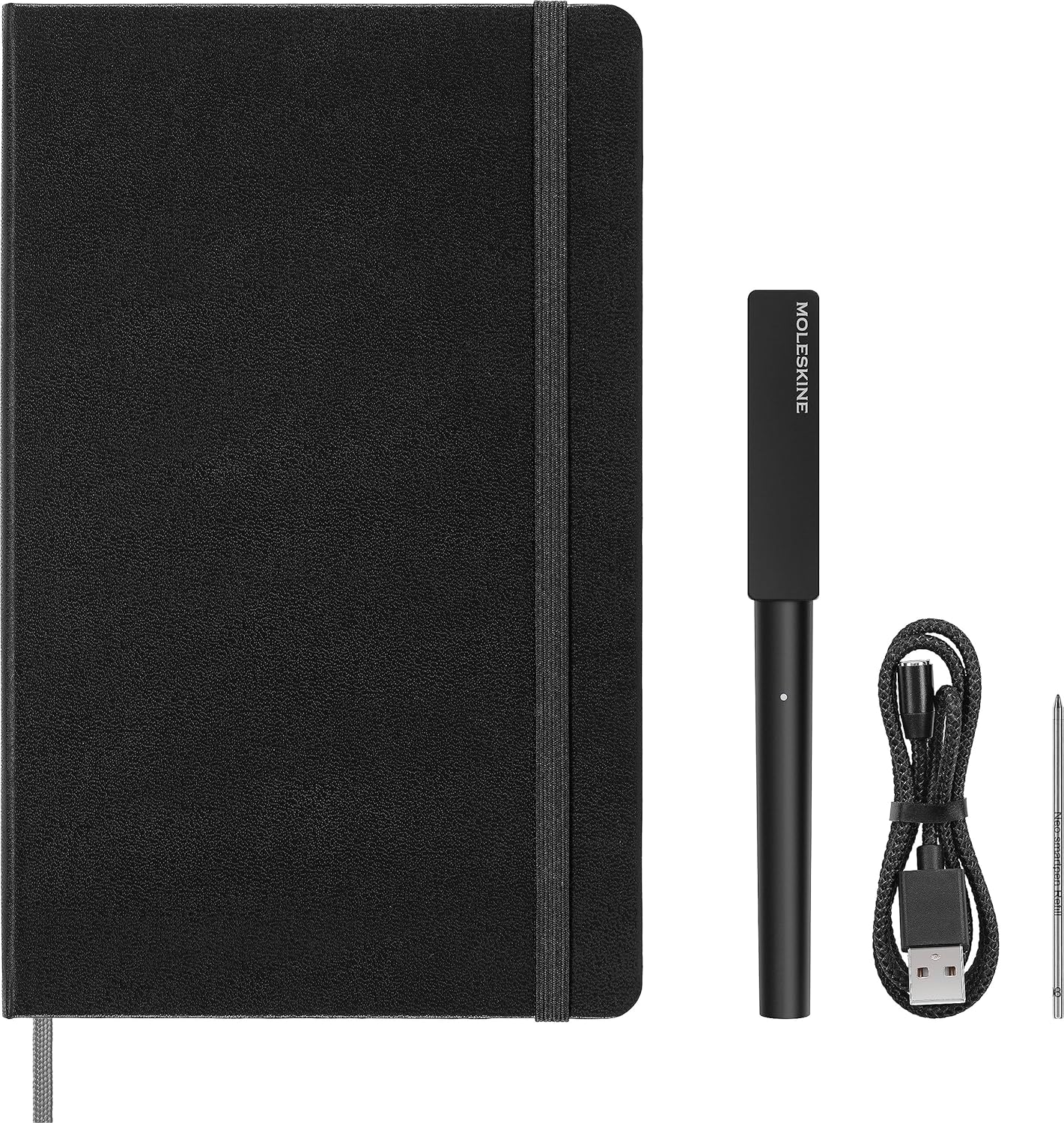
- Included Accessories: the set ships with a magnetic USB recharging cable and an extra pen tip ink refill for continued use out of the box.
Who It's For
The Moleskine Smart Writing Set fits people who prefer handwriting but need digital access: note-takers, meeting participants, designers sketching ideas, and students who want an editable archive. Its strength is bridging analog and digital workflows with a familiar notebook form factor and an app that exports to common productivity tools.
Those who should look elsewhere include buyers who need an entirely paperless tablet experience or who require flawless plug-and-play setup without any learning curve; some users report a tricky initial setup and occasional charging issues after extended use, so highly technical workflows that demand 100% uptime may prefer other digital-pen systems.
Pros & Cons
Pros
- Natural writing experience on a quality notebook while producing editable digital copies.
- Wide export options including PDF, Microsoft Word and PowerPoint and image formats.
- Convenient cloud backup to Google Drive and Microsoft OneDrive for secure storage.
- Includes magnetic USB charger and an ink refill so the set is ready to use immediately.
Cons
- Some users experience difficulty with setup and mixed results with app integration during first use.
- There have been reports of charging reliability after multiple charging cycles, which may affect long-term use.
Specifications
| Product | Moleskine Smart Writing Set Smart Notebook & New Smart Pen (2022) |
| Pen Technology | Redesigned digital Smart Pen with stroke capture |
| Notebook Type | Smart Notebook with N-Code paper |
| Compatibility | Moleskine Notes app for Android and Apple devices |
| Included Accessories | Magnetic USB recharging cable and 1 pen tip ink refill |
| Export Options | Image, PDF, Microsoft Word, PowerPoint; cloud backup to Google Drive and OneDrive |
Our Verdict
The Moleskine Smart Writing Set is a practical bridge between analog writing and digital organization, offering a quality notebook feel with useful export and backup options. It is good value for users who prioritize handwritten notes but want editable digital files, though those expecting flawless setup or long-term charging reliability should be aware of reported issues.
Frequently Asked Questions
Is the Smart Pen rechargeable?
The set includes a magnetic USB recharging cable for the Smart Pen.
Which devices work with the notebook?
The companion app is compatible with both Android and Apple devices and transfers written pages to your device.
Can I export notes to other formats?
Yes; notes can be shared as images, PDFs, or exported to Microsoft Word and PowerPoint, and you can back up to Google Drive or Microsoft OneDrive.
Editor's Take
The Moleskine Smart Writing Set is a solid bridge between paper and digital workflows, offering editable digital copies, wide export options, and cloud backup; setup and occasional charging issues may affect some users.

Recently viewed
Recently viewed products will appear here as customers browse the store.