

New Voice Remote Replacement for FireStick and Fire TV - Voice Control
New Voice Remote Replacement for FireStick and Fire TV - Voice Control
Price subject to change. Tap below for current.
Couldn't load pickup availability
In this review of the New Voice Remote Replacement for FireStick and Fire TV, the bottom line is simple: this remote is a practical, low-cost replacement for users who need basic voice control and app shortcuts for supported streaming sticks and smart TVs. It is best for owners of FireOS-equipped devices like later Firestick models, the TV Stick 4K Max and compatible Insignia or Toshiba smart TVs who want an easy pairing process and familiar layout. Setup is straightforward and the microphone button makes voice search convenient, but compatibility is uneven so check your device list before buying.
Key Features
- L5B83G upgraded version: Replaces original Insignia and Toshiba remote models so owners of those TVs can restore lost functionality without buying an OEM remote.
- Broad compatibility: Works with most later Fire stick models, TV Stick 4K series, TV Cube and FireOS TV devices so it fits a wide range of streaming set ups.
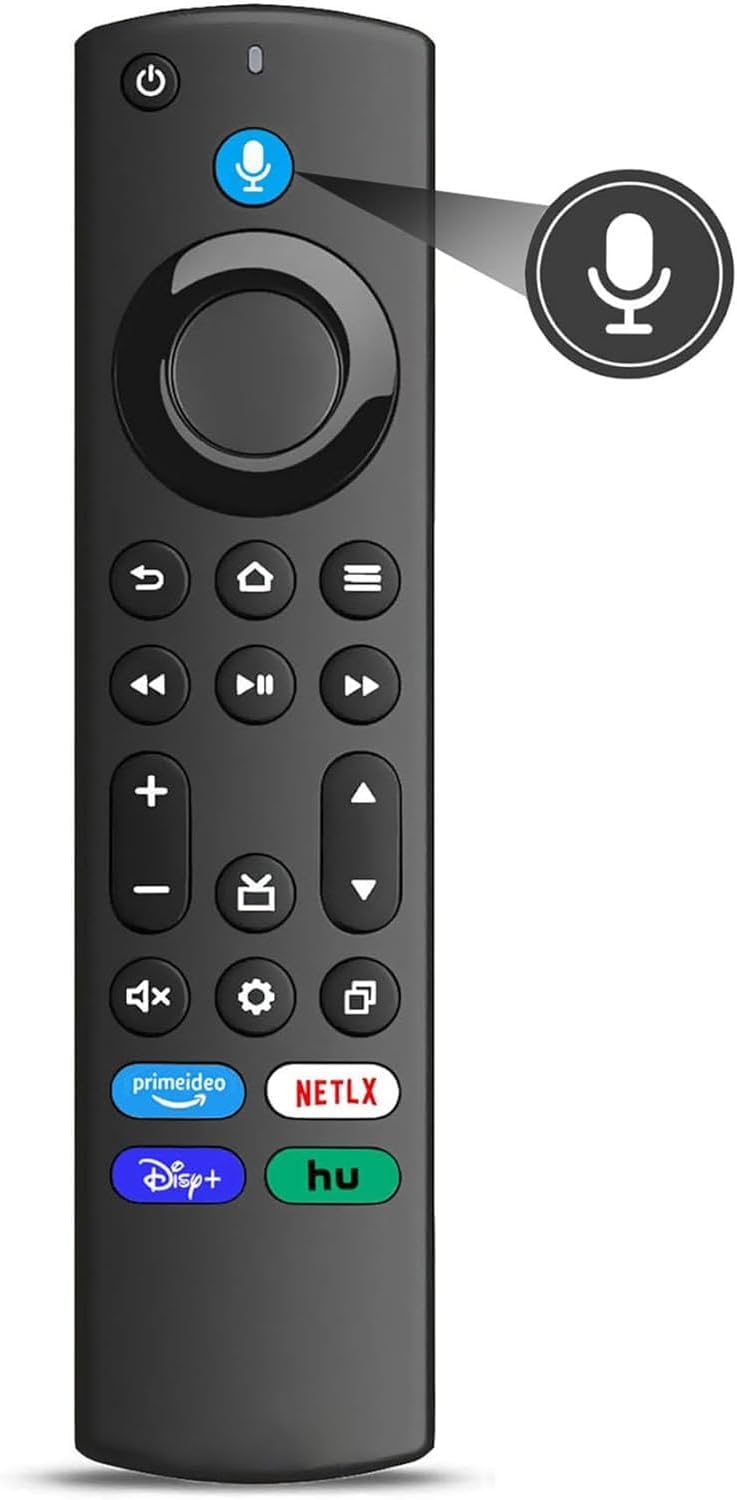
- Advanced voice control: Press the microphone button to speak commands and search for content hands-free, saving time compared with manual navigation.
- Four shortcut buttons: Dedicated app buttons let users jump to favorite streaming services with a single press for faster access to shows and apps.
- Easy pairing: Pairing requires holding Home for 8-30 seconds until an amber LED flashes, then the remote typically pairs automatically, simplifying first use.
Who It's For
This remote is aimed at people who own later-generation Fire stick products or smart TVs with FireOS TV built in, including compatible Insignia, Toshiba and Omni series models, and who need a cost-effective replacement with voice search and shortcut keys. It is also useful for households that want a spare remote that mirrors the original layout and basic functions.
Customers who have very old Fire devices (first-generation TV Stick or early Fire TV models), certain Element or specific Insignia HD/FHD sets, or model series explicitly listed as incompatible should look elsewhere or verify compatibility first. Buyers who need advanced features beyond voice and app shortcuts should consider OEM remotes for full feature parity.
Pros & Cons
Pros
- Affordable replacement that restores voice control to many FireOS devices.
- Simple pairing process that usually works without extra steps.
- Four preset app buttons streamline launching popular streaming services.
- Works as a drop-in substitute for several Insignia and Toshiba remote part numbers.
Cons
- Compatibility is mixed in the field; some customers report their TV would not recognize the remote.
- Not compatible with several older or specific TV editions listed in the product notes, so it is not universal.
Specifications
| Model / Version | L5B83G upgraded version |
| Compatibility | Firestick Lite, Firestick 2nd Gen and later, TV Stick 4K series, TV Stick 4K Max, TV Cube, FireOS TV (3rd Gen pendant) |
| Not compatible with | Fire TV 1st/2nd Gen, TV Stick 1st Gen, Element FireOS TV Edition, certain Insignia HD/FHD and other specified models |
| Voice control | Microphone button for voice commands |
| Shortcut buttons | Four preset app buttons |
| Pairing | Press and hold Home 8-30 sec until amber LED flashes; pairs automatically |
Our Verdict
For users with compatible FireOS devices who need a replacement remote that offers voice search and quick app access, this L5B83G upgraded remote is a sensible, budget-friendly choice that typically pairs easily and restores core functionality. However, because compatibility varies, it is best for buyers who confirm their model is supported or who are replacing a recently released Fire stick or compatible Insignia/Toshiba set.
Frequently Asked Questions
Will this remote work with my Firestick 4K Max?
Yes, the remote is listed as compatible with TV Stick 4K Max 1st Gen and later models.
How do I pair the remote?
Press and hold the Home button for about 8-30 seconds until the LED flashes amber rapidly; it should then pair automatically with the device.
Is voice control supported?
Yes, the remote includes a microphone button for voice commands and searches on supported FireOS devices.
Editor's Take
A budget-friendly replacement remote that restores voice search and shortcut access for many later FireOS devices; good value if your model is listed as compatible, but compatibility can be hit-or-miss.

Recently viewed
Recently viewed products will appear here as customers browse the store.