

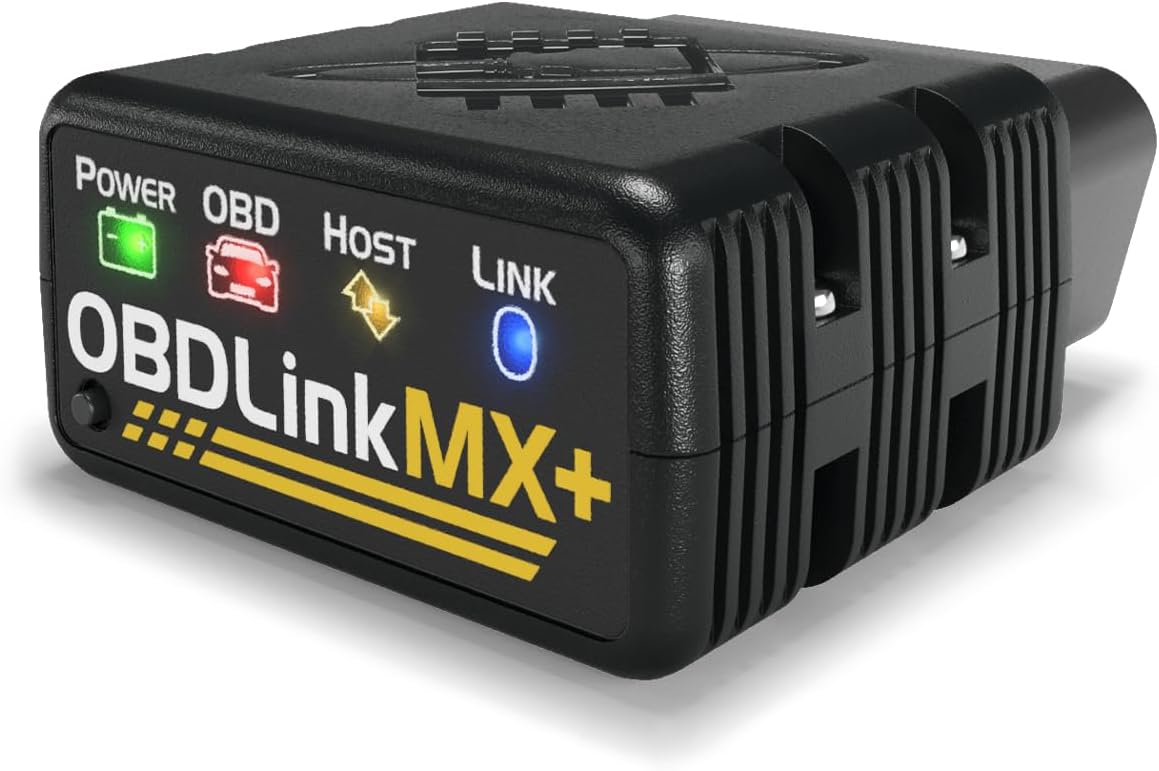
OBDLink MX+ OBD2 Bluetooth Scanner for iPhone, Android, and Windows
OBDLink MX+ OBD2 Bluetooth Scanner for iPhone, Android, and Windows
Price subject to change. Tap below for current.
Couldn't load pickup availability
Our review of the OBDLink MX+ finds it best suited for DIY mechanics and independent shops that need a compact interface to turn a phone or PC into a capable scanner; the single biggest reason to buy is its broad app compatibility and enhanced OEM support, which unlocks more live parameters and manufacturer-level access than typical generic adapters. The unit pairs with iPhone, Android, and Windows devices and is recommended for popular apps like FORScan and Torque, making it a practical bridge between a mobile device and deep vehicle diagnostics.
Key Features
- Multi-platform support: Pairs with iPhone, Android, and Windows so the same adapter works across phones and laptops for flexible diagnostics.
- App compatibility: Recommended for FORScan, Torque, BimmerCode, Dashcommand, AlfaOBD and Carista, enabling advanced functions depending on the app used.
- Enhanced OEM access: Provides expanded support for Ford, GM, Mazda, Nissan/Infiniti, Toyota/Lexus/Scion, Honda, Hyundai and Kia to read deeper modules than basic readers.
- Reset and live data: Can clear Check Engine Light codes and show more live parameters including ABS, SRS and TPMS compared with many competitors.
- Vehicle and device protection: Built-in over-voltage and battery drain protection helps prevent electrical issues while connected to the vehicle.
- Firmware updates included: Ongoing firmware updates keep the adapter compatible with new vehicles and fixes delivered by the manufacturer.
Who It's For
The OBDLink MX+ is ideal for enthusiasts who already use or plan to use diagnostic apps like Torque Pro, FORScan or BimmerLink and need a reliable Bluetooth interface that delivers OEM-level parameters and module access. It also fits independent mechanics and techs who prefer a portable solution that works with a laptop or tablet for on-the-go diagnostics.
It is less suitable for users who want a standalone handheld scanner with a built-in display or for those who need dealer-level programming not supported through third-party apps; such buyers should consider dedicated scan tools designed for programming and service procedures.
Pros & Cons
Pros
- Works well out of the box with popular apps, offering reliable connectivity for most phones and PCs.
- Quality build and device protections reduce risk of vehicle electrical issues while connected.
- Strong diagnostic accuracy and ability to read and reset ABS and SRS codes gives the adapter more utility than basic code readers.
- Included firmware updates extend compatibility as new vehicles arrive.
Cons
- Connectivity experience receives mixed feedback depending on app and phone, so results vary by platform and software used.
- Not a standalone tool; a compatible app on a phone or PC is required to perform advanced diagnostics.
Specifications
| Product | OBDLink MX+ OBD2 Bluetooth Scanner |
| Compatible devices | iPhone, Android, Windows PC |
| Recommended apps | FORScan, Torque, BimmerCode, Dashcommand, AlfaOBD, Carista |
| OEM support | Ford, GM, Mazda, Nissan/Infiniti, Toyota/Lexus/Scion, Honda, Hyundai, Kia |
| Functions | Read/clear CEL, live parameters (ABS, SRS, TPMS) |
| Protection | Over-voltage and battery drain protection |
| Updates | Included firmware updates |
Our Verdict
The OBDLink MX+ is a smart choice for anyone who wants professional-grade diagnostics through a phone or PC without buying an expensive scanner; it offers strong OEM access, reliable diagnostic accuracy and ongoing firmware support, making it good value for DIYers and small shops who pair it with compatible apps.
Frequently Asked Questions
Will this work with my car?
It supports standard OBD2 vehicles and offers enhanced OEM support for many Ford, GM, Mazda, Nissan/Infiniti, Toyota/Lexus/Scion, Honda, Hyundai and Kia models; compatibility depends on the vehicle year and app used.
Do I need an app to use it?
Yes, the adapter requires a compatible app on your iPhone, Android device or Windows PC to read codes and view live data; recommended apps include FORScan, Torque and BimmerCode.
Does it drain the battery when left plugged in?
The adapter includes battery drain protection to reduce the risk, but best practice is to disconnect it when the vehicle is not in use for extended periods.
Editor's Take
The OBDLink MX+ delivers OEM-level diagnostics to iPhone, Android and Windows devices, offering strong app compatibility, enhanced module access, and firmware updates, making it good value for DIYers and small shops.

Recently viewed
Recently viewed products will appear here as customers browse the store.