

OBSBOT UVC to HDMI Adapter 2.0 - 4K UVC to HDMI Converter
OBSBOT UVC to HDMI Adapter 2.0 - 4K UVC to HDMI Converter
Price subject to change. Tap below for current.
Couldn't load pickup availability
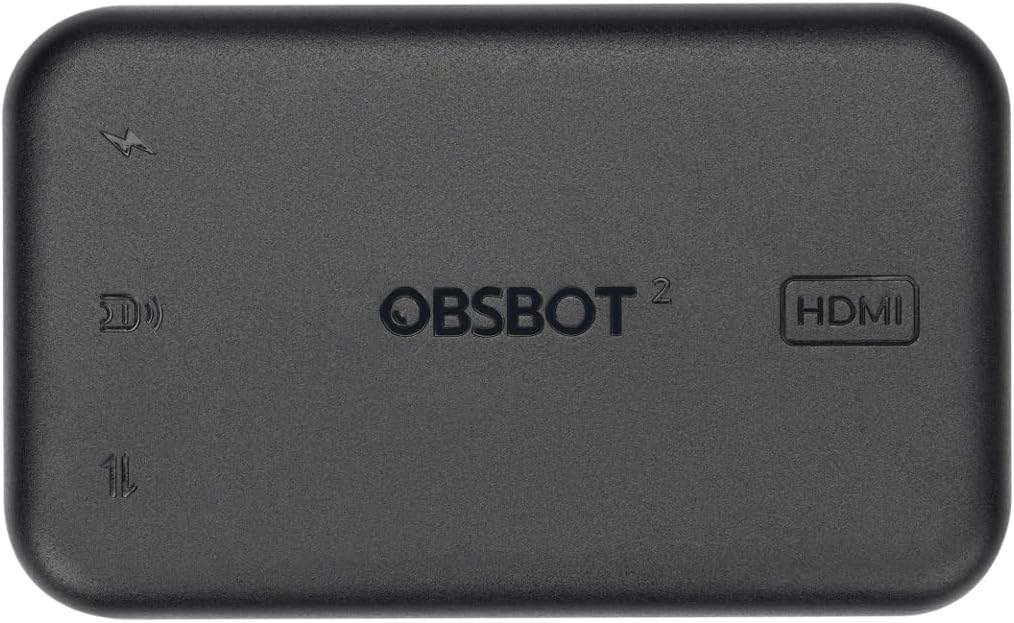
In this review of the OBSBOT UVC to HDMI Adapter 2.0, the bottom line is simple: this compact converter is for creators and presenters who need a straightforward way to route OBSBOT UVC webcams into HDMI displays or switchers with minimal fuss. It delivers the core promise of up to 4K@30fps conversion and plug-and-play simplicity, making it useful for video producers who want to use Tiny or Meet series cameras with TVs, ATEM switchers or recording devices without drivers.
Key Features
- 4K UVC to HDMI: Converts UVC camera output to HDMI at up to 4K@30fps or 1080p@60fps so higher-resolution webcam feeds can be used on HDMI monitors and switchers.
- Plug and Play: No driver installation is required, enabling quick connection to PC, Mac, Smart TV or compatible switchers for fast setup.
- Low Latency: Designed for ultra-low latency conversion to preserve real-time interaction during calls or live productions.
- Remote Control Support: Works with OBSBOT remote controllers for Tiny and Meet series so camera pan/tilt and controls remain available while connected.
- Firmware Upgradeable: Firmware updates are supported via software to keep compatibility and features current over time.
- Included Cable: Ships with a 1.5 m USB-C to USB-C cable to connect supported OBSBOT webcams directly.
Who It's For
This adapter is aimed at small production teams, educators, streamers and meeting hosts who already own OBSBOT Tiny or Meet series webcams and need a simple hardware path into HDMI displays or ATEM switchers. Its strength is the straightforward conversion without drivers, which suits quick setups, event installs and hybrid classrooms.
It is less suitable for users who rely on non-UVC USB 3.0 webcams or expect universal compatibility across every USB camera model; several users report compatibility limits with certain USB 3.0 webcams, so those with third-party cameras should verify support first.
Pros & Cons
Pros
- Reliable conversion to HDMI at up to 4K@30fps or 1080p@60fps for OBSBOT cameras.
- Truly plug-and-play with no driver installs needed for most host devices.
- Supports remote controller operation so camera control is retained during HDMI output.
- Firmware update support helps maintain long term compatibility.
Cons
- Reported compatibility issues with some USB 3.0 webcams limit use to supported UVC devices.
- Some users note mixed delay quality on certain setups, so latency can vary by host device and cable routing.
Specifications
| Product | UVC to HDMI Adapter 2.0 |
| Supported Resolution | Up to 4K@30fps and 1080p@60fps |
| Compatible Cameras | OBSBOT Tiny series, OBSBOT Meet series and other UVC webcams |
| Connection | USB-C input, HDMI output |
| Included Accessories | 1 x USB-C to USB-C cable (1.5 m) |
| Control | Supports OBSBOT remote controllers |
| Firmware | Upgradeable via software |
Our Verdict
The OBSBOT UVC to HDMI Adapter 2.0 is a practical, no-frills converter that makes OBSBOT webcams usable on HDMI displays and switchers with minimal setup. It is good value for users invested in the OBSBOT ecosystem who need reliable 4K or 1080p HDMI output and retained camera control, though anyone using non-UVC USB 3.0 webcams should check compatibility before buying.
Frequently Asked Questions
Will this adapter work with non-OBSBOT webcams?
The adapter is designed for UVC webcams and reports indicate mixed compatibility with some USB 3.0 cameras, so test or confirm support for third-party models first.
Do I need drivers to use the adapter?
No drivers are required; it is plug-and-play on PC, Mac, Smart TV and compatible switchers.
Can I control the camera while outputting HDMI?
Yes, OBSBOT remote controllers for the Tiny and Meet series are supported so camera control remains available.
Editor's Take
The OBSBOT UVC to HDMI Adapter 2.0 is a practical converter for OBSBOT webcams offering up to 4K@30fps, plug-and-play operation and remote control support, though compatibility with some USB 3.0 webcams can be limited.

Recently viewed
Recently viewed products will appear here as customers browse the store.