

Razer Kishi Mobile Game Controller for iPhone - Console Control on
Razer Kishi Mobile Game Controller for iPhone - Console Control on
Price subject to change. Tap below for current.
Couldn't load pickup availability
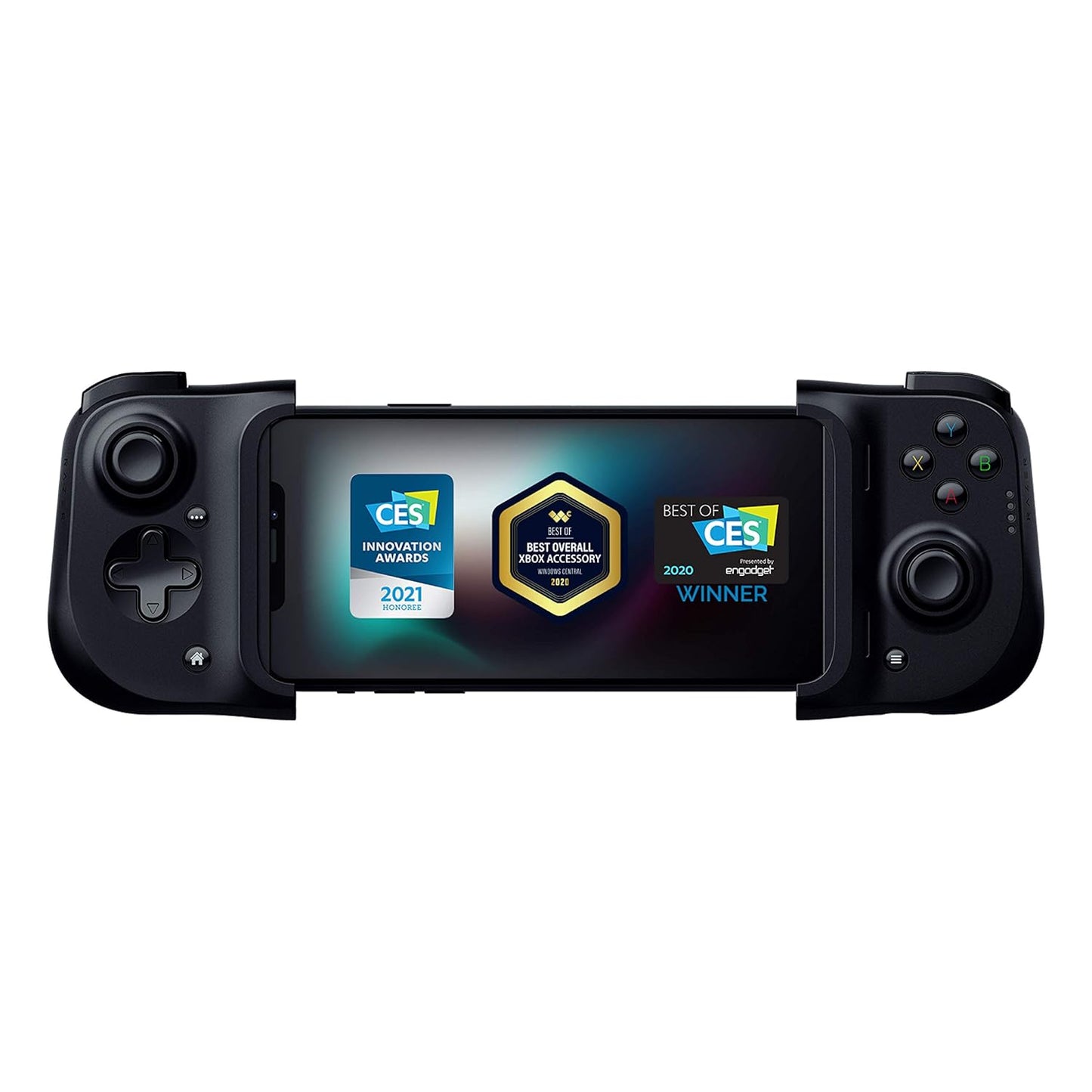
In this review the Razer Kishi for iPhone is evaluated as a compact way to turn an iPhone into a portable console-style controller. It is best for mobile and cloud gamers who want low-latency input and a familiar gamepad layout while playing titles on Apple Arcade, cloud services, or native mobile ports. The single biggest reason to buy is its direct lightning connection that delivers virtually latency-free gameplay, making timing-sensitive shooters and action games feel more responsive than with Bluetooth pads.
Key Features
- Direct Lightning Connection: Wired connection to the phone eliminates Bluetooth lag so inputs register immediately for precise control.
- Console-style Controls: Clickable analog thumbsticks, a d-pad, and performance buttons provide tactile feedback and finer aiming control than touchscreen controls.
- Cloud Gaming Ready: Works with major cloud services and streaming solutions so you can play console and PC titles on the go with the same controller feel.
- Pass-through Charging: Built-in Lightning passthrough keeps the phone charging while you play so long sessions do not drain battery unexpectedly.
- Stretch-to-fit Design: Flexible clamping mechanism secures most iPhones with a Lightning port and gives a comfortable handheld grip during extended play.
- MFi Certified: Designed specifically for iOS devices which helps with compatibility on supported games and services.
Who It's For
The Razer Kishi is aimed at iPhone owners who play a mix of cloud-streamed and native mobile games and want a familiar console layout and immediate input response. It is particularly useful for titles that reward precise aim and quick reactions, and for players who use services like Xbox Game Pass Ultimate, GeForce NOW, Stadia, or compatible streaming setups.
It is not the best choice for users who prefer a wireless setup or cannot remove their phone case, as the Kishi requires direct access to the Lightning port and a snug fit. Gamers who need universal compatibility across many phone models should verify fit first and consider other controllers if their device is outside the supported iPhone list.
Pros & Cons
Pros
- Zero-latency wired connection enhances responsiveness for fast-paced games.
- Clickable thumbsticks and performance buttons improve aiming accuracy and tactile control.
- Pass-through charging allows extended play without interrupting the session.
- Ergonomic stretch design feels comfortable for longer handheld sessions.
Cons
- Requires removal of phone case and only fits iPhones with a Lightning port, so fit and compatibility can be limiting for some users.
- Some games and titles may still have compatibility quirks despite MFi certification, so not every app will work perfectly.
Specifications
| Brand | Razer |
| Compatibility | Most iPhones with Lightning port (X, 11, 12, 13, 13 Max) |
| Connection | Direct Lightning port wired connection |
| Pass-through | Lightning port pass-through charging |
| Buttons | Clickable analog thumbsticks, performance buttons, d-pad |
| Certification | MFi certified for iOS devices |
Our Verdict
The Razer Kishi for iPhone is a practical upgrade for mobile and cloud gamers who need lower latency and a serious gamepad feel without carrying a separate console. It delivers strong build quality, responsive controls, and pass-through charging at a sensible value for its niche, but shoppers must accept the wired Lightning fit requirement and check game compatibility before buying.
Frequently Asked Questions
Will this fit my iPhone with a case?
The Kishi requires removal of most phone cases because it clamps directly onto the Lightning port and phone edges.
Does it work with cloud gaming services?
Yes, it is compatible with major cloud gaming services and streaming solutions referenced in the product details.
Is there input lag compared with Bluetooth controllers?
No, the direct Lightning connection is designed to provide near zero latency compared with Bluetooth pads.
Editor's Take
The Razer Kishi for iPhone delivers console-style controls and near-zero latency through a direct Lightning connection, making it a strong value for mobile and cloud gamers who can remove their phone case and confirm fit.

Recently viewed
Recently viewed products will appear here as customers browse the store.