

Ergonomic Mouse Wireless Rechargeable Vertical Mouse - Right Handed
Ergonomic Mouse Wireless Rechargeable Vertical Mouse - Right Handed
Price subject to change. Tap below for current.
Couldn't load pickup availability
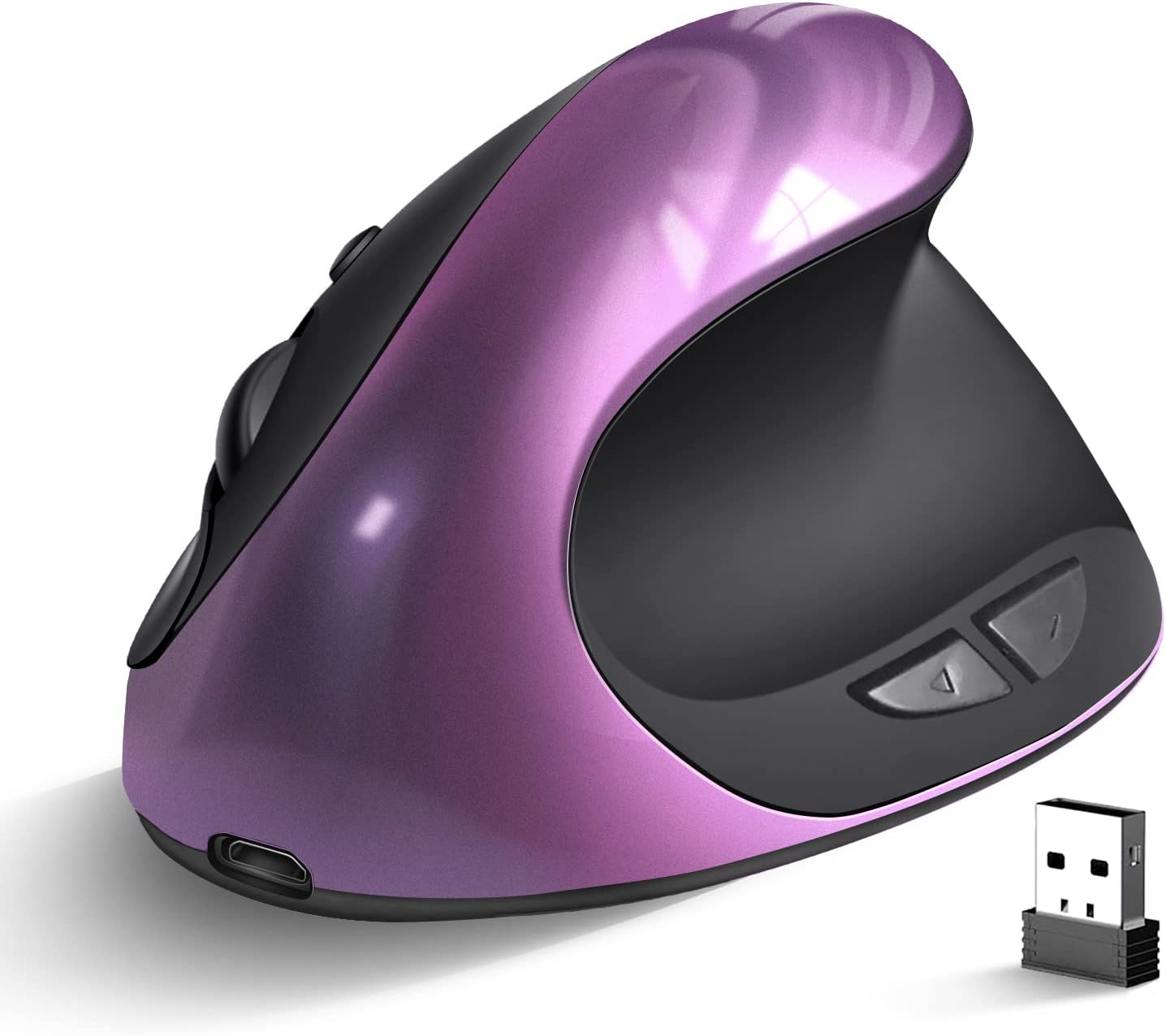
Our review of the Ergonomic Mouse Wireless Rechargeable Vertical Mouse finds it best suited to right-handed users who spend long stretches at a laptop or desktop and want to reduce wrist strain. The single biggest reason to buy is the vertical, ergonomic shape that repositions the hand to a more natural handshake posture, easing tension during extended use. The mouse is compact enough for smaller hands while still fitting larger ones comfortably, and it pairs widely with PCs and MacBooks using the supplied USB receiver and rechargeable battery for daily productivity.
Key Features
- Vertical ergonomic design: Reorients the wrist into a neutral position to help reduce forearm and wrist discomfort during long sessions.
- Rechargeable battery: Built-in rechargeable power eliminates the need for disposable batteries and supports consistent daily use.
- Three DPI levels: Switch between 1000, 1200 and 1600 DPI to match cursor speed for precision tasks or faster navigation.
- Six programmable buttons: Offers primary, secondary, DPI and thumb navigation buttons to speed common actions on laptop or desktop setups.
- Wide compatibility: Works with Windows and Mac systems via a USB receiver, making it usable across multiple computers and OS versions.
Who It's For
The mouse is ideal for right-handed office workers, students and remote workers who want an ergonomic alternative to a flat mouse and need a compact form factor for laptop bags. It suits users who value reduced wrist strain, adjustable cursor speeds and simple wireless connectivity with a USB receiver.
People who should look elsewhere include left-handed users and those who require full native support for the forward and backward thumb buttons on macOS, since those buttons may not be recognized on Mac systems. Gamers seeking ultra-high polling rates or extremely rugged industrial builds may also prefer a different specialized model.
Pros & Cons
Pros
- Comfortable vertical shape that many customers say reduces wrist strain during long use.
- Rechargeable operation and a USB receiver provide convenient wireless connectivity for laptops and desktops.
- Three DPI options and six buttons give usable flexibility for both productivity and general browsing.
Cons
- The forward and backward buttons are not consistently recognized on Mac systems, limiting some navigation features for Mac users.
- Some customers report mixed opinions on charge retention and perceived build quality, so expectations should be realistic for price-sensitive buyers.
Specifications
| Product type | Ergonomic vertical wireless mouse |
| Handedness | Right handed |
| Buttons | 6 buttons |
| DPI levels | 1000 / 1200 / 1600 |
| Connectivity | Wireless USB receiver |
| Compatibility | Windows 2000/XP/Vista/7/8/10, Linux, Mac |
| Power | Rechargeable battery |
Our Verdict
The Ergonomic Mouse Wireless Rechargeable Vertical Mouse is a solid choice for right-handed users seeking a compact, comfortable alternative to flat mice. Its vertical shape, multiple DPI settings and rechargeable wireless design deliver practical value for office and home use, though Mac users should note the limited recognition of thumb navigation buttons and some buyers report variable charge life and build feel.
Frequently Asked Questions
Will this mouse work on Mac?
Yes, basic functions and the primary buttons work on Mac, but the forward and backward thumb buttons may not be recognized natively.
How do you change DPI?
Use the dedicated DPI button to cycle through the three preset levels: 1000, 1200 and 1600.
Is the mouse rechargeable?
Yes, it includes a built-in rechargeable battery so you do not need disposable batteries.
Editor's Take
The Ergonomic Mouse Wireless Rechargeable Vertical Mouse is a good value for right-handed users who want reduced wrist strain, adjustable DPI and rechargeable wireless convenience, though Mac thumb-button support is limited.

Recently viewed
Recently viewed products will appear here as customers browse the store.