

Rux AI Desktop Robot Voice Companion - Android Dual OS
Rux AI Desktop Robot Voice Companion - Android Dual OS
Price subject to change. Tap below for current.
Couldn't load pickup availability
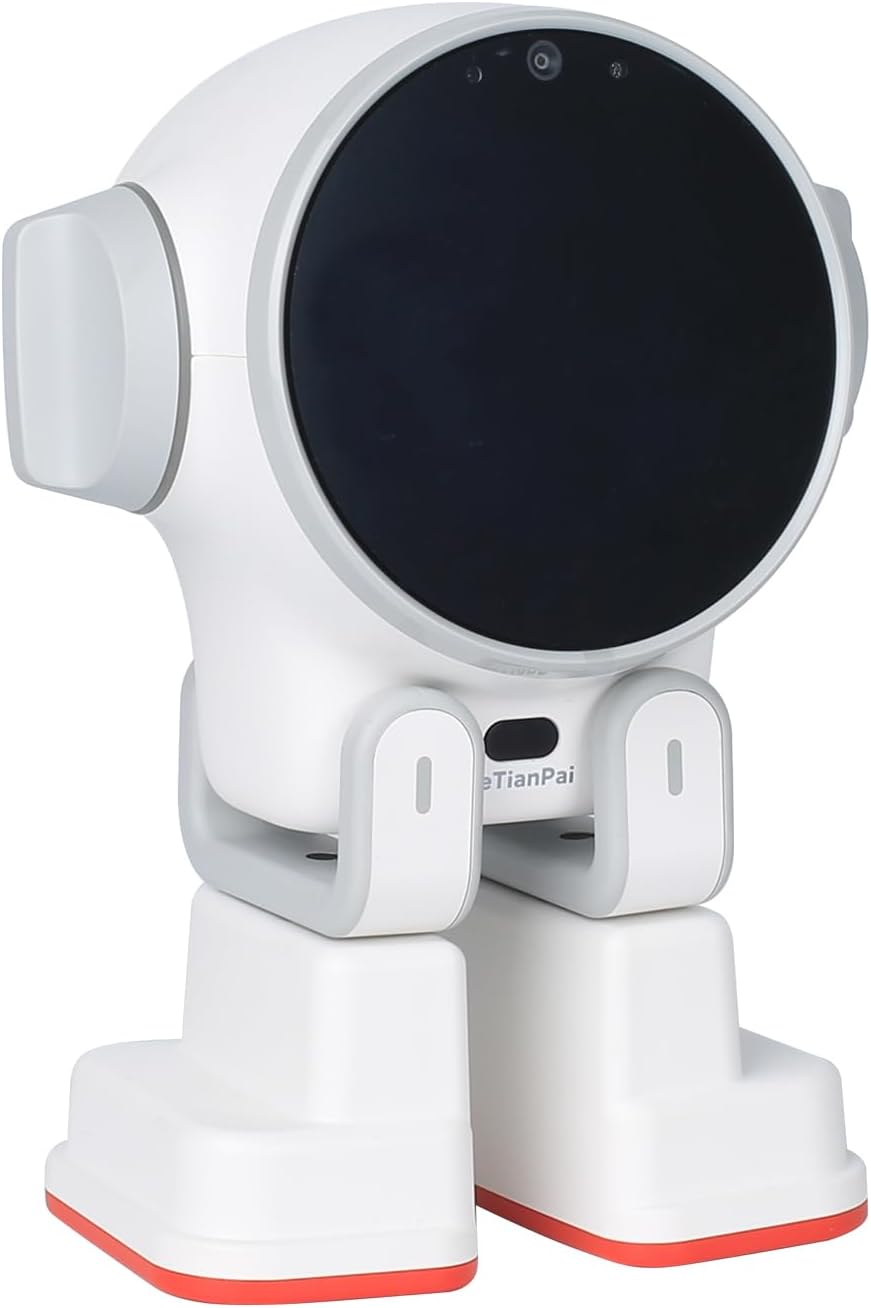
In this review of the Rux AI Desktop Robot, the bottom line is simple: this is a desktop companion for curious families, hobbyists and educators who want an interactive robot that can run apps and be programmed. The strongest reason to buy is the integrated Android system combined with a Python-friendly Linux mode, which makes Rux both an app-driven companion and a hackable platform for learning. The reviewer found the voice dialogue, remote monitoring camera and mobile call features particularly useful for everyday interaction and basic home monitoring.
Key Features
- Android and Linux dual systems: lets users install apps for extra features on Android and write Python code on Linux to extend capabilities.
- A55 central processor: provides responsive interaction and smooth switching between conversational tasks and simple apps.
- 4GB RAM / 32GB ROM: gives enough memory and storage for typical apps, saved content and moderate multitasking.
- 5MP wide-angle camera: enables remote monitoring, video calling and a broad view for walk-around surveillance via mobile devices.
- Voice dialogue and two-way calls: supports natural voice interaction as well as two-way voice and video calls through mobile-mini program connectivity.
- Mobile remote monitoring: desktop robot mobility and camera combine to let you check surroundings from your phone when away from home.
Who It's For
The Rux robot suits families who want an engaging holographic-like desktop companion that can entertain, teach and serve as a basic remote monitor, plus makers or students who value a device they can program. Its app ecosystem and support for multiple languages also make it a useful conversational toy for multilingual households.
Those who need advanced home security, heavy-duty autonomous navigation, or an out-of-the-box fully polished virtual assistant with long battery life should look elsewhere, since Rux is designed more for interactivity, education and light monitoring than as a dedicated security system.
Pros & Cons
Pros
- Integrated Android system makes it easy to add apps and expand what the robot can do.
- Dual OS and Python support open the platform to hobbyist programming and customization.
- Built-in 5-megapixel wide-angle camera and two-way calls allow practical remote monitoring and video calling.
- Compact desktop mobility provides entertaining movement while remaining suitable for a desk or countertop.
Cons
- The robot is not intended as a replacement for a dedicated home security system or advanced mobile robot with long-range autonomous navigation.
- Storage and memory are moderate rather than high-end, which may limit very large app libraries or extensive on-device media.
Specifications
| Brand | QUJUSO |
| Processor | A55 central processor |
| Memory / Storage | 4GB RAM / 32GB ROM |
| Camera | 5-megapixel wide-angle camera |
| Operating Systems | Android and Linux dual systems |
| Connectivity | Mobile app mini program for two-way voice and video calls |
| Languages Supported | English, German, Italian, French, Spanish, Japanese, Russian, Korean, Portuguese, Chinese |
Our Verdict
The Rux AI Desktop Robot is a strong choice for anyone who wants a programmable, app-capable desktop companion that also doubles as a simple remote monitoring device. Its dual Android/Linux design offers both consumer-friendly app expansion and a platform for learning, making it good value for educators, hobbyists and families seeking an interactive toy with practical monitoring features.
Frequently Asked Questions
Can Rux be programmed?
Yes. Rux runs Linux for Python programming so users can create and extend functionality beyond preinstalled apps.
Does Rux support video calls?
Yes. The robot supports two-way voice and video calls through mini programs and mobile terminal connections.
Is the camera suitable for home monitoring?
The 5MP wide-angle camera supports remote monitoring and is useful for casual surveillance, but it is not a replacement for a professional security system.
Editor's Take
The Rux AI Desktop Robot is a programmable, app-capable desktop companion with Android and Linux dual systems, a 5MP camera and two-way calls; it is best for educators, hobbyists and families wanting an interactive, customizable robot.

Recently viewed
Recently viewed products will appear here as customers browse the store.