

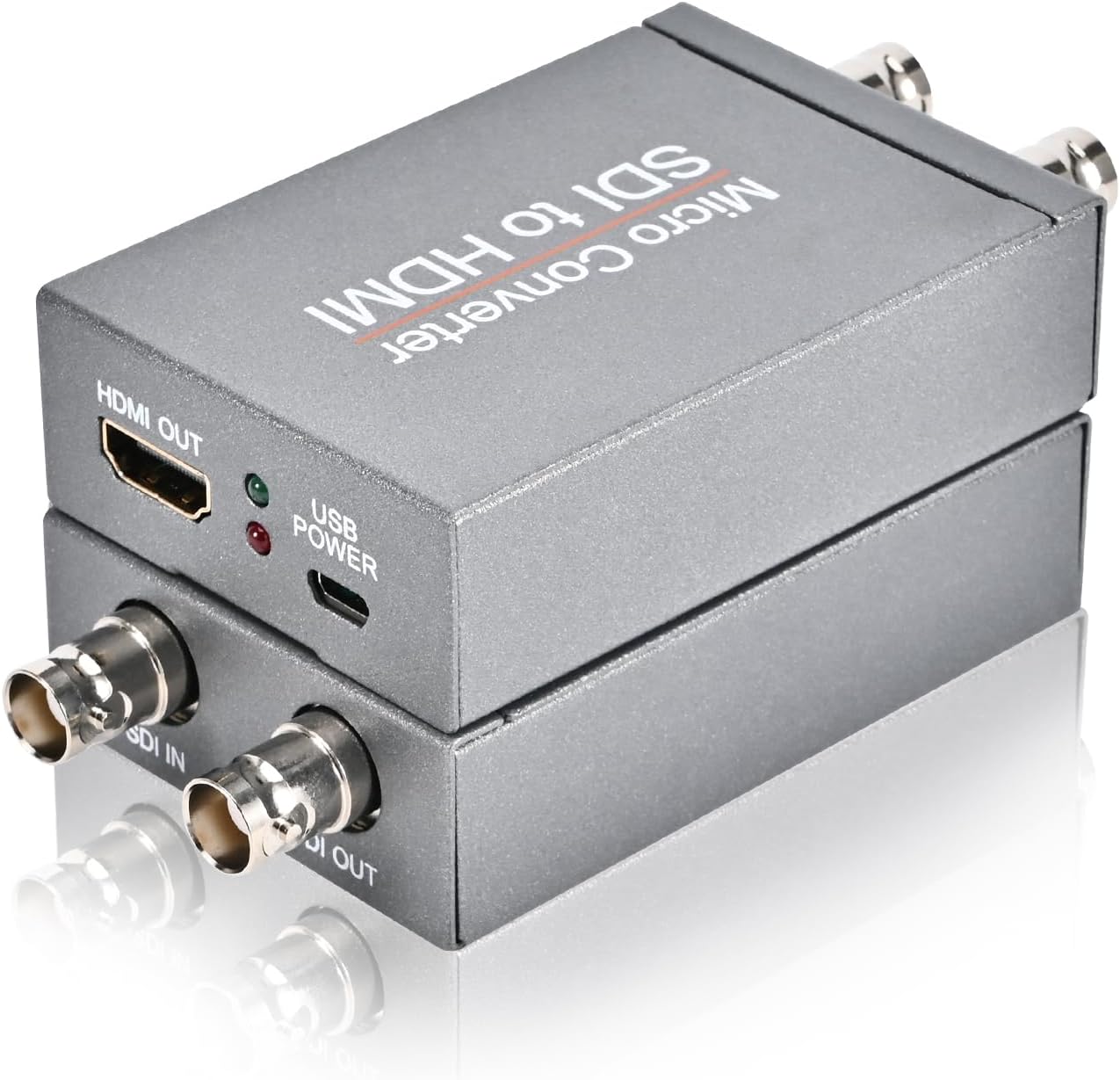
SDI to HDMI Converter Adapter with SDI Loop Out - 1080p Video
SDI to HDMI Converter Adapter with SDI Loop Out - 1080p Video
Price subject to change. Tap below for current.
Couldn't load pickup availability
In this review of the SDI to HDMI Converter Adapter with SDI Loop Out, the bottom line is simple: it is a practical bridge for anyone who needs reliable SDI to HDMI conversion without fuss. The reviewer found it particularly useful for live production and field work because it converts HD-SDI, 3G-SDI and SD-SDI signals to HDMI while preserving synchronous audio and video, and the built-in SDI loop out makes signal distribution straightforward. Setup is plug and play, which matters when time and reliability are priorities.
Key Features
- SDI to HDMI conversion: Converts HD-SDI, 3G-SDI and SD-SDI signals to HDMI so professional cameras can feed HDTVs, monitors or projectors without extra configuration.
- SDI loop out: Provides an SDI loop output so the original SDI signal can continue to an SDI monitor or downstream equipment while an HDMI display is connected.
- 1080p support: Handles up to 1080p resolution to ensure clear, high-definition video for most production and presentation needs.
- Audio and video sync: Transmits audio and video together over the converted signal, avoiding separate cabling or manual audio alignment in typical workflows.
- Robust design: Built for studio and field use with durable materials so it holds up to repeated setup and transport.
- Plug and play: Requires no complicated configuration, making it fast to deploy in multi-camera shoots or AV installs.
Who It's For
The converter is aimed at broadcasters, AV professionals and videographers who need to connect SDI-equipped cameras or sources to HDMI displays or projectors for monitoring, playback or presentations. It is a practical tool for live events, small studios and field workflows where maintaining a reliable, low-latency feed is important.
Users who need native 4K conversion, embedded advanced format handling, or extensive menu-driven switching should look elsewhere; this unit focuses on simple, robust 1080p conversion and distribution rather than high-end multi-format processing.
Pros & Cons
Pros
- Simple SDI to HDMI conversion that preserves audio and video synchronization for clean monitoring.
- SDI loop out makes distribution easy without additional splitters or routers.
- Supports up to 1080p for clear high-definition output suitable for most workflows.
- Plug and play setup and a durable build that suits both studio and field use.
Cons
- Does not support 4K resolutions, limiting use where ultra high definition is required.
- No advanced on-device configuration options for complex routing or format conversion needs.
Specifications
| Supported SDI Formats | SD-SDI, HD-SDI, 3G-SDI |
| Output Formats | HDMI and SDI loop out |
| Maximum Resolution | 1080p |
| Bit Rate | Up to 2.97 Gbit/s |
| Audio | Synchronous audio and video transmission |
| Design | Durable build for studio and field use |
| Setup | Plug and play, no complicated configuration |
Our Verdict
The SDI to HDMI Converter Adapter is a sensible, well-built utility for AV professionals who need a straightforward way to convert and distribute SDI signals to HDMI displays. It delivers reliable 1080p conversion, an SDI loop out for distribution, and easy plug and play operation, making it good value for workflows that do not require 4K or advanced processing.
Frequently Asked Questions
Can this unit handle 4K signals?
No. The converter supports resolutions up to 1080p and does not support 4K conversion.
Will audio remain in sync after conversion?
Yes. The unit transmits audio and video synchronously so audio remains aligned with video on the HDMI output.
Can I monitor the original SDI feed while sending HDMI to a display?
Yes. The SDI loop out allows the original SDI signal to be routed to an SDI monitor while the HDMI output feeds a separate display.
Editor's Take
A reliable SDI to HDMI converter that provides 1080p conversion, synchronous audio and an SDI loop out for distribution, making it a practical choice for broadcasters and AV pros who do not need 4K.

Recently viewed
Recently viewed products will appear here as customers browse the store.