

Starlink Ethernet Adapter Gen 2 - Stable Wired Connectivity
Starlink Ethernet Adapter Gen 2 - Stable Wired Connectivity
Price subject to change. Tap below for current.
Couldn't load pickup availability
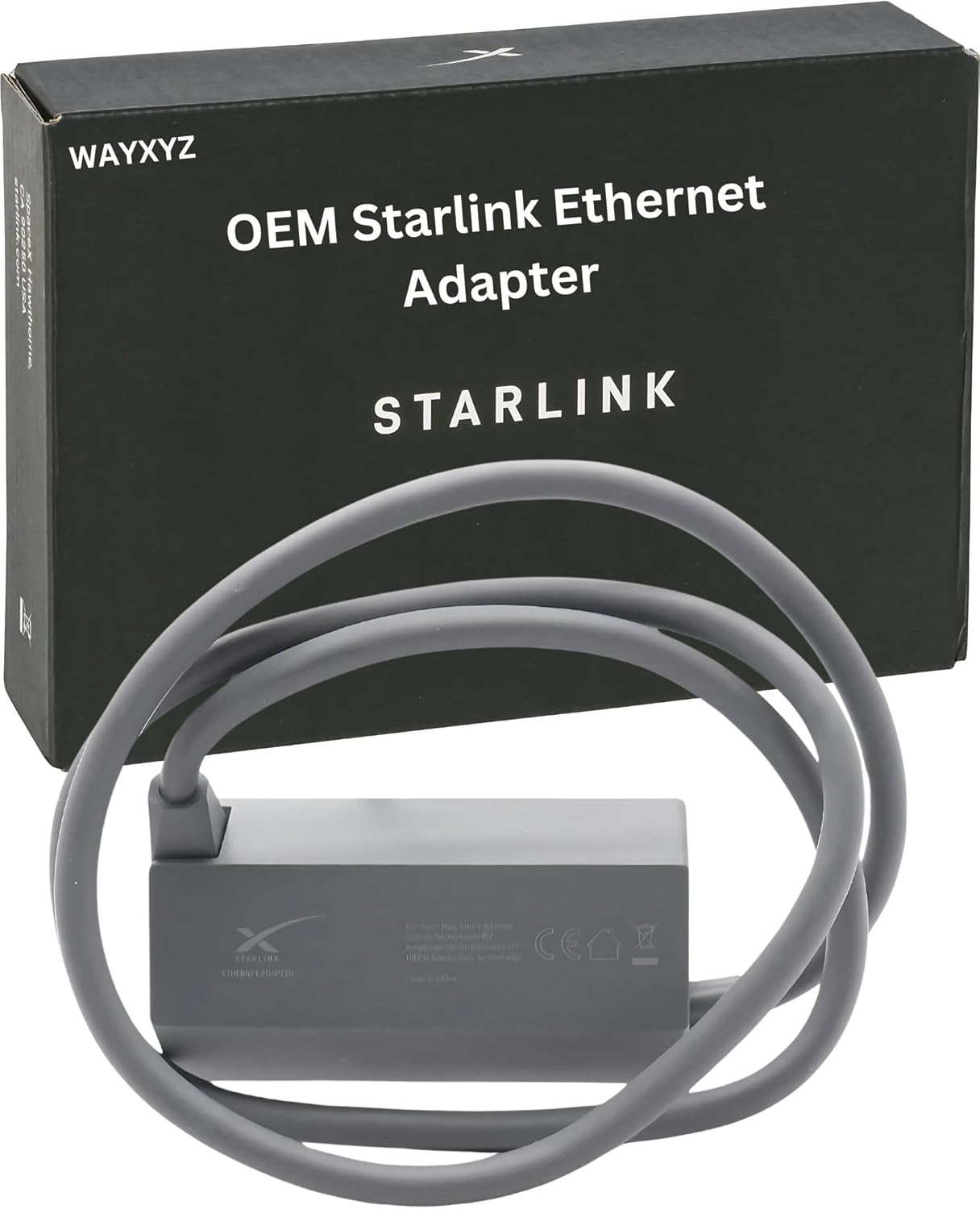
In this review of the Starlink Ethernet Adapter Gen 2 the bottom line is simple: if you use a Gen 2 Starlink router and need a reliable wired connection or want to add a third-party router, this adapter is the practical fix. It converts the Gen 2 setup into a true wired network port, is straightforward to install, and typically delivers real-world speeds in the 300-500 Mbps range while supporting up to 1 Gbps. For anyone prioritizing consistent wired performance for gaming, streaming, or work, this adapter is worth considering.
Key Features
- Stable Wired Connectivity: Enables direct Ethernet connections from the Starlink system to devices or a separate router, reducing wireless variability for critical tasks.
- High-Speed Performance: Supports up to 1 Gbps and commonly delivers 300-500 Mbps in real use, which keeps video calls and streaming smooth.
- Gen 2 Compatibility: Designed specifically for Gen 2 Starlink routers that lack Ethernet ports so third-party routers can be integrated without hacks.
- Easy Installation: Installs between the Starlink antenna and the Gen 2 router and includes a bypass mode to disable built-in Wi-Fi when desired.
- OEM Quality Assurance: Marketed as an OEM solution, it offers a dependable build and consistency in daily use.
Who It's For
The adapter is best for Starlink Gen 2 users who want a physical Ethernet port to connect a third-party router, switch, NAS, gaming console, or a single wired device. Home and small office users who value stable connectivity for streaming, video conferencing, and online gaming will appreciate the consistent throughput.
It is less relevant for users whose setups already rely solely on wireless devices or who do not run a Gen 2 Starlink router. Those seeking multi-gigabit sustained wired links beyond typical consumer broadband should look at higher-end networking hardware instead.
Pros & Cons
Pros
- Reliable wired connection that reduces latency and interference compared with Wi-Fi.
- Plug-and-play installation that customers report as easy to set up and use.
- Solid real-world speeds that meet common needs for streaming and gaming.
- OEM-quality construction that matches the intended Starlink Gen 2 environment.
Cons
- Real-world speeds are typically 300-500 Mbps, so it may not reach full 1 Gbps in most home setups.
- Only applicable to Gen 2 Starlink routers; not useful for older or non-Gen 2 models.
Specifications
| Product type | Ethernet adapter for Starlink Gen 2 |
| Supported speed | Up to 1 Gbps (typical 300-500 Mbps) |
| Compatibility | Designed for Gen 2 Starlink routers |
| Installation | Inline between antenna and router with bypass mode |
| Use cases | Third-party router integration, wired device connection |
| Quality | OEM quality assurance |
Our Verdict
The Starlink Ethernet Adapter Gen 2 is a straightforward, practical accessory for anyone using a Gen 2 Starlink router who needs a reliable wired port or wants to add a third-party router. It delivers consistent, real-world speeds suitable for streaming, gaming, and remote work, and it represents good value for users who need stable wired connectivity rather than peak multi-gigabit throughput.
Frequently Asked Questions
Will this work with my Gen 2 Starlink router?
Yes; it is designed specifically to integrate with Gen 2 Starlink routers that do not include native Ethernet ports.
What speeds can I expect?
It supports up to 1 Gbps but typically delivers about 300-500 Mbps in real-world home and small office setups.
Is installation difficult?
No; customers report plug-and-play installation with a bypass mode to disable built-in Wi-Fi when needed.
Editor's Take
A practical accessory for Gen 2 Starlink users who need a reliable wired port or want to add a third-party router; it delivers consistent real-world speeds and easy plug-and-play installation, offering good value for stable home or small office connectivity.

Recently viewed
Recently viewed products will appear here as customers browse the store.