Stream Dock Mirabox for PC and Mac - Programmable Macro Controller
Stream Dock Mirabox for PC and Mac - Programmable Macro Controller
Price subject to change. Tap below for current.
Couldn't load pickup availability
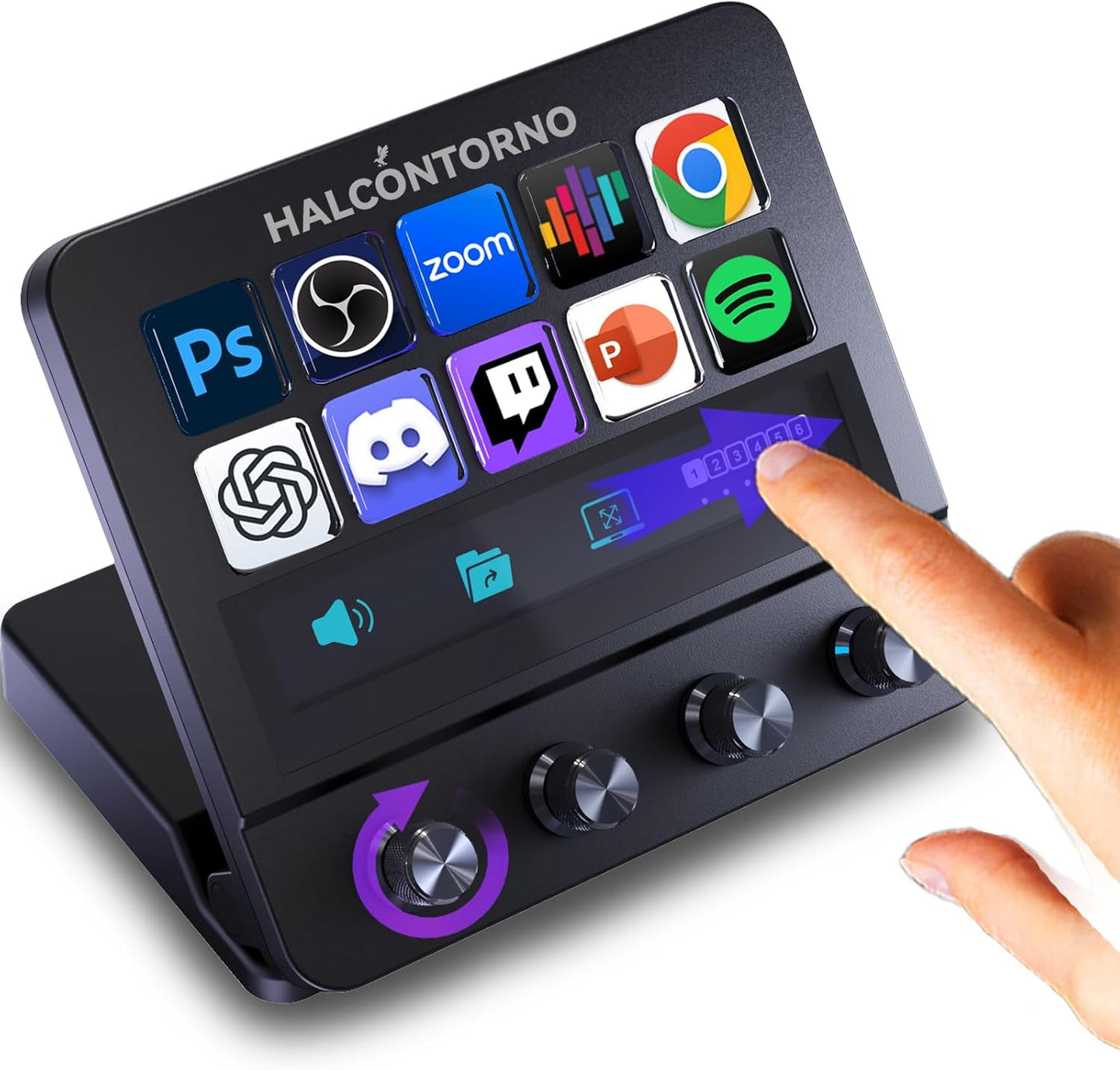
The Stream Dock Mirabox is a game-changer for content creators and gamers alike. Designed for both PC and Mac, this wired streaming controller offers a seamless experience with its user-friendly interface and customizable features. With 10 macro keys at your disposal, you can easily program shortcuts to enhance your productivity and streamline your workflow.
One of the standout features of this programmable macro keyboard is its easy setup process. While it does require some technical skills and patience, the stable hardware and evolving software make it worth the effort. The community forum is a valuable resource for troubleshooting and tips, ensuring you get the most out of your device.
The constant software updates keep the Stream Dock at the forefront of streaming technology. As a budget-friendly alternative to more expensive brands, it actively improves its features based on user feedback. Regularly checking for updates and engaging with the community can significantly enhance your experience.
Equipped with 4 infinite knobs, this controller allows for intuitive control over system volume, brightness, and screen settings. The knobs provide faster and more precise adjustments compared to traditional button tapping. However, note that only global volume control is supported at this time, with app-specific volume control coming soon.
Customization is key with the triple-action knob functionality. Each knob supports clockwise, counter-clockwise, and press actions, allowing you to map any function, shortcut, or macro. This level of customization ensures that your setup is tailored to your specific needs, making it an essential tool for any serious streamer or gamer.
The built-in visual feedback screen is another impressive feature, clearly displaying each knob's function and real-time status. This eliminates confusion during fast-paced work, allowing you to focus on your content creation without worrying about missteps.
Switching scenes or pages is a breeze with the touchscreen functionality. Simply slide left or right to transition smoothly, whether you're editing videos, streaming live, or multitasking. This fluidity enhances your overall experience and keeps your workflow uninterrupted.
With 10 customizable buttons and adjustable icons, the Stream Dock offers two more buttons than many competitors. All icons are fully customizable and brightness adjustable, giving you complete control over your setup. This feature is particularly useful for those who work in low-light environments.
Comfort is paramount during long sessions, and the infinitely adjustable stand ensures you can find the perfect angle for your needs. Unlike fixed or limited-angle stands, this design enhances ergonomics and reduces strain during extended use.
Finally, the Steam Deck compatibility allows you to download the necessary software for your device's operating system, optimizing your workflow across various tasks. Access free icons, plugins, and more by exploring the Store icon in the software, making it easy to customize your experience further.
Share