

Stream Dock Mirabox Steamdeck for PC Mac - Programmable Macro Keyboard
Stream Dock Mirabox Steamdeck for PC Mac - Programmable Macro Keyboard
Price subject to change. Tap below for current.
Couldn't load pickup availability
In this review the Stream Dock N4E is examined as a budget-friendly, feature-packed control deck for creators and streamers who enjoy tinkering. The bottom line: it is best for technically confident users who want customizable physical controls and evolving software rather than a plug-and-play box; the hardware offers four programmable knobs, a touchscreen strip for scene swapping, and ten customizable buttons, but setup requires patience and some technical skill to unlock its full potential.
Key Features
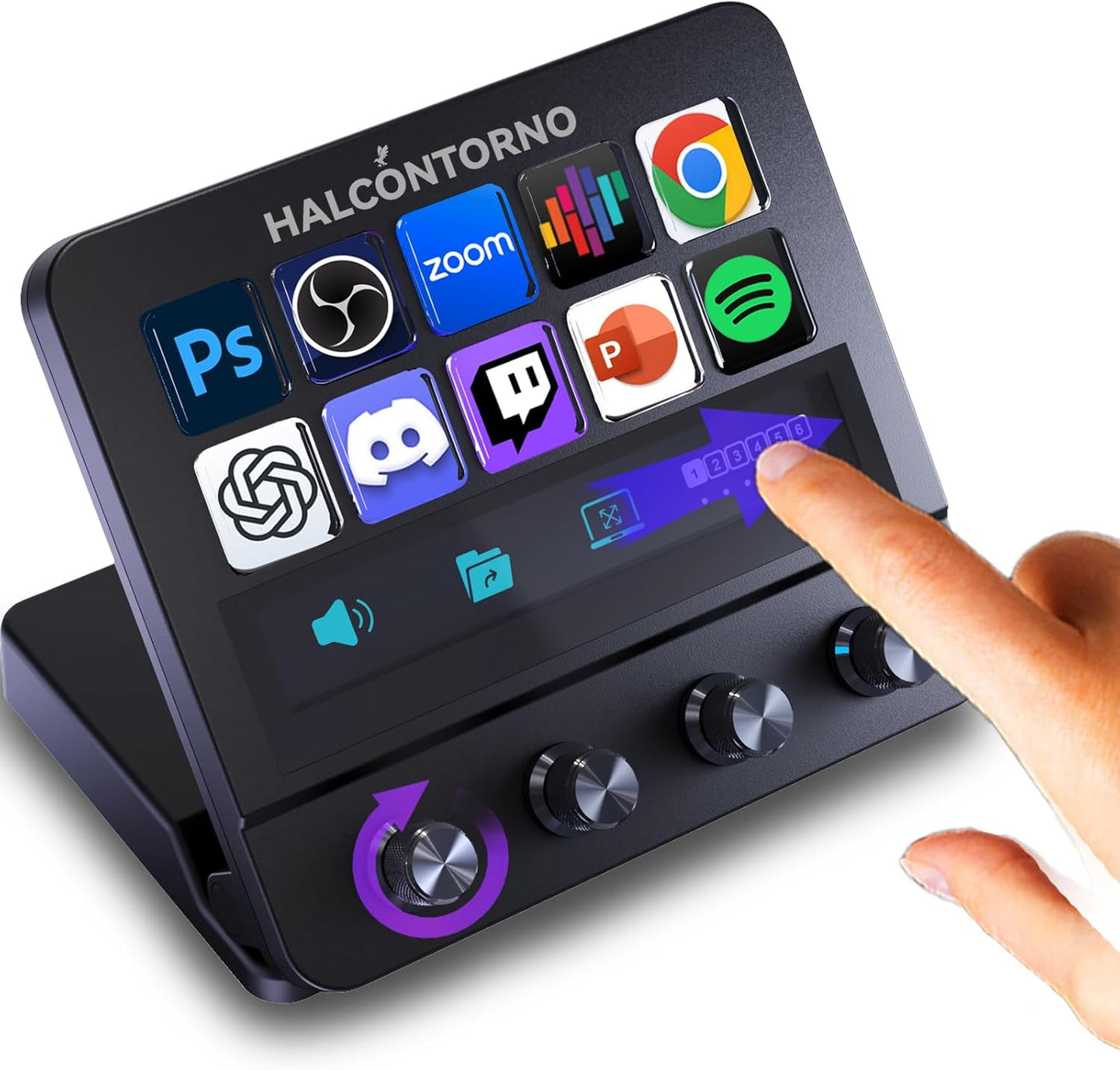
- Four infinite knobs: Each rotary control adjusts global settings like system volume and brightness with faster, more precise input than buttons alone.
- Triple-action knob mapping: Every knob supports clockwise, counter-clockwise, and press actions so a single control can trigger three separate functions or macros.
- Built-in visual strip: The screen above the knobs shows real-time labels and status so users can see which function is active without guessing.
- Touchscreen scene swapping: Slide left or right on the touchscreen strip to instantly change pages or scenes during streaming or editing workflows.
- Ten customizable buttons: Two more buttons than many compact decks, with adjustable icon brightness and downloadable icon resources for quick setup.
- Stepless adjustable stand: The infinitely adjustable stand lets users set an ergonomic angle for long sessions and better visibility.
Who It's For
The Stream Dock N4E is aimed at content creators, streamers, and power users who like to customize keyboards and control surfaces; people who enjoy mapping macros, setting up scene switching, and using rotary encoders for fine adjustments will get the most from it. The combination of knobs, a touchscreen strip, and ten buttons is especially useful for streamers, video editors, and multitaskers who want tactile control.
It is not ideal for buyers who need an effortless plug-and-play experience; the product requires downloading companion software, patience during configuration, and some technical know-how. If you prefer a device that works immediately with minimal setup, you should look elsewhere.
Pros & Cons
Pros
- Highly customizable knobs and buttons let users map complex macros and shortcuts.
- The touchscreen and on-screen labels provide clear visual feedback to avoid mix-ups.
- Software store and shared resources offer downloadable icons, plugins, and presets to speed setup.
- Ergonomic stepless stand and adjustable brightness improve long-session comfort.
Cons
- Requires technical skills and patience to set up and customize; not ideal for non-technical users.
- App-specific volume control is not yet supported; only global volume is available at the moment.
Specifications
| Product | Stream Dock N4E (Mirabox style) |
| Platform | PC and Mac (requires companion software) |
| Knobs | 4 infinite rotary knobs with press function |
| Buttons | 10 customizable buttons with adjustable icons |
| Display | Touchscreen strip for scene and page swapping |
| Stand | Infinitely adjustable stepless stand |
| Extras | Software store for icons, plugins, and presets |
Our Verdict
The Stream Dock N4E is a strong value for tinkerers who want tactile control and deep customization without spending heavily. Its combination of triple-action knobs, a touchscreen strip, and ten buttons gives creators flexible workflow control, but expect to invest time learning the software and mapping functions. For technically confident streamers and editors it offers substantial utility and an evolving ecosystem of presets and plugins.
Frequently Asked Questions
Does it work on Mac and PC?
The dock supports both PC and Mac through the downloadable companion software.
Are the knobs programmable?
Yes; each knob supports clockwise, counter-clockwise, and press actions and can be mapped to macros or shortcuts.
Is app-specific volume control available?
Not yet; currently only global system volume is supported but software updates are planned.
Editor's Take
The Stream Dock N4E offers versatile tactile controls and deep customization for technically confident creators; it delivers strong value but requires time and software setup to unlock its full potential.

Recently viewed
Recently viewed products will appear here as customers browse the store.