

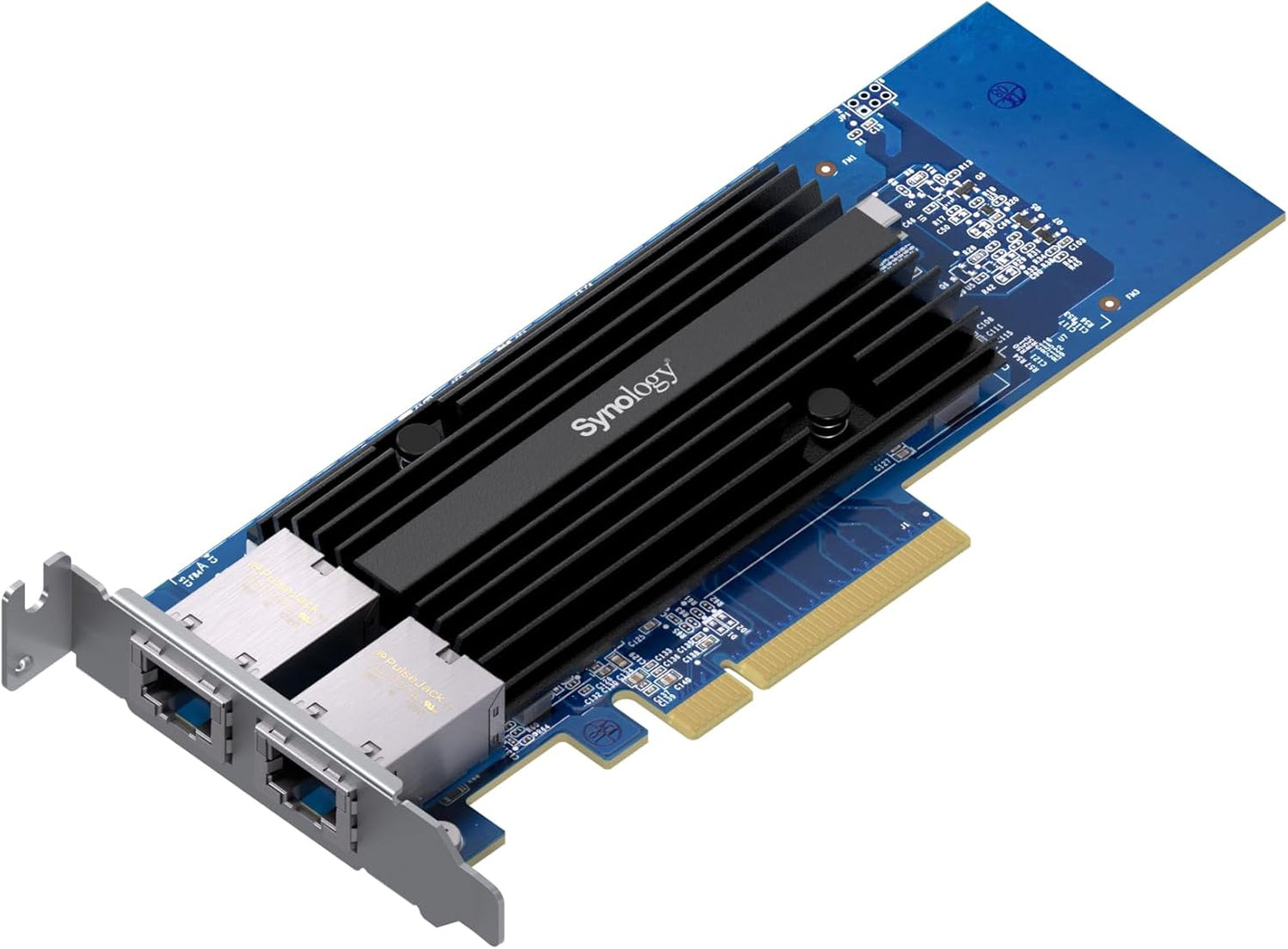
Synology 2-Port 10GbE RJ-45 PCIe Network Adapter E10G30-T2
Synology 2-Port 10GbE RJ-45 PCIe Network Adapter E10G30-T2
Price subject to change. Tap below for current.
Couldn't load pickup availability
In this review the Synology E10G30-T2 is evaluated as a focused network upgrade for Synology NAS owners who need higher throughput. The bottom line: it is a straightforward, purpose-built dual-port 10GbE PCIe adapter that delivers reliable multi-gig performance for storage, backup, virtualization and media workflows when paired with compatible Synology systems. The reviewer found its automatic negotiation between 10 Gbps and 1 Gbps and Synology-centric design make installation and integration simpler than a generic card, provided the host meets the stated DSM and hardware compatibility requirements.
Key Features
- Dual 10GbE ports: Two RJ-45 10GbE ports provide increased network bandwidth to support simultaneous high-throughput tasks like backups and virtual machine traffic.
- Auto-negotiation: The adapter automatically negotiates between 10 Gbps and 1 Gbps speeds to maintain connectivity with mixed-speed switches and devices.
- Purpose-built for Synology systems: Designed for easy compatibility with Synology NAS models, reducing driver issues and simplifying setup when the system meets requirements.
- DSM requirement: Requires DSM 7.1.1-42962 Update 5 or above, ensuring the card operates with the current Synology software stack and receives firmware support.
- Five-year warranty: The card is backed by a five-year warranty, which offers long-term protection for business deployments.
Who It's For
The E10G30-T2 is best for small businesses, creative teams and IT pros running Synology NAS units who need to increase network throughput for backups, media editing or virtualization. It is especially appropriate where simplicity and guaranteed compatibility with Synology systems are priorities.
It is not aimed at users running non-Synology servers or those who cannot meet the minimum DSM software level; people who need multi-vendor NICs with specialized driver stacks or exotic feature sets should consider other enterprise network adapters instead.
Pros & Cons
Pros
- Reliable dual 10GbE connectivity for demanding storage and virtualization workloads.
- Automatic 10 Gbps/1 Gbps negotiation simplifies integration into mixed-speed networks.
- Purpose-built Synology compatibility reduces driver and setup headaches on supported systems.
- Five-year warranty provides long-term assurance for business use.
Cons
- Requires DSM 7.1.1-42962 Update 5 or above, so older systems will need a software update before use.
Specifications
| Product | Synology E10G30-T2 dual-port 10GbE PCIe adapter |
| Ports | Two RJ-45 10GbE ports |
| Speed | 10 Gbps and 1 Gbps auto-negotiation |
| Compatibility | Purpose-built for Synology systems; see compatibility list |
| Software requirement | DSM 7.1.1-42962 Update 5 or above |
| Warranty | 5-year warranty |
Our Verdict
The Synology E10G30-T2 is a sensible, well-supported way to add dual 10GbE network capacity to supported Synology NAS units, delivering clear value for teams needing faster backups, virtualization and media workflows. Buyers with compatible systems and the required DSM version will find it an uncomplicated, long-term upgrade thanks to its Synology-focused design and five-year warranty.
Frequently Asked Questions
Does this card work with non-Synology servers?
It is purpose-built for Synology systems and compatibility with other servers is not guaranteed; check vendor support and drivers for non-Synology hosts.
What DSM version do I need?
The adapter requires DSM 7.1.1-42962 Update 5 or above to operate correctly on supported Synology systems.
Can it fall back to 1 Gbps?
Yes, the adapter automatically negotiates between 10 Gbps and 1 Gbps to maintain connectivity with lower-speed switches and devices.
Editor's Take
The E10G30-T2 is a practical dual 10GbE PCIe upgrade for compatible Synology NAS units, offering reliable high throughput and simple integration for backups, virtualization and media workflows when DSM requirements are met.

Recently viewed
Recently viewed products will appear here as customers browse the store.