

TESmart USB 3.0 HDMI DP USB C KVM Switch 4-Port Triple Monitor
TESmart USB 3.0 HDMI DP USB C KVM Switch 4-Port Triple Monitor
Price subject to change. Tap below for current.
Couldn't load pickup availability
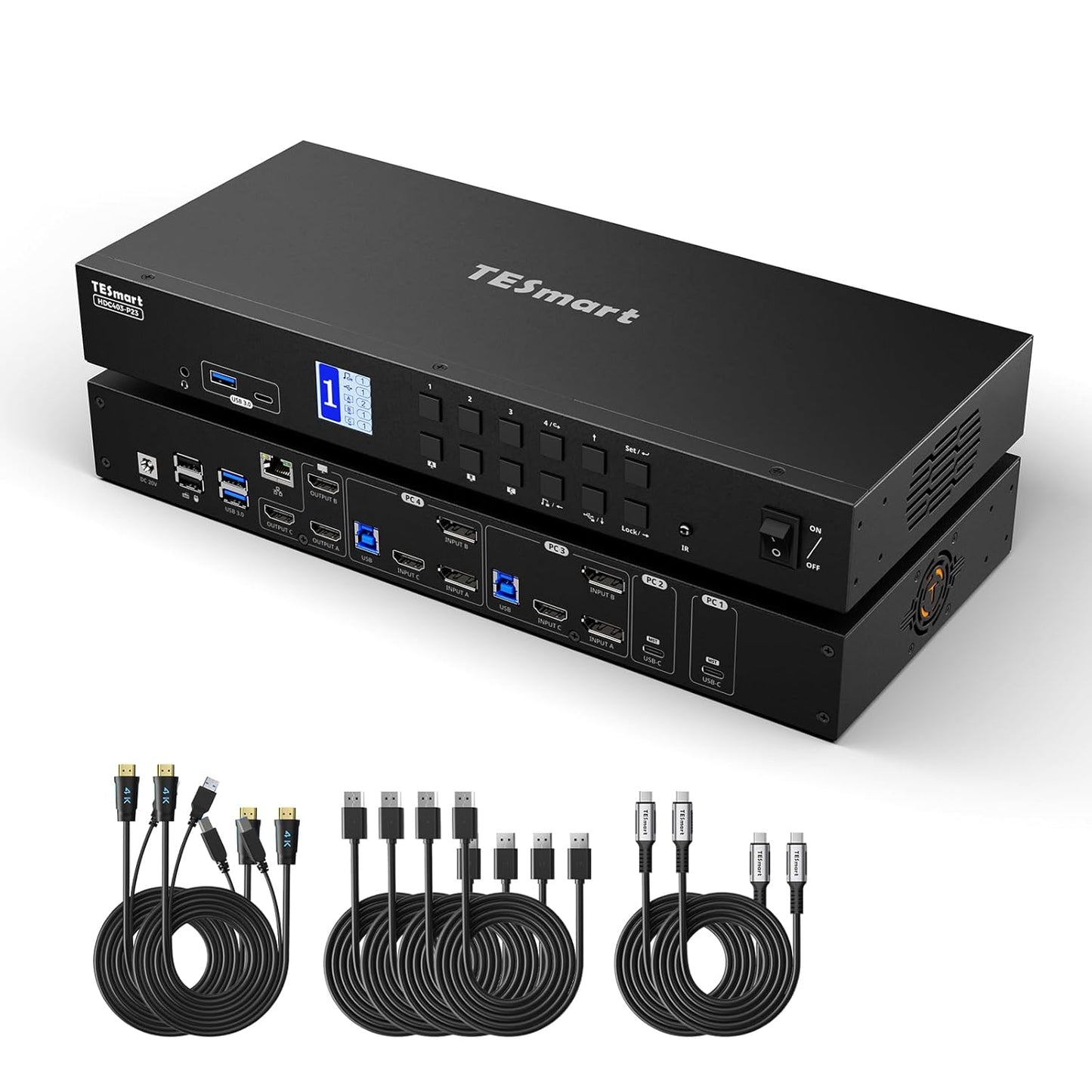
In this review of the TESmart USB 3.0 HDMI+DP+USB C KVM Switch, the bottom line is clear: this is for users who need to control up to four computers with a single set of peripherals while driving three monitors at high resolution. The reviewer found the unit especially valuable for mixed laptop and desktop setups because it combines a KVM and docking station into one device, adds a 60W PD USB-C port for laptop charging, and keeps display settings stable with EDID emulators. For anyone running multiple workstations or a multi-PC test bench, this KVM solves cable clutter and streamlines switching.
Key Features
- 4-Port Triple Monitor: Lets a single keyboard and mouse control four computers and drive up to three monitors in extended, mirror, or independent display modes for flexible workflows.
- All-in-One Docking: Combines multiple ports including USB 3.0, USB 2.0, HDMI and audio so one device handles peripherals and reduces extra hubs and adapters.
- 60W USB-C Power Delivery: Supplies power to a connected USB-C laptop so the notebook can stay charged without a separate charger while connected to the KVM.
- Gigabit Ethernet Sharing: Shares a 1 Gbps wired LAN connection across all four connected computers for stable network access without additional switches.
- EDID Emulators and 4K Support: Maintains consistent display resolutions when switching devices and supports 4K@60Hz plus high-refresh modes for compatible monitors.
- Multiple Switching Methods: Offers front panel buttons, hotkeys and IR remote control with automatic scan options and K&M pass-through for varied keyboards.
Who It's For
This product is aimed at professionals and power users who need to control multiple computers at once, such as software developers testing across systems, content creators using a laptop and several desktops, or IT technicians managing several machines from one console. The integrated docking features and 60W PD make it especially appealing to laptop-first users who want to eliminate separate chargers and reduce cable clutter.
Users who only need to switch between two machines or who do not require triple-monitor output should consider simpler two- or four-port single-monitor KVMs instead, as the TESmart unit is a larger, more capable device intended for multi-monitor, multi-system setups.
Pros & Cons
Pros
- Supports three monitors and four computers, reducing the need for multiple input devices and hubs.
- Built-in 60W PD and Gigabit LAN simplify laptop docking and network sharing without extra adapters.
- EDID emulators preserve monitor resolution and layout when switching, avoiding display reconfiguration.
- Multiple switching options including hotkeys, IR remote and front panel buttons add flexibility.
Cons
- Designed for more complex setups, so it may be overkill for users with only one or two systems or a single monitor.
- MST mode compatibility is for Windows notebooks only, so some USB-C devices may need additional connections.
Specifications
| Ports | 4 USB 3.0 (two powered), 2 USB 2.0, 3 HDMI, 1 LAN, audio |
| Display Support | 4K@60Hz, 3440x1440@100Hz, 2560x1440@144Hz |
| Power Delivery | 60W USB-C PD |
| KVM Capacity | 4 computers, up to 3 monitors |
| EDID | EDID emulators to maintain resolutions when switching |
| Switching Methods | Hotkey, IR remote, front panel buttons, automatic scan |
Our Verdict
The TESmart USB 3.0 HDMI+DP+USB C KVM Switch is a strong choice for anyone who must manage multiple computers and monitors from a single workstation. It pairs KVM switching with docking conveniences like 60W PD and Gigabit LAN, while EDID emulation keeps displays stable. For multi-system professionals it offers good value by replacing several adapters and simplifying cable management, though casual users with simpler needs may prefer a smaller KVM.
Frequently Asked Questions
Can this power my laptop?
Yes, the built-in USB-C port provides up to 60W PD to charge a connected laptop while in use.
Will it keep my monitor resolution when switching?
Yes, the unit uses EDID emulators to preserve display resolutions and avoid reconfiguration during switches.
Does MST mode work with all laptops?
MST mode is supported for Windows notebooks via USB-C; some USB-C devices may require separate video connections if they do not support MST.
Editor's Take
The TESmart KVM Switch is a strong choice for users managing multiple PCs and monitors, combining KVM switching with 60W USB-C PD, Gigabit LAN and EDID emulation to keep displays stable and reduce cable clutter.

Recently viewed
Recently viewed products will appear here as customers browse the store.