

ThinkPad 40AF0135 Universal Hybrid USB-C with USB-A Adapter Docking
ThinkPad 40AF0135 Universal Hybrid USB-C with USB-A Adapter Docking
Price subject to change. Tap below for current.
Couldn't load pickup availability
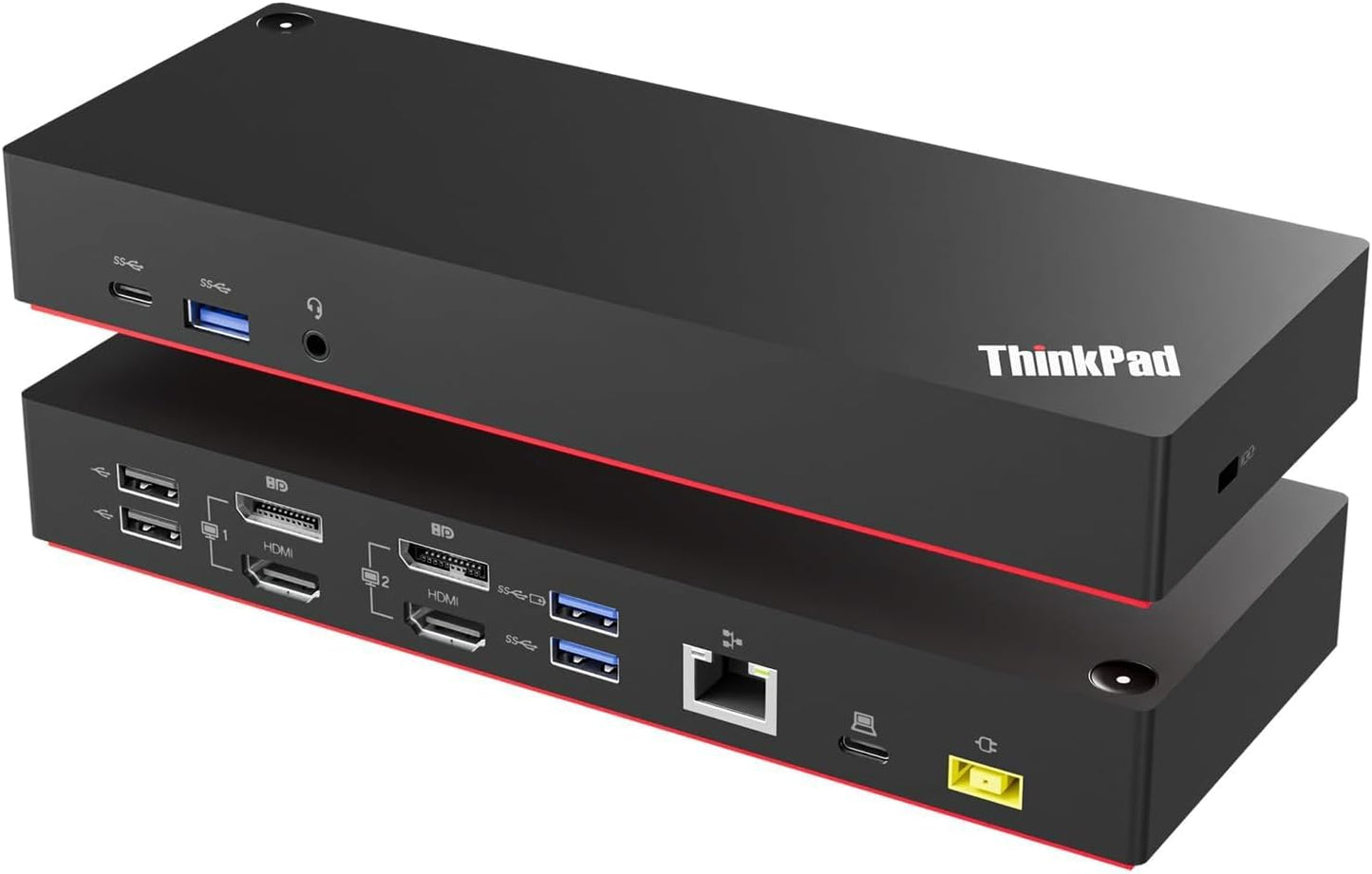
In this review the ThinkPad 40AF0135 Universal Hybrid docking station is assessed as a business-focused connectivity hub for Windows laptops. The bottom line: it is best for users who need a compact, enterprise-ready dock that connects multiple 4K displays and a range of peripherals without juggling adapters. The reviewer found the included USB Type-C cable with a Type-A adapter and the bundled HDMI 4K and DisplayPort cables make setup straightforward, and the dock's mix of USB ports, dual HDMI and DisplayPort outputs plus gigabit Ethernet delivers a clear productivity gain for desk-bound laptop users.
Key Features
- Dual 4K displays: Supports two external monitors via the combination of DisplayPort 1.2 and HDMI outputs, letting users extend or mirror desktops at high resolution for multitasking.
- Universal connection: The hybrid USB-C with USB-A adapter lets this dock work with newer USB-C laptops and older USB-A machines without needing extra dongles.
- Generous USB selection: Three USB 3.1 Gen2 ports (10 Gbps, one always-on) plus a USB-C data port and two USB 2.0 ports provide room for fast storage, peripherals and charging accessories.
- Wired networking: Built-in gigabit Ethernet offers reliable, low-latency network access for enterprise or home office environments.
- Bundle-ready: Ships with an ITSPWR HDMI 4K cable, DisplayPort cable and cleaning cloth so users can connect two monitors immediately and keep screens clear.
Who It's For
This dock is aimed at professionals and small business users who need stable multi-monitor setups, especially those using Windows laptops and Lenovo ThinkPad systems that support ThinkPad Quick Charge. It is a good choice for people who switch between older USB-A laptops and newer USB-C models thanks to the included adapter and broad port set.
Users who rely on Thunderbolt-specific features or require bus-powering for very power-hungry laptops should look elsewhere, as this is a universal docking station designed primarily for connectivity and display expansion rather than laptop charging or Thunderbolt bandwidth features.
Pros & Cons
Pros
- Wide port variety covers common office needs including dual HDMI and DisplayPort outputs for two external displays.
- Included cable bundle and cleaning cloth reduce the need to buy extra accessories for immediate setup.
- Always-on USB port is convenient for charging phones or powering small accessories while the laptop is asleep.
Cons
- Does not replace a dedicated Thunderbolt dock for the highest bandwidth or laptop charging features; it is designed for universal compatibility rather than maximum power delivery.
Specifications
| Model | ThinkPad 40AF0135 Universal Hybrid Docking Station |
| Display outputs | 2 x DisplayPort (DP 1.2), 2 x HDMI |
| Supported monitors | Dual external monitors up to 4K |
| USB ports | 1 x USB-C (data, 5V/3A), 3 x USB 3.1 Gen2 (10 Gbps, 1 always-on), 2 x USB 2.0 |
| Network | 1 x Gigabit Ethernet |
| Audio | 1 x 3.5 mm stereo/mic combo |
| Accessories included | USB Type-C cable with Type-A adapter, HDMI 4K cable, DisplayPort cable, cleaning cloth |
Our Verdict
The ThinkPad 40AF0135 hybrid docking station is a practical, value-oriented choice for office users who need reliable multi-monitor support and a broad set of ports. It stands out for universal compatibility and the included cable bundle, making it easy to deploy in mixed laptop environments; users who need Thunderbolt charging or maximum bandwidth should consider a different solution.
Frequently Asked Questions
Can this dock run two monitors at 4K?
Yes, it supports dual external displays using the DisplayPort and HDMI outputs and is equipped with DisplayPort 1.2.
Will the dock work with older USB-A laptops?
Yes, it includes a USB Type-A adapter so the dock can connect to many older laptops as well as USB-C models.
What does an orange indicator light mean?
An orange indicator means the docking station has power but is not connected to a computer.
Editor's Take
The ThinkPad 40AF0135 hybrid docking station is a practical, value-oriented choice for users who need reliable dual 4K support and broad connectivity; it is especially useful in mixed USB-C and USB-A laptop environments.

Recently viewed
Recently viewed products will appear here as customers browse the store.