

Thinkpad Docking Station Dual Monitor 4K - Universal USB-C
Thinkpad Docking Station Dual Monitor 4K - Universal USB-C
Price subject to change. Tap below for current.
Couldn't load pickup availability
In this review the Thinkpad Docking Station Dual Monitor 4K is assessed for professionals and power users who need reliable multiport expansion. The bottom line: it is best for laptop owners who require stable video output and simple cable management, because the dock bundles a 90W AC adapter plus both HDMI and DisplayPort 4K cables so users can connect two external displays without hunting for extras. The package and included accessories make setup straightforward, while occasional monitor handoff or blink issues reported by some users are worth noting before purchase.
Key Features
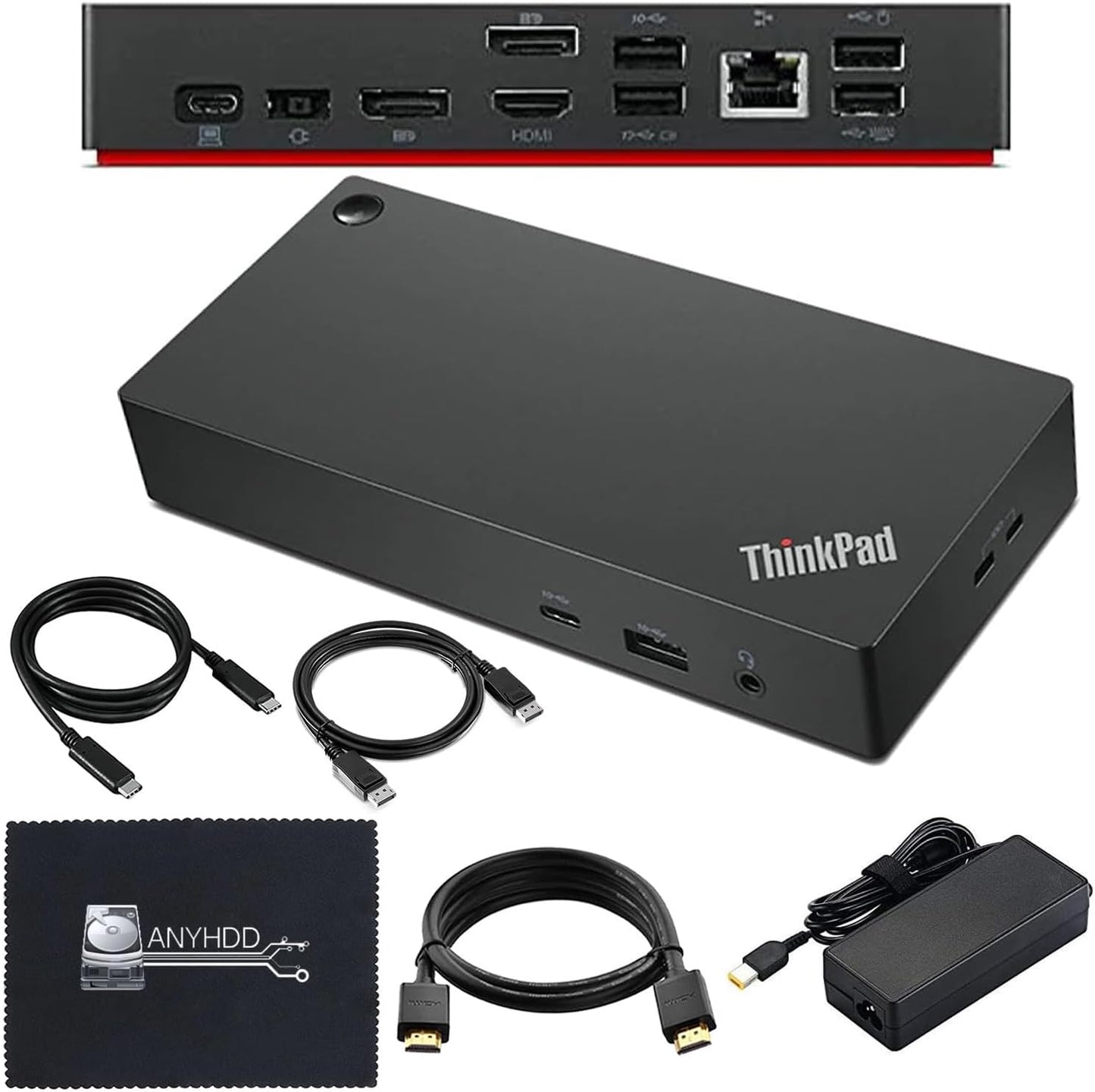
- Comprehensive Connectivity: Multiple ports including HDMI, DisplayPort and USB-C let users connect monitors, peripherals and networked devices from a single dock.
- Enhanced Display Options: Included 4K HDMI and 4K DisplayPort cables enable crisp external monitor or projector connections out of the box.
- Efficient Power Delivery: The included 90W AC adapter supplies stable power so compatible laptops can stay charged while connected to the dock.
- All-in-One Package: The kit ships with the 40AY0090US dock, power adapter, USB-C cable and a microfiber cloth to keep the chassis and cables tidy.
- 4K Support: Built to support 4K displays, the dock is suited for high-resolution workflows such as photo editing, spreadsheets and multi-window productivity.
Who It's For
This is a practical pick for remote workers, designers and office professionals who use a USB-C or Thunderbolt-capable laptop and need a compact way to run two external monitors at high resolution while charging. The included cables and 90W adapter reduce additional purchases and make setup quick for desk-centric users.
It is less suitable for users whose laptops lack USB-C or Thunderbolt compatibility, or for those wanting a dock certified for every brand-specific power delivery profile; if persistent flicker or intermittent monitor switching is a critical risk in your workflow, consider testing compatibility or updating dock firmware before committing.
Pros & Cons
Pros
- Ready-to-use bundle with HDMI and DisplayPort 4K cables reduces setup time.
- 90W adapter provides solid power delivery for most modern laptops while connected.
- Broad port selection simplifies connecting monitors, USB peripherals and wired Ethernet.
Cons
- Some users report mixed functionality with monitor blinking or handoff, so compatibility can depend on laptop firmware or drivers.
Specifications
| Model | 40AY0090US |
| Included Power | 90W AC adapter |
| Video Outputs | HDMI and DisplayPort (4K capable) |
| Included Cables | USB-C cable, 4K HDMI cable, 4K DisplayPort cable |
| Compatibility Note | Requires USB-C or Thunderbolt compatible computer |
| Extras | Microfiber cloth included |
Our Verdict
The Thinkpad Docking Station Dual Monitor 4K is a strong value for users who need immediate multi-monitor setup with minimal extras to buy, thanks to its bundled cables and 90W adapter. It is recommended for USB-C or Thunderbolt laptop owners seeking tidy desk expansion, but buyers should confirm compatibility and keep dock firmware up to date to avoid the occasional display hiccup.
Frequently Asked Questions
Will this dock charge my laptop?
Yes, the package includes a 90W AC adapter that supplies power delivery to compatible laptops while connected.
Do I need extra cables to run two monitors?
No, the dock includes a 4K HDMI cable and a 4K DisplayPort cable so two external displays can be connected immediately.
What if my monitors blink or disconnect?
If you encounter blinking or intermittent signals, check that your computer is USB-C or Thunderbolt compatible and try updating the dock firmware and laptop display drivers for improved stability.
Editor's Take
The Thinkpad Docking Station Dual Monitor 4K is a practical, value-packed dock that includes 4K HDMI and DisplayPort cables plus a 90W adapter, making it ideal for USB-C or Thunderbolt laptop users who want quick multi-monitor setup; confirm compatibility and keep firmware updated to avoid display hiccups.

Recently viewed
Recently viewed products will appear here as customers browse the store.