

TiVo Stream 4K - One Screen for Every Streaming App
TiVo Stream 4K - One Screen for Every Streaming App
Price subject to change. Tap below for current.
Couldn't load pickup availability
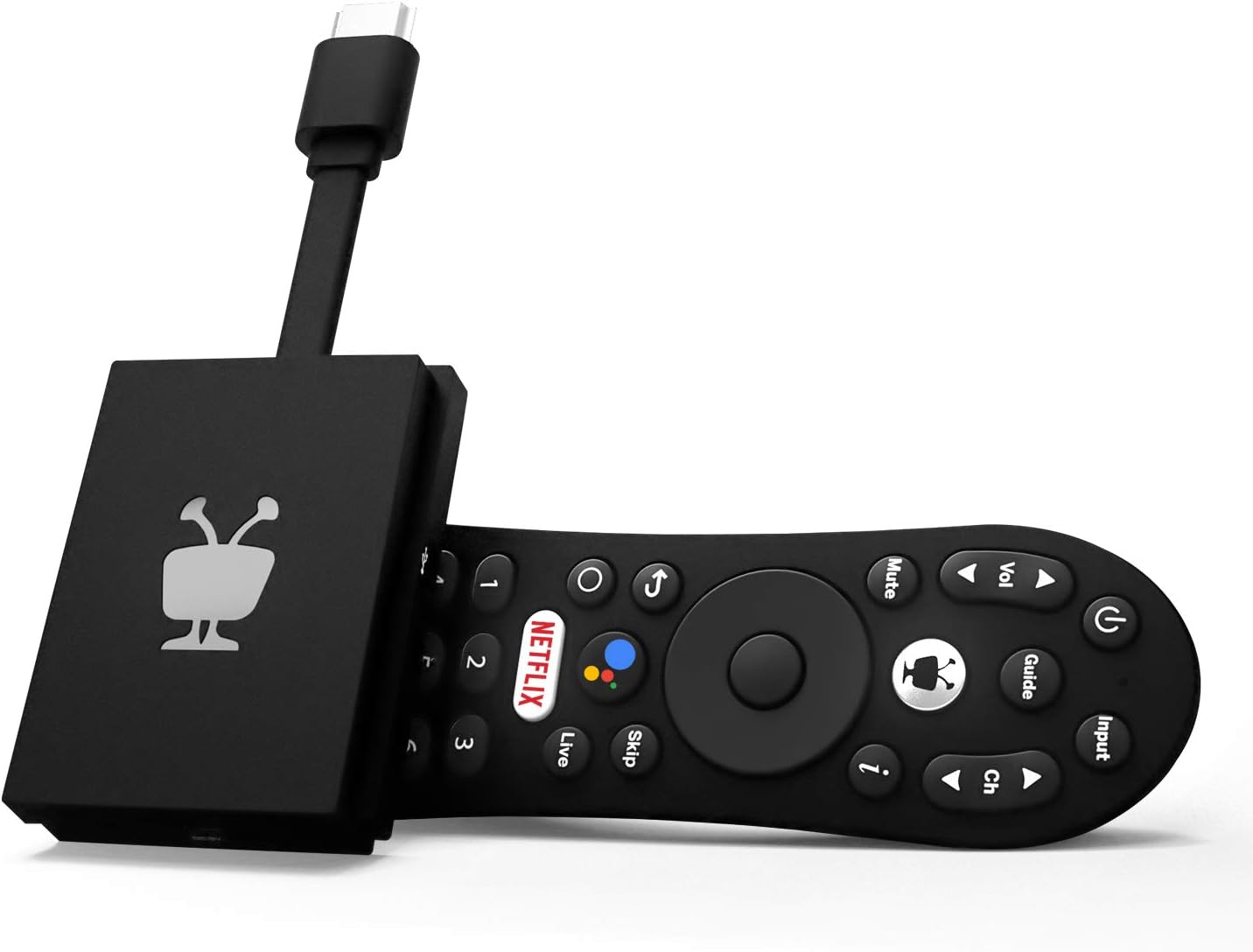
In this review the TiVo Stream 4K is presented as a compact, plug-in smart TV streamer best for viewers who want one unified place to search and browse across multiple services. The single biggest reason to buy is its centralizing interface: TiVo removes the need to hop between app home screens by aggregating recommendations and watch lists across apps, which simplifies finding something to watch. It will appeal to users who value discovery and voice control, though some buyers should be aware of mixed reports about remote reliability and occasional app-specific quirks.
Key Features
- Unified search and recommendations: Aggregates results and personalized suggestions from across your installed apps so you can find shows without switching interfaces.
- Wide app support: Ships with major apps like Netflix, Prime Video, Disney+ and Peacock preinstalled so common services are ready to use out of the box.
- Voice control with Google Assistant: Use voice to launch apps, control playback and smart devices for a hands-free viewing experience.
- 4K HDR playback: Supports 4K UHD and Dolby Vision HDR for improved contrast and color on compatible TVs.
- Dolby Atmos sound: Passes through advanced audio formats for richer sound when paired with compatible gear.
- Low power footprint: Runs on a DC 5V/1.0A input with maximum power consumption near 5 W for energy-efficient operation.
Who It's For
The TiVo Stream 4K is best for cord-cutters and streaming-focused households that use multiple subscription services and want a single discovery layer to bridge them. It suits viewers who appreciate built-in voice control and want a compact, low-power device that delivers 4K HDR and Dolby Atmos where available.
Those who should look elsewhere include users who need flawless compatibility with one specific live-TV app if reliability with that app is critical, or shoppers who expect a premium remote experience without the occasional reports of firmware or remote inconsistency.
Pros & Cons
Pros
- Centralized search and watch lists reduce app-switching and speed up discovery.
- Includes major streaming apps preinstalled for quick setup and immediate use.
- Supports 4K UHD, Dolby Vision and Dolby Atmos for better picture and audio quality on compatible systems.
- Voice control via Google Assistant simplifies navigation and smart home commands.
Cons
- Some customers report intermittent issues with the remote and occasional app-specific reliability problems.
- Not the fastest streamer in all use cases; a few users mention slower response with certain apps.
Specifications
| Brand | TiVo |
| Model | TiVo Stream 4K |
| Resolution | 4K UHD, Dolby Vision HDR |
| Audio | Dolby Atmos support |
| Power | DC input 5V/1.0A, maximum ~5 W |
| Operating temperature | 0 C - 40 C |
Our Verdict
The TiVo Stream 4K is a smart choice for people who want unified discovery across many streaming services and decent 4K HDR playback without a big hardware footprint. It delivers value through centralized recommendations and voice control, though buyers should accept that a minority of users experience remote or app quirks; for most viewers it is a convenient, low-power way to simplify streaming.
Frequently Asked Questions
Does this include popular streaming apps?
Yes, it ships with major services such as Netflix, Prime Video, Disney+ and Peacock available to sign into.
Can I use voice commands?
Yes, the device integrates Google Assistant so you can launch apps, search and control smart home devices by voice.
Is the device energy efficient?
Yes, it runs from a 5V/1.0A DC input and consumes around 5 W at maximum, making it energy efficient for continuous use.
Editor's Take
The TiVo Stream 4K is a compact, low-power streamer that centralizes search and recommendations across apps, offers 4K HDR and Dolby Atmos support, and is a good choice for users who want simplified discovery despite some reports of remote or app quirks.

Recently viewed
Recently viewed products will appear here as customers browse the store.