

TourBox Elite Bluetooth Controller for Video & Photo Editing
TourBox Elite Bluetooth Controller for Video & Photo Editing
Price subject to change. Tap below for current.
Couldn't load pickup availability
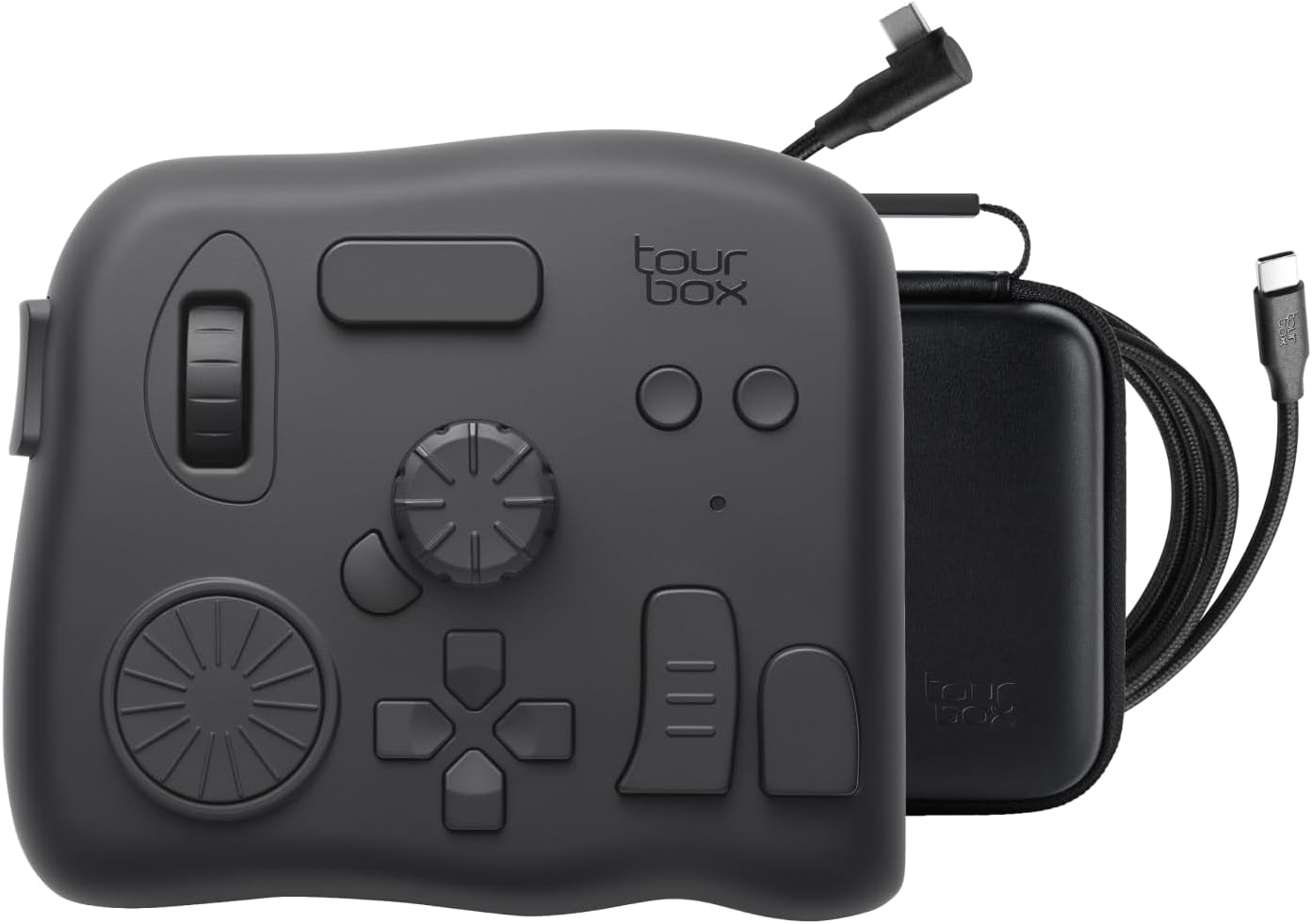
In this review the TourBox Elite is presented as a compact one-handed controller aimed at serious content creators who want faster editing and more tactile control. The bottom line: it is best for editors and retouchers working on macOS or Windows who want to speed repetitive tasks and add precise physical control to grading, timeline scrubbing, and brush adjustments. The controller's haptic dials, programmable keys and the TourBox Console 5 software are the single biggest reasons to buy for anyone who wants a tailored workflow enhancer rather than a general-purpose keyboard.
Key Features
- Bluetooth dual-channel: Wireless connectivity provides reliable pairing with two devices and reduces desktop clutter while editing and grading.
- Extensive software support: Built-in compatibility with Premiere Pro, Photoshop, Lightroom, DaVinci Resolve and other creative apps lets users map controls across most professional tools.
- Precise tactile controls: Dials, knobs and scroll wheels give nuanced, physical control for timeline trimming, color adjustment and brush parameter changes.
- Fully programmable system: Every button and knob can be customized with macros and combined keys to match personal shortcuts and complex workflows.
- Improved durability and feel: Fingerprint-resistant coating and upgraded haptic feedback help the device feel premium during long sessions.
- One-handed photo workflow: Design that lets a single hand handle image selection, grading and quick adjustments for faster post-processing.
Who It's For
The TourBox Elite is ideal for video editors, colorists and photographers who spend hours in applications like DaVinci Resolve, Premiere Pro or Lightroom on macOS or Windows and want to accelerate repetitive tasks. Its programmable layout and tactile knobs suit users who prefer hardware control for fine adjustments instead of only using a mouse and keyboard, and those who value a lightweight, dedicated peripheral for one-handed operation.
It is not for users who need iPadOS or Android support, as the Elite does not work with tablets or Android drawing devices. Casual users who only need basic shortcuts or who prefer full-size keyboards may find limited added value from a specialized controller.
Pros & Cons
Pros
- Solid, lightweight build and a premium finish that resists fingerprints during long sessions.
- Highly customizable with TourBox Console 5, enabling program-specific menus and complex macros.
- Improves editing speed and precision for timeline control, grading and brush adjustments.
- Bluetooth dual-channel and strong tactile feedback make desktop workflow smoother.
Cons
- Not compatible with iPadOS or Android devices, limiting use to macOS and Windows only.
- Setup experiences vary; some users report configuration friction when first mapping controls.
Specifications
| Product | TourBox Elite Bluetooth Controller |
| Compatibility | macOS and Windows only |
| Connectivity | Bluetooth dual-channel (wireless) |
| Included software | TourBox Console 5 OS for customization |
| Primary uses | Video editing, color grading, photo retouching, drawing |
| Special features | Haptic feedback, fingerprint-resistant coating, programmable macros |
Our Verdict
The TourBox Elite is a strong workflow tool for creative professionals on macOS or Windows who want faster, more tactile control of editing and retouching tasks. Its deep customization and physical dials deliver tangible speed gains in grading and photo post-processing. It is good value for those who will use its programmability daily, but not the right choice for tablet users or those unwilling to invest time in initial setup.
Frequently Asked Questions
Does the TourBox Elite work with tablets?
No. The Elite, Lite and NEO models do not support iPadOS or Android devices and are designed for macOS and Windows only.
Which software is supported?
It supports a wide range of creative apps such as Premiere Pro, Photoshop, Final Cut Pro, Lightroom, DaVinci Resolve, Capture One, After Effects and Blender through TourBox Console 5.
Is the device easy to set up?
Many users find it straightforward with TourBox Console 5, but some report mixed setup experiences and may need time to customize mappings to their workflow.
Editor's Take
The TourBox Elite is a highly customizable Bluetooth controller for macOS and Windows that speeds editing and grading with tactile dials and powerful software; ideal for professionals who invest time in setup.

Recently viewed
Recently viewed products will appear here as customers browse the store.