

Replacement Voice Remote for TV Stick/Cube 4K Max - Easy Pairing
Replacement Voice Remote for TV Stick/Cube 4K Max - Easy Pairing
Price subject to change. Tap below for current.
Couldn't load pickup availability
In this review the Replacement Voice Remote for TV Stick/Cube 4K Max is evaluated as an affordable, functional substitute for original voice remotes for Fire TV Stick and TV Cube devices. The bottom line: it is best for users who need a straightforward replacement that restores voice control and basic navigation without extra features; pairing is simple and customers consistently report it works well and is good value. This review focuses on compatibility, pairing steps, and everyday use based on real user feedback.
Key Features
- Wide compatibility: Works with TV Stick 4K Max, TV Stick 4K, TV Stick, TV Cube and TV Stick Lite generations as listed, so it covers most Fire series streaming devices.
- Smart TV support: Compatible with many Insignia, Toshiba and Pioneer smart TV series, making it useful when the original remote is lost or damaged.
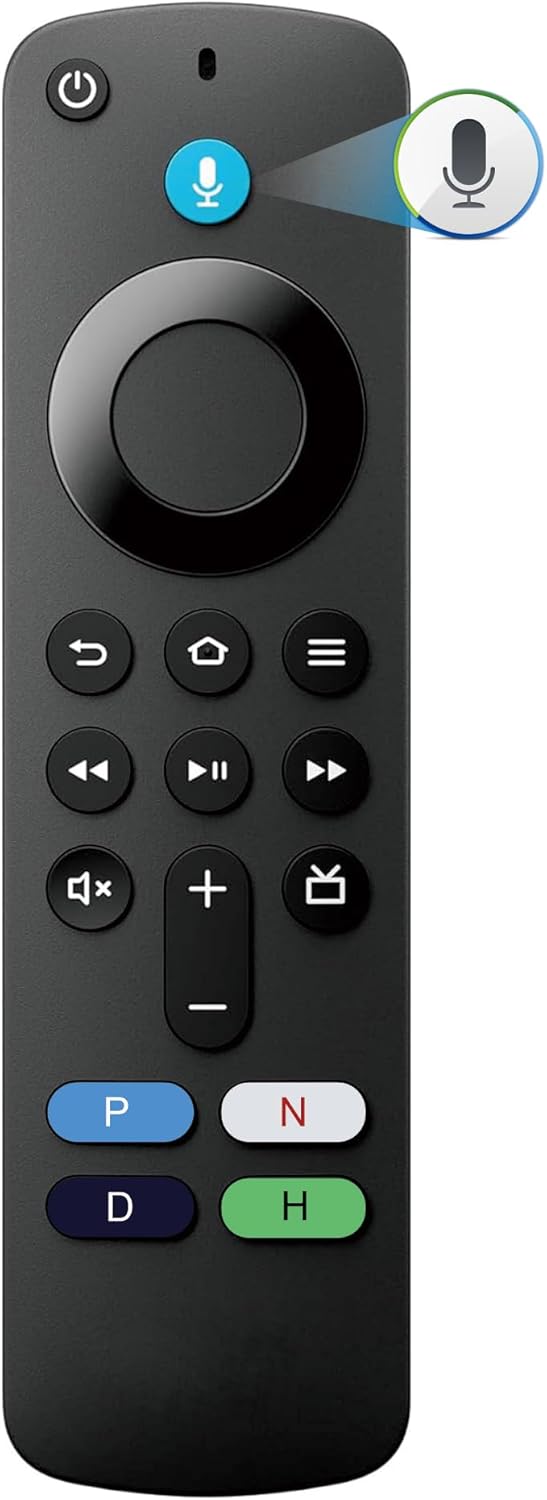
- Voice control: Press the voice button and ask Alexa for hands-free search and basic smart home control, restoring voice features users expect.
- Easy pairing: Pairing typically completes by power-cycling the device and pressing the home button, which simplifies setup for nontechnical users.
- Problem solving tips: The product includes practical fixes such as re-pairing if too many devices are connected or removing old remote batteries to prevent conflicts.
Who It's For
This remote is aimed at owners of Fire series streaming sticks and cubes who need a direct replacement that brings back voice search and navigation without paying for a premium model. It suits households that want simple, reliable functionality and compatibility with a range of Insignia, Toshiba and Pioneer smart TVs.
It is not for people who need advanced features like preset app buttons for other platforms, specialized live TV channel controls, or voice functions on first- or second-generation non-Fire streaming hardware. Users who require manufacturer-specific extended features should consider the original remote from their TV maker.
Pros & Cons
Pros
- Restores voice control and basic navigation across multiple Fire series devices and supported smart TV lines.
- Easy to pair with a clear sequence that most users complete without tools.
- Good value; customers report it performs as well or better than original remotes in routine use.
Cons
- Does not support some non-Fire edition smart devices and lacks certain brand-specific advanced buttons.
Specifications
| Brand | B BraiNice |
| Device compatibility | TV Stick 4K Max, TV Stick 4K, TV Stick, TV Cube, TV Stick Lite (various gens) |
| Smart TV compatibility | Insignia, Toshiba, Pioneer series listed |
| Voice | Press voice button and ask Alexa |
| Pairing method | Power cycle device, insert batteries, press home button to pair |
| Limitations | Not for Fire Stick 1st/2nd gen or Fire Edition smart devices |
Our Verdict
The Replacement Voice Remote is a practical, budget-friendly option for anyone who needs to replace a lost or broken Fire series voice remote while keeping Alexa control. It covers a wide set of devices and supported smart TV series, pairs with minimal fuss, and offers solid everyday performance that many customers find equal to the original for basic streaming tasks.
Frequently Asked Questions
How do I pair the remote?
Unplug the streaming device for 15s, replug, insert batteries in the remote, then press the home button and follow on-screen add new remote steps.
Will the voice button work with my TV?
Yes; press the voice button and ask Alexa for voice search and supported commands on compatible Fire series devices.
What if the remote does not respond?
Try repairing the remote to the device, remove batteries from the old remote to avoid interference, and ensure the device has been power cycled.
Editor's Take
A practical, budget-friendly replacement that restores Alexa voice control and basic navigation for Fire series sticks and cubes; easy to pair and good value for routine streaming use.

Recently viewed
Recently viewed products will appear here as customers browse the store.