

USB C Docking Station 3 Monitors Laptop Dock - Triple Display Power
USB C Docking Station 3 Monitors Laptop Dock - Triple Display Power
Price subject to change. Tap below for current.
Couldn't load pickup availability
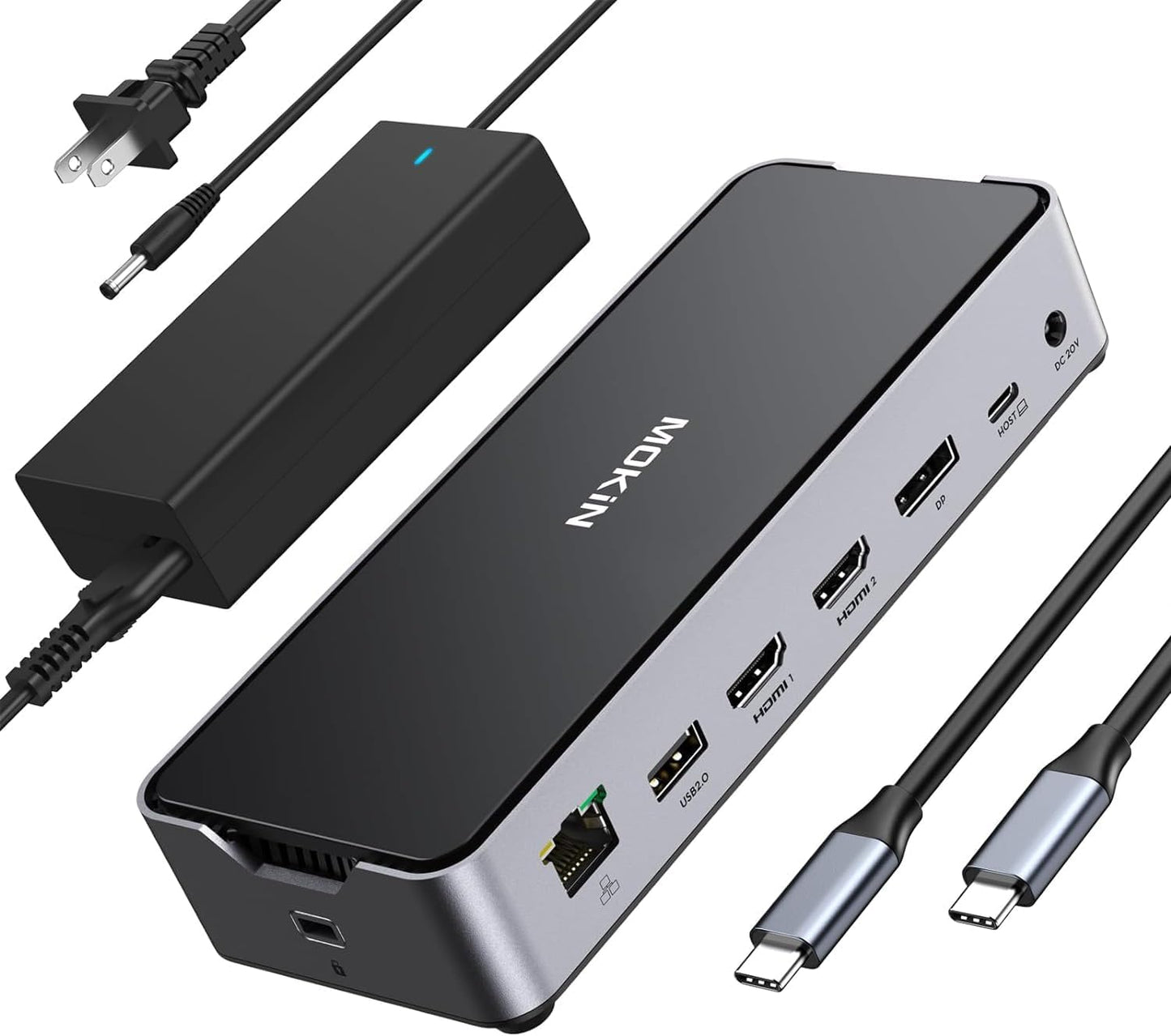
In this review of the USB C Docking Station 3 Monitors Laptop Dock the bottom line is simple: this is a versatile, connectivity-first dock for users who need multiple external displays and plentiful ports. It is best suited to Windows and USB-C equipped laptops that need dual or triple monitor setups and reliable wired networking. The single biggest reason to buy is the wide range of ports combined with a 150W DC power adapter that supplies up to 100W to a laptop while still offering a 30W USB-C charge for accessories.
Key Features
- 13-in-1 connectivity: Offers two HDMI ports, one DisplayPort, two USB-C 3.1 ports, two USB-A 3.0 ports, one USB-A 2.0 port, plus SD and MicroSD slots to connect most peripherals without adapters.
- Triple monitor support: Two HDMI and one DisplayPort let users extend their desktop across dual or triple displays for productivity or multitasking when the host supports multi-display output.
- High refresh single-display output: Supports a single 4K@144Hz output on Windows under DP1.4 for gamers or creators who want high-refresh 4K on one monitor.
- Robust charging: The included 150W DC power supply delivers up to 100W to charge a laptop while reserving 30W via a USB-C port for phones, tablets, or accessories.
- Fast data and network: Two 10Gbps USB-C ports and 10Gbps capable data on the dock plus a 1Gbps RJ45 Ethernet port provide fast file transfers and wired network reliability.
Who It's For
The dock is ideal for professionals, content creators and power users with USB-C or Thunderbolt 3/4 laptops who need multiple displays, wired Ethernet and a mix of legacy USB and modern high-speed ports. Windows laptop users will get the most flexible multi-monitor performance, including the option for a single high-refresh 4K output.
It is less suitable for Mac users who require independent extended displays with different content across multiple monitors, since macOS has limitations on extending different content across multiple outputs with some USB-C docks. Casual users who only need one or two simple ports may find this dock larger or more capable than they require.
Pros & Cons
Pros
- Extensive port selection covers HDMI, DisplayPort, USB-C, USB-A, SD/MicroSD and audio, reducing the need for extra adapters.
- Powerful 150W DC adapter supplies up to 100W to a laptop while providing 30W on a USB-C port for peripherals.
- Supports single-display 4K@144Hz on Windows under DP1.4 for high-refresh workflows.
Cons
- Multi-display performance requires lowering resolutions for multiple monitors; the highest 4K@144Hz setting works only for a single display.
- Some customers report mixed functionality with certain MacBook Pro setups, so compatibility can vary by host and OS.
Specifications
| Ports | 2x HDMI, 1x DisplayPort, 2x USB-C 3.1, 2x USB-A 3.0, 1x USB-A 2.0, SD, MicroSD, 3.5mm audio |
| Power adapter | 150W DC power supply (provides up to 100W laptop charging) |
| USB data speed | Up to 10Gbps on USB-C ports, USB-A ports up to 5Gbps and 480Mbps |
| Ethernet | 1Gbps RJ45 wired Ethernet |
| Display support | Single 4K@144Hz (Windows DP1.4), single 4K@120Hz with DisplayPort on macOS (DP1.4) |
| Compatibility | Thunderbolt 4, Thunderbolt 3, USB4, full-function USB-C ports |
Our Verdict
This USB C docking station is a solid choice for users who need a wide variety of ports and multi-monitor capability with strong power delivery. Windows users in particular will appreciate the flexible display options and the 100W laptop charge from the 150W adapter, while those with mixed Mac setups should verify compatibility beforehand. Overall it provides good value for users who want a single hub for monitors, wired networking and fast data transfer.
Frequently Asked Questions
Will this dock charge my laptop?
Yes, the included 150W DC adapter distributes up to 100W to charge a laptop and offers an additional 30W on a USB-C port for smaller devices.
Can I run three 4K monitors at once?
Running multiple 4K displays at full refresh is limited; the dock supports a single 4K@144Hz output on Windows, but multiple displays typically require lowering resolution or refresh rates.
Is it compatible with MacBook Pro?
It can work with MacBook Pro models that have full-function USB-C or Thunderbolt, but some customers report mixed results with macOS multi-display behavior, so check your Mac model and macOS limitations before purchase.
Editor's Take
This USB C docking station is a versatile hub that delivers triple-display support, extensive ports and up to 100W laptop charging from a 150W adapter, making it good value for power users and Windows setups.

Recently viewed
Recently viewed products will appear here as customers browse the store.