

USB C Docking Station 5 Monitors - 140W DisplayLink Dock
USB C Docking Station 5 Monitors - 140W DisplayLink Dock
Price subject to change. Tap below for current.
Couldn't load pickup availability
In this review of the USB C Docking Station 5 Monitors (UD-7400PD), the bottom line is simple: this dock is for power users and IT teams who need to drive multiple high-resolution displays from a single laptop while retaining strong charging and wired networking. The reviewer found the combination of up to five display outputs, up to 140W laptop charging, and a 2.5Gbps Ethernet port to be the single biggest reason to choose this dock. Setup requires the DisplayLink driver on macOS or Windows, but once installed the dock reliably extends desktops and reduces cable clutter for multi-monitor workstations.
Key Features
- Five-display support: Drives up to five high-resolution screens so multitasking across many apps and windows becomes practical without additional adapters.
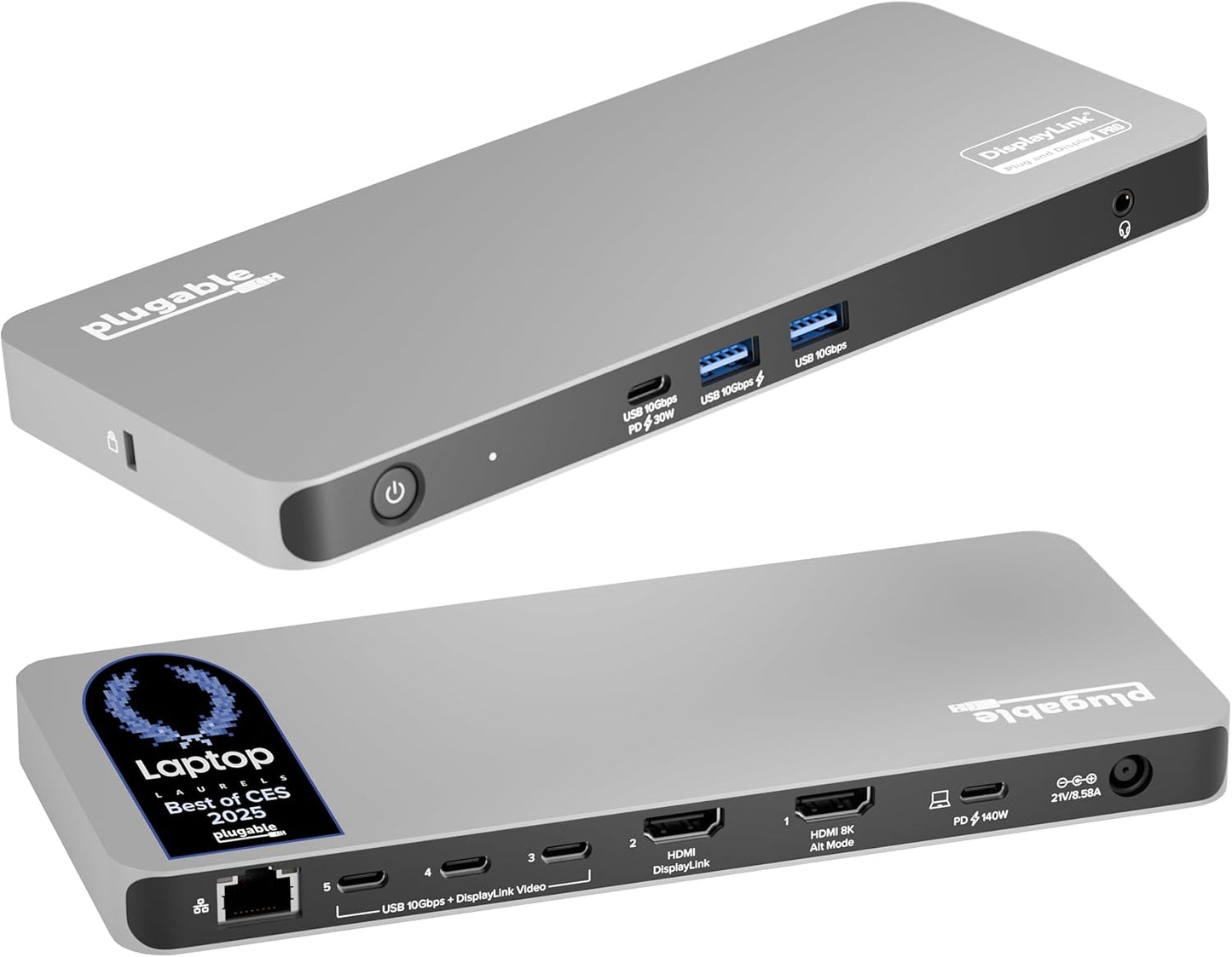
- High-resolution outputs: Includes HDMI 2.1, HDMI 2.0, and three USB-C DisplayLink outputs to support up to 3x 8K 30Hz or 5x 4K 60Hz for crisp, detailed visuals.
- Power delivery: Provides up to 140W laptop charging and 30W device charging so a connected laptop and peripherals stay powered from a single dock.
- Fast wired networking: Built-in 2.5Gbps Ethernet delivers a reliable wired connection ideal for large file transfers, video conferencing, and stable remote sessions.
- IT-friendly features: DockTag On Screen Display shows dock status, asset details, and a QR code for setup and support, simplifying deployment and troubleshooting.
Who It's For
This dock is aimed at professionals who run multiple monitors for trading desks, creative suites, software development, or command-and-control style workflows and need both high-resolution display outputs and robust power delivery. IT departments and teams that manage many workstations will appreciate the asset and support features that make rollouts and maintenance easier.
It is less suitable for casual users with only one or two screens, or for those who require HDCP-protected streaming of subscription video through the dock, since HDCP video is not supported. Users who prefer a plug-and-play experience on macOS should note the manual DisplayLink driver install requirement.
Pros & Cons
Pros
- Supports up to five displays with mixed 8K and 4K outputs for extensive desktop real estate.
- Delivers generous power with up to 140W laptop charging plus an additional 30W for peripherals.
- Includes 2.5Gbps Ethernet and multiple USB and USB-C ports for fast wired connectivity and device hookups.
- DockTag OSD and lifetime support make it practical for IT deployments and long-term reliability.
Cons
- Requires DisplayLink software for video outputs to function, with manual installation on macOS.
- Does not support HDCP-protected streaming services through the dock.
Specifications
| Model | UD-7400PD (DisplayLink dock) |
| Display outputs | 1x HDMI 2.1, 1x HDMI 2.0, 3x USB-C DisplayLink |
| Max displays | Up to 5 displays (5x 4K 60Hz or 3x 8K 30Hz) |
| Power delivery | Up to 140W laptop charging, 30W device charging |
| Ethernet | 2.5Gbps wired Ethernet |
| Compatibility | Video-enabled USB-C or Thunderbolt hosts; Windows 10+ and macOS 11+ (DisplayLink driver required) |
Our Verdict
For professionals who need an all-in-one docking solution that supports many high-resolution screens, strong laptop charging, and fast wired networking, this dock is an excellent value. IT teams will appreciate the deployment features and lifetime support, while power users get a dependable way to consolidate cables and expand desktop space. Those who only need one or two monitors or require HDCP streaming should consider simpler alternatives.
Frequently Asked Questions
Do I need to install software?
Yes. The DisplayLink driver must be installed for the dock's HDMI video outputs to function; Windows typically installs it automatically, while macOS requires manual installation.
How many monitors can I run at once?
The dock can extend to up to five displays total, supporting up to 5x 4K 60Hz or a mix up to 3x 8K 30Hz depending on the configuration.
Is streaming protected content supported?
No. HDCP-protected video from subscription services is not supported through the dock.
Editor's Take
A powerful docking station for professionals and IT deployments, offering up to five high-res displays, 140W charging, and 2.5Gbps Ethernet; ideal for multitasking desks though DisplayLink driver and HDCP limits apply.

Recently viewed
Recently viewed products will appear here as customers browse the store.