

USB C Docking Station Dual DisplayPort Monitor Hub - Multi Display
USB C Docking Station Dual DisplayPort Monitor Hub - Multi Display
Price subject to change. Tap below for current.
Couldn't load pickup availability
In this review of the USB C Docking Station Dual DisplayPort Monitor Hub the bottom line is simple: it is best suited for Windows laptop users who need flexible multi-monitor options and a single-cable workspace. The reviewer found the docking station delivers broad display compatibility with two DisplayPort outputs plus HDMI and VGA, and it adds convenient pass-through charging. It is particularly useful for users with DP Alt Mode or Thunderbolt on their laptop, while macOS users should expect mirrored or limited extended-display behavior.
Key Features
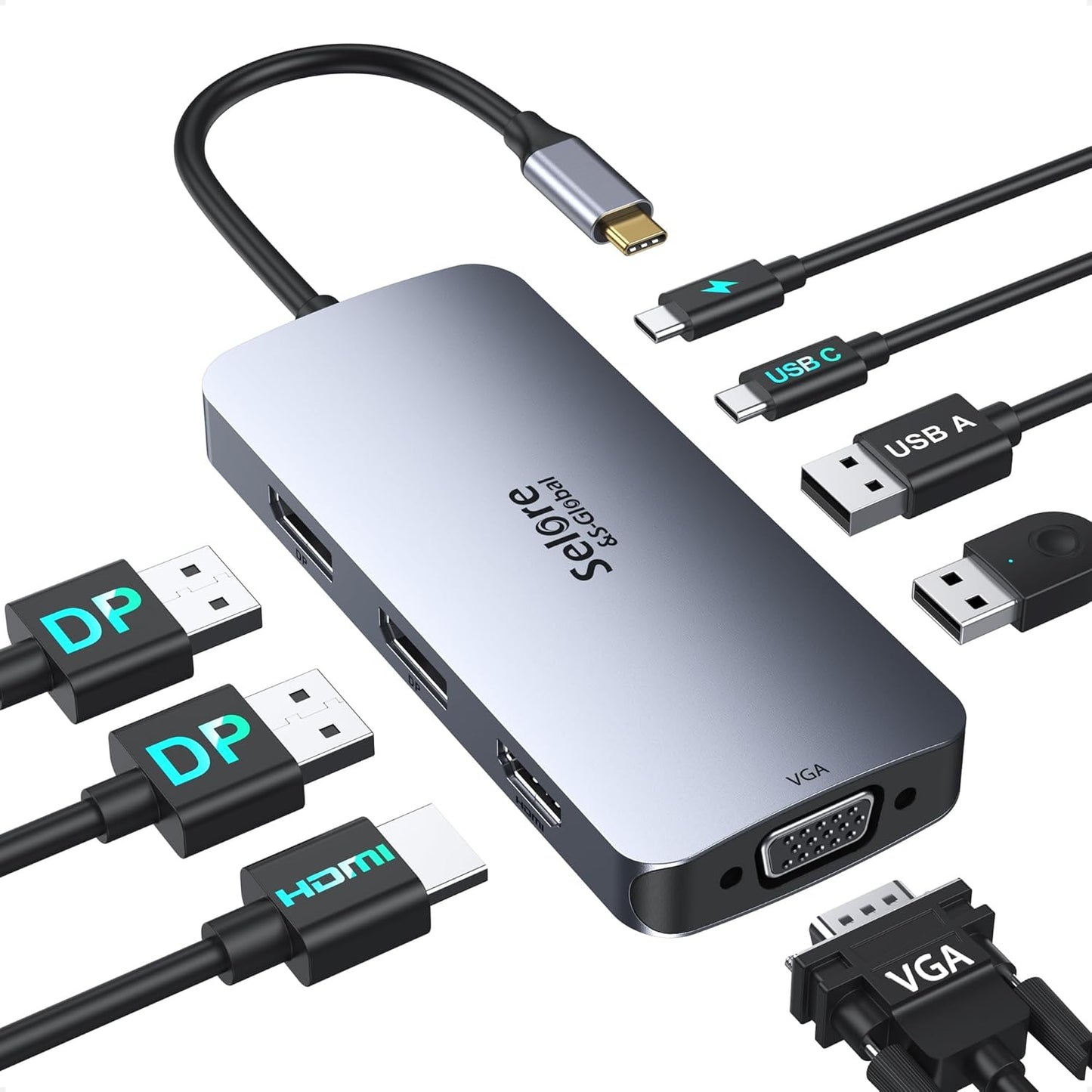
- Dual DisplayPort plus HDMI and VGA: Offers multiple display types so users can connect legacy and modern monitors without adapters.
- 100W USB-C PD pass-through charging: Keeps a laptop charged while connected to multiple displays, eliminating the need to juggle chargers.
- DP1.4 compatibility: Enables higher bandwidth display features when both the laptop and monitors support DP1.4 for better resolution and refresh options.
- USB A and C 2.0 ports: Provides basic peripheral and storage connectivity for mice, keyboards, and flash drives to streamline a desktop setup.
- Wide compatible laptop support: Works with systems that have full-function USB-C or Thunderbolt ports and the hub vendor will verify compatibility if you provide your model.
Who It's For
The docking station is ideal for professionals and power users on Windows laptops who need to run up to three external displays using a mix of DisplayPort, HDMI and VGA connections and who have a USB-C port that supports DP Alt Mode or Thunderbolt. It is also a good travel option for consultants or teachers who move between meeting rooms with different projector and monitor types.
It is less suitable for macOS users who expect independent MST multi-monitor setups, since macOS may mirror or limit external displays. Also, buyers who require USB 3.x data speeds or built-in Ethernet should look for docks with those specific features instead.
Pros & Cons
Pros
- Flexible multi-display support covers DisplayPort, HDMI and VGA for mixed-monitor environments.
- Strong pass-through charging with a 100W USB-C PD port reduces cable clutter during heavy use.
- Simple plug-and-play setup for most Windows laptops with DP Alt Mode or Thunderbolt.
- Portable and compact enough for travel while still offering core connectivity.
Cons
- macOS limitations mean external monitors may only mirror or be limited in extended mode.
- USB ports are 2.0 only, so data transfer speeds are modest compared with newer hubs.
Specifications
| Brand | Selore&S-Global |
| Video outputs | 2 x DisplayPort, 1 x HDMI, 1 x VGA |
| Power delivery | 100W USB-C PD pass-through (charger not included) |
| USB ports | 1 x USB-C 2.0, 2 x USB-A 2.0 |
| Compatibility note | Requires laptop USB-C with DP Alt Mode or Thunderbolt; macOS may mirror displays |
| Display standard | Supports DP1.4 when laptop and monitors allow |
| Warranty | 18-month warranty with 24/7 customer service |
Our Verdict
The Selore USB C Docking Station is a practical, value-focused dock for Windows users who need broad display connectivity and reliable pass-through charging. It is a sensible purchase for those who use mixed monitor types and need portability, though buyers who need high-speed USB or full macOS multi-monitor support should consider alternatives.
Frequently Asked Questions
Will this dock charge my laptop?
Yes, it supports 100W USB-C PD pass-through charging but the charger is not included and must provide up to 100W.
Can I run three different monitors independently?
On Windows systems with DP Alt Mode or Thunderbolt and compatible monitors you can run multiple displays; macOS may mirror or limit multi-monitor modes.
Do the USB ports support fast data transfer?
The dock provides USB-C 2.0 and USB-A 2.0 ports, so data speeds are limited compared with USB 3.x ports.
Editor's Take
A practical dock for Windows users needing mixed-monitor connectivity and 100W pass-through charging; good value and portable but limited on macOS and with USB 2.0 ports.

Recently viewed
Recently viewed products will appear here as customers browse the store.