

USB C Docking Station Dual Monitor Adapter - 8-in-1 4K Hub
USB C Docking Station Dual Monitor Adapter - 8-in-1 4K Hub
Price subject to change. Tap below for current.
Couldn't load pickup availability
In this review of the USB C Docking Station Dual Monitor Adapter, the bottom line is simple: it is for users who need a compact multiport hub to drive two or three external displays while charging a laptop and connecting basic peripherals. The reviewer found the dock useful for expanding a laptop workspace, especially when dual 4K outputs or a DisplayPort 4K@60Hz feed is required. It is not perfect, but the combination of video ports and a 100W PD input makes it a practical choice for productivity setups that need a small, travel-friendly docking solution.
Key Features
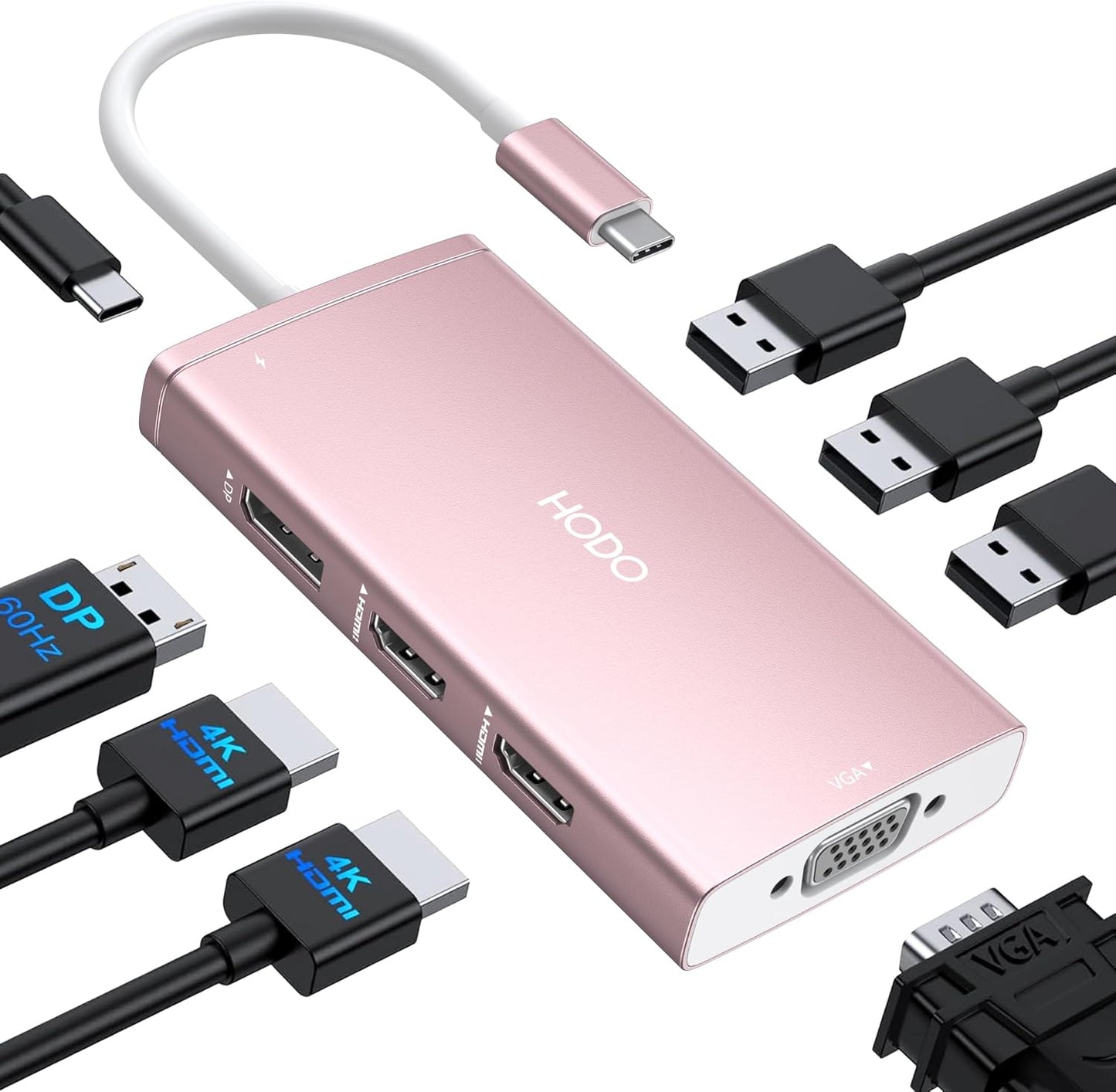
- Multiple video outputs: Two HDMI ports, one DisplayPort and one VGA give flexibility to connect dual, triple or quadruple displays depending on laptop support and resolution needs.
- Dual 4K support: The dock can deliver 4K@60Hz on one HDMI and 4K@30Hz on the second HDMI, with the DisplayPort capable of 4K@60Hz for crisp external screens when the host supports DP1.4.
- 100W USB-C power in: A dedicated USB-C PD input accepts up to 100W so the dock can pass through safe charging to most laptops when paired with an appropriate wall adapter.
- Legacy VGA option: The VGA port allows connection to older projectors or monitors, useful for presentations, though it limits output to 1080p when in use.
- USB connectivity: Three USB 2.0 ports provide reliable connections for keyboard, mouse and flash drives at up to 480Mbps for simple peripherals.
Who It's For
This dock is best for professionals and students who travel or work from multiple locations and need a small hub to add HDMI and DisplayPort monitors while keeping a single USB-C cable to the laptop. It suits users who prioritize port variety and modest peripheral speeds over the fastest USB data transfer.
It is less suited to users who require sustained high-power charging from the host without a strong external adapter, or those who need highest-end long-term durability - some customers report mixed longevity and compatibility with certain systems. Mac users should note mirrored behavior on external screens under macOS.
Pros & Cons
Pros
- Plenty of video options let users connect modern and legacy displays without extra adapters.
- Compact size and port density deliver good value for a travel docking solution.
- 100W PD input supports notebook charging when paired with an appropriate 65W+ adapter.
Cons
- Some reports of limited durability and intermittent compatibility with certain laptops after months of use.
- Using VGA reduces all display outputs to 1080p and macOS forces mirrored external screens.
Specifications
| Product type | USB C Docking Station, 8-in-1 |
| Video outputs | 2x HDMI, 1x DisplayPort, 1x VGA |
| Maximum video | 4K on HDMI/DP (one HDMI 4K@60Hz, second HDMI 4K@30Hz, DP 4K@60Hz) |
| USB ports | 3x USB 2.0 (up to 480Mbps) |
| Power delivery | 100W input, 87W safe output to laptop (requires compatible adapter) |
| Compatibility | Full-featured USB-C hosts (Dell XPS, Latitude, Lenovo ThinkPad/Yoga, HP Elitebook/Envy, Surface Pro 7/8, MacBook) |
Our Verdict
The USB C Docking Station Dual Monitor Adapter is a practical, budget-friendly hub for users who need flexible video outputs and basic peripheral support in a compact package. It offers attractive features like a 100W PD input and multiple 4K-capable ports, making it good value for users who match it to a compatible laptop and use a proper power adapter. Those needing long-term heavy use or high-speed USB should consider alternatives.
Frequently Asked Questions
Will this dock charge my laptop?
The dock accepts up to 100W input and can output about 87W to a laptop, but you must use a compatible USB-C power adapter of at least 65W to avoid system warnings.
Can I run four different monitors at 4K?
The dock has four video ports, but quadruple display will generally be limited to 1080p if VGA is used and depends on the laptop's DP1.4 signal support; true multiple 4K outputs depend on host capabilities.
Does it work with macOS?
Yes, but on macOS external monitors may appear identical (mirrored) rather than in extended mode, which is a system behavior noted by users.
Editor's Take
A compact and affordable 8-in-1 USB C docking station that offers flexible video outputs and 100W PD input, well suited to users needing multiple displays and basic peripheral connections; compatibility and long-term durability may vary.

Recently viewed
Recently viewed products will appear here as customers browse the store.