

USB-C to Dual DisplayPort Splitter Adapter - Dual 4K@60Hz for Laptops
USB-C to Dual DisplayPort Splitter Adapter - Dual 4K@60Hz for Laptops
Price subject to change. Tap below for current.
Couldn't load pickup availability
In this review of the USB-C to Dual DisplayPort Splitter Adapter, the bottom line is simple: it is for laptop and tablet users who need to add two external DisplayPort monitors from a single USB-C video output. The reviewer found it most valuable for Windows users with DP Alt Mode ports who want a reliable, plug-and-play way to mirror or extend displays at high resolution without extra drivers or power bricks. The single biggest reason to buy is the ability to run two DisplayPort monitors up to 4K@60Hz from a compatible USB-C port, assuming the host and cables support DP Alt Mode 1.4.
Key Features
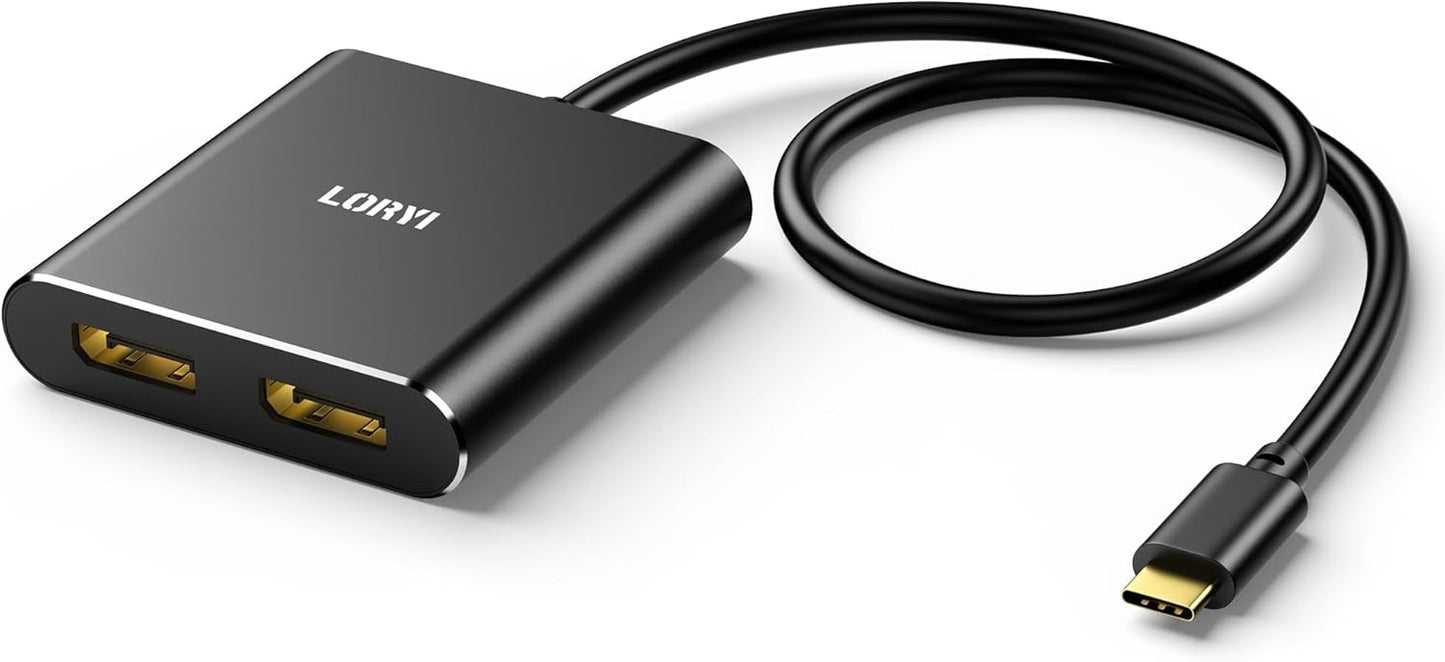
- Dual DisplayPort Expansion: Adds two DisplayPort outputs from a USB-C video-capable port so users can increase screen count for productivity or presentations.
- High-resolution support: Supports dual 4K@60Hz when the laptop USB-C port and the DisplayPort cables support DP Alt Mode 1.4, enabling crisp desktop or media work.
- Extended and Mirror modes: Offers extended and mirrored configurations on Windows for flexible desktop layouts and duplication for demos or meetings.
- Plug and Play: Requires no drivers or external power, letting users connect and start using extra displays quickly.
- Wide compatibility: Works with many USB-C and Thunderbolt 3 systems from major PC makers, provided the port supports video output.
- Stable transmission: 24K gold-plated ports and shielded cabling aim to keep signal integrity over the included 45 cm cable.
Who It's For
This adapter is ideal for professionals and power users running Windows laptops with a USB-C port that supports DP Alt Mode and who need two DisplayPort monitors for multitasking, trading, design, or extended desktop setups. It is also useful for meeting rooms where a quick mirror or extend option is required without managing drivers.
It is not suitable for users whose USB-C ports do not support video output, or for macOS users who expect true independent multi-monitor support beyond duplicate modes; macOS will only offer duplicate screens. Also avoid connecting it through other hubs or docking stations, as the adapter is designed to plug directly into a video-capable USB-C port.
Pros & Cons
Pros
- Enables two DisplayPort monitors from one USB-C port with support for high resolutions when the host supports DP Alt Mode 1.4.
- Simple plug-and-play setup requires no drivers or extra power supplies.
- Solid signal design with gold-plated ports and shielded cabling reduces interference and improves reliability.
- Compact 45 cm cable gives flexibility in placement without bulky adapters.
Cons
- Requires a USB-C port that supports video output; many laptops with USB-C do not support DP Alt Mode, limiting compatibility.
- macOS only supports duplicate display modes, so users seeking independent multiple displays on Mac should look elsewhere.
Specifications
| Product type | USB-C to Dual DisplayPort splitter adapter |
| Maximum resolution | Dual 4K@60Hz (requires DP Alt Mode 1.4 on host and compatible cables) |
| Backward compatibility | Dual 4K@30Hz and 1080P@60Hz |
| Modes supported | Extended and Mirror on Windows; duplicate only on macOS |
| Cable length | 45 cm |
| Connectors | USB-C input to two DisplayPort outputs, 24K gold-plated |
| Power | Bus powered, no external adapter required |
Our Verdict
For Windows laptop users with a video-capable USB-C port, this adapter is a practical, cost-effective way to add two DisplayPort monitors without extra power or drivers. It delivers strong signal quality and flexible display modes for productivity, but check that your laptop and DisplayPort cables meet DP Alt Mode 1.4 if you need dual 4K@60Hz. Overall, it is a useful tool for expanding desktop space and improving workflow value.
Frequently Asked Questions
Will this work with any USB-C port?
It will only work with USB-C ports that support video output (DP Alt Mode); ports without video support will not output to the displays.
Can macOS run two independent external monitors with this adapter?
No. macOS supports duplicate modes only with this adapter, so independent extended displays are not available on Mac.
Do I need special DisplayPort cables to get 4K@60Hz?
Yes. To achieve dual 4K@60Hz, both the laptop USB-C port must support DP Alt Mode 1.4 and the DisplayPort cables must support that resolution.
Editor's Take
For Windows laptops with DP Alt Mode, this USB-C to Dual DisplayPort adapter is a practical, plug-and-play way to add two external monitors with solid signal quality; macOS users will be limited to duplicate displays.

Recently viewed
Recently viewed products will appear here as customers browse the store.