

USB Type C to SATA 2 Bay Hard Drive Docking Station - Fast Clone
USB Type C to SATA 2 Bay Hard Drive Docking Station - Fast Clone
Price subject to change. Tap below for current.
Couldn't load pickup availability
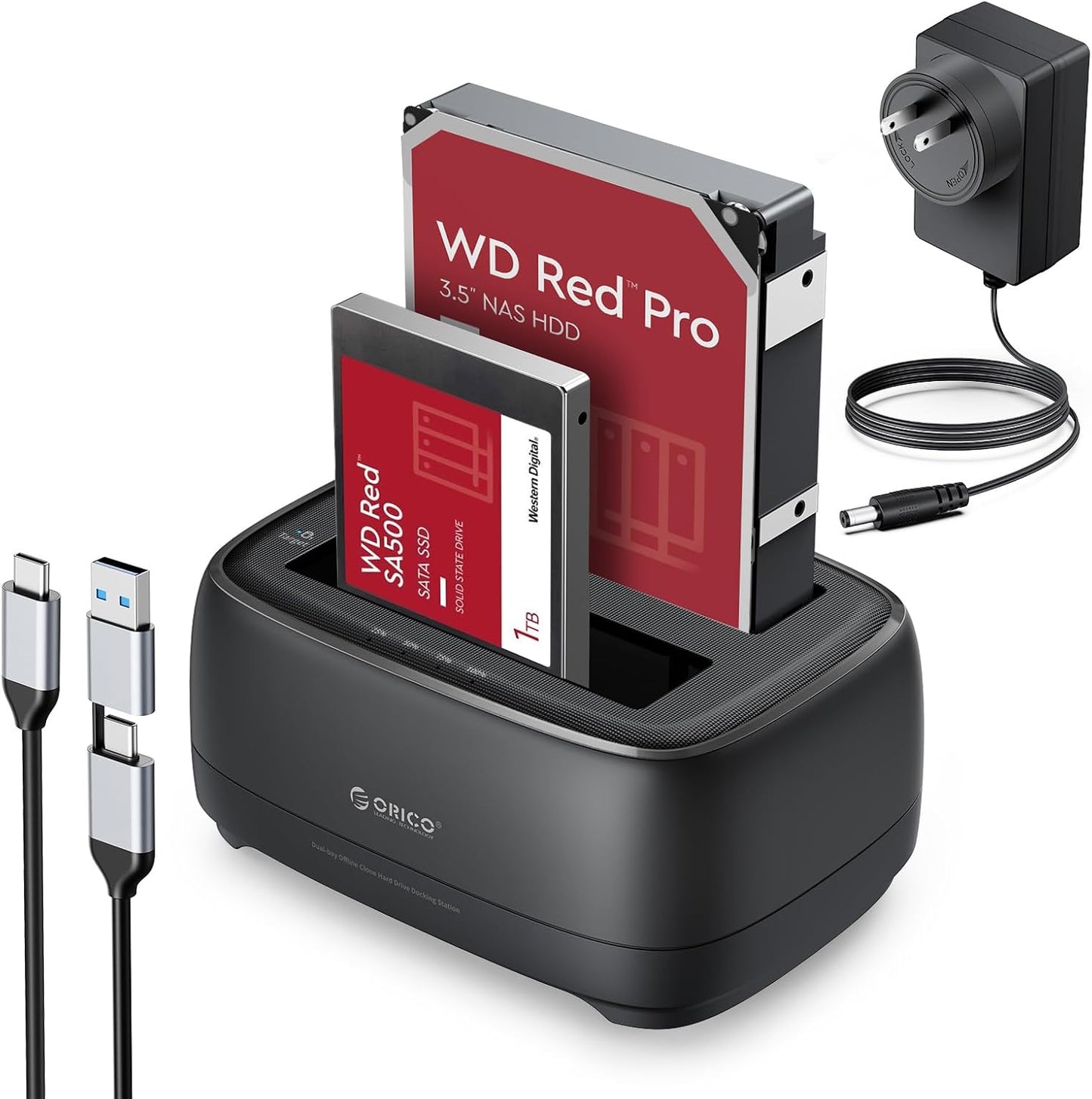
In this review of the ORICO USB Type C to SATA 2 Bay Hard Drive Docking Station, the bottom line is simple: this is a practical tool for anyone who regularly copies, swaps or backs up drives and needs a straightforward offline cloner. The unit's biggest strength is its combination of a dual-bay design with a dedicated offline clone function, which lets a user duplicate a source drive to a target drive without a computer attached. Reviewers will find the setup largely plug-and-play, and the inclusion of a 2 in 1 USB C to A cable and 1 m length makes it convenient for desktops and laptops.
Key Features
- Dual Bay Design: Holds two 2.5 in or 3.5 in drives simultaneously so you can clone or access two disks without swapping hardware.
- Offline Clone Function: Clone drives without a PC by using the onboard clone switch and start button, suitable when TARGET disk capacity is larger than SOURCE.
- High-Speed Transfer: The built-in high-speed chip supports UASP and TRIM protocols and a 5 Gbps transfer rate for faster file moves with compatible hosts.
- Wide Compatibility: Works with Windows, Mac, Linux, iPadOS and Android and connects to PCs, laptops, smart TVs and game consoles via USB C or USB A.
- Power and Monitoring: Supports large drives up to dual 22 TB and offers LED indicator lights to monitor copy and transfer status while an auto-sleep mode reduces power draw after inactivity.
Who It's For
This docking station is aimed at system builders, IT technicians and power users who need a reliable way to copy drives or access multiple bare HDDs and SSDs quickly. The offline clone feature is especially valuable for data migration or disk duplication tasks where you do not want to tie up a host computer.
It is less suited to users who need completely silent operation or who expect professional-grade build longevity without occasional reliability issues; some buyers report mixed experiences with noise and long-term durability, so those who require enterprise-level uptime should consider higher-end or rack-mounted alternatives.
Pros & Cons
Pros
- Easy, truly plug-and-play offline cloning that does not require PC software.
- Fast transfer support with UASP and a 5 Gbps interface for compatible drives.
- Supports both 2.5 in and 3.5 in drives and large capacities up to dual 22 TB.
- The 2 in 1 USB C to A cable simplifies connections to modern and legacy hosts.
Cons
- Some customers report loud beeps or noise and a few durability complaints over several months.
- Clone requires the target disk to be larger than the source disk, which can limit some migrations.
Specifications
| Brand | ORICO |
| Drive Support | 2.5 in and 3.5 in HDD/SSD |
| Interface | USB Type C to SATA, 2 in 1 USB C/A cable |
| Max Transfer Rate | 5 Gbps (UASP & TRIM supported) |
| Clone Mode | Offline clone with switch and start button (target > source) |
| Capacity Support | Dual up to 22 TB per bay |
| Power Saving | Auto sleep after 10 minutes |
Our Verdict
The ORICO 2 Bay docking station is a strong value for technicians and enthusiasts who need quick disk access and a reliable offline cloning workflow. It combines fast transfer support, broad OS compatibility and large capacity handling at a reasonable price, though occasional reports of noise and early failures suggest buyers should back up important data and check warranties if they plan heavy continuous use.
Frequently Asked Questions
Can I clone a smaller drive to a larger drive?
Yes, the offline clone requires the target disk capacity to be greater than the source disk capacity.
Does this work without a computer?
Yes, offline cloning and basic drive access for copying work without a connected PC when the docking station has power.
Which systems are supported?
The unit supports Windows, Mac, Linux, iPadOS and Android hosts and connects via USB C or USB A.
Editor's Take
The ORICO 2-bay docking station is a practical choice for technicians and power users needing fast transfers and offline cloning; it offers broad compatibility and strong value, though some users report noise and occasional durability concerns.

Recently viewed
Recently viewed products will appear here as customers browse the store.