

Voice Remote for Samsung Smart TV Replacement - Voice Control Remote
Voice Remote for Samsung Smart TV Replacement - Voice Control Remote
Price subject to change. Tap below for current.
Couldn't load pickup availability
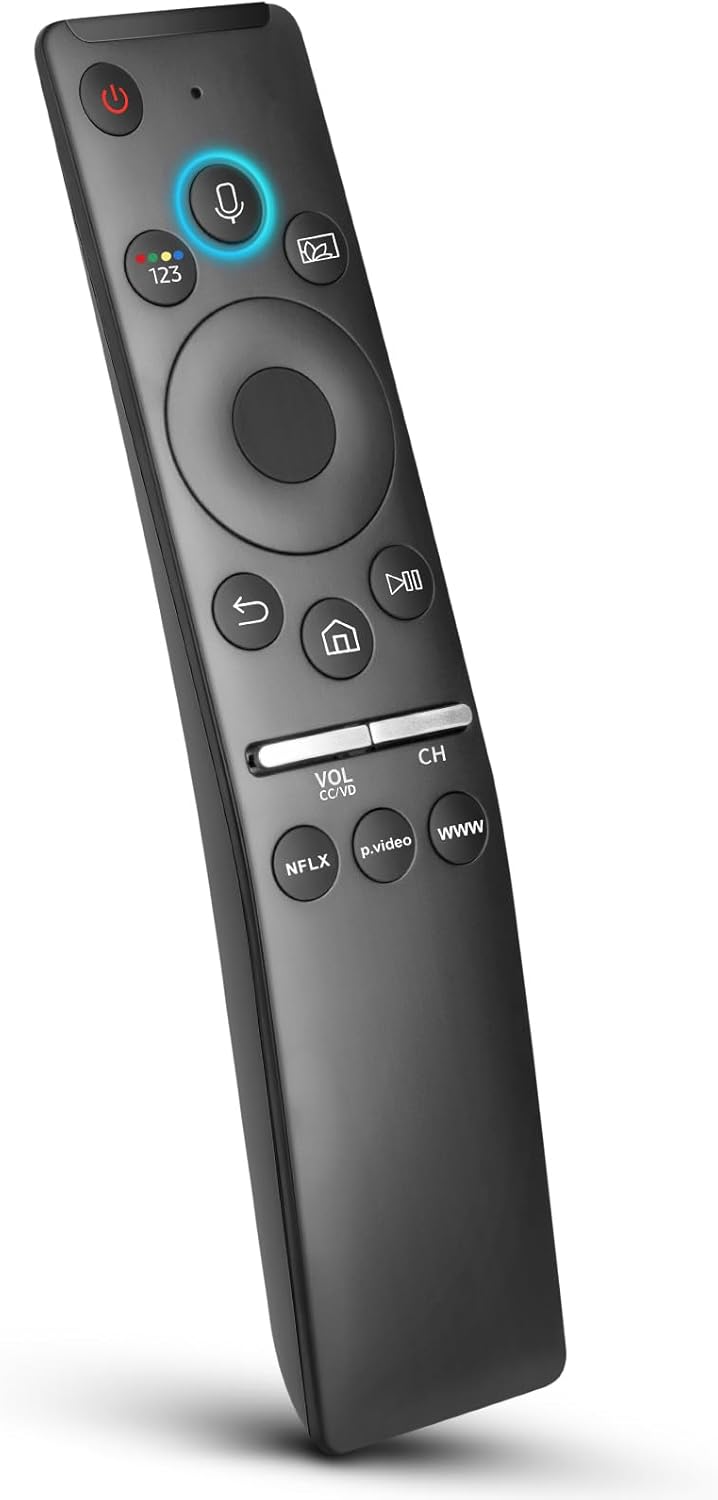
In this review of the Voice Remote for Samsung Smart TV, the bottom line is clear: it is a budget-friendly replacement for owners of many Samsung QLED, UHD and Frame TVs who want basic voice control and simple pairing without paying OEM prices. The remote delivers the core convenience of voice commands for searching, opening apps and adjusting volume, and it pairs with supported Samsung models after a short two-button pairing process. Performance and build quality vary by unit, so this review focuses on compatibility, pairing, and daily use rather than premium fit and finish.
Key Features
- Voice control: Lets users search for shows, open apps and control volume using spoken commands when the TV is connected to the network.
- Easy pairing: Pairs to supported Samsung TVs by pointing at the TV sensor and holding Return/Exit and Play/Pause for five seconds, with on-screen prompts.
- Wide TV compatibility: Works with many Samsung lines including Q60, Q70, Q80, Q90 series and models such as TU8000, RU8000, CU7000 and DU8000.
- Remote model support: Compatible with a long list of Samsung remote part numbers that support voice, while excluding a few incompatible models.
- Network requirement: Voice recognition requires the TV to be connected to the internet, so on-device offline voice is not available.
- Customer support: The seller offers after-sale support and commits to responding to inquiries within 12 hours.
Who It's For
This remote is best for Samsung TV owners who need an affordable replacement that restores voice search and app control on supported models, especially those who own QLED, 8 Series or 9 Series TVs or mid-range models like TU8000 and CU8000. It is ideal for users comfortable with a simple pairing routine and a networked TV where voice recognition is already enabled.
Buyers who want flawless OEM-level fit and consistent button feel should look elsewhere; some customers reported variable build quality and occasional unresponsive buttons. If your TV model or original remote number is not listed among supported devices, verify compatibility before purchasing.
Pros & Cons
Pros
- Affordable way to regain voice TV support and basic smart control on many Samsung models.
- Pairing is straightforward with the documented Return/Exit + Play/Pause method and on-screen feedback.
- Works with a broad list of Samsung series and many voice-enabled remote part numbers.
- Seller provides responsive after-sale support for setup and issues.
Cons
- Build quality and button responsiveness vary between units, with some users reporting missed presses.
- Not compatible with certain Samsung remote models and voice features depend on the TV being online.
Specifications
| Product type | Voice remote control replacement |
| Supported TV lines | QLED, UHD, Frame, Curved, 4K and 8K Samsung series listed |
| Example supported models | TU8000, Q60, Q70, Q80, Q90, CU7000, DU8000 |
| Supported remote numbers | Multiple BN59-series models such as BN59-01266A and BN59-01312A |
| Pairing method | Point at TV sensor and hold Return/Exit + Play/Pause for 5 seconds |
| Voice requirement | TV must be connected to network for voice recognition |
| After-sale service | Customer support with response within 12 hours |
Our Verdict
The Voice Remote for Samsung Smart TV is a practical, cost-effective replacement for owners of supported Samsung models who need voice remote control without OEM pricing. It pairs easily and restores most smart functions, though buyers should accept possible variation in button feel and confirm compatibility with their TV or original remote number before ordering. For the price it offers clear value to those prioritizing function over premium build.
Frequently Asked Questions
Will this remote work with my Samsung QLED?
If your QLED model is listed among supported series such as Q60, Q70, Q80 or Q90, the remote should work; check the specific model and compatible remote part numbers in the product details.
How do I enable voice recognition?
Voice recognition requires the TV to be connected to the network; once paired, use the microphone button and ensure the TV has internet access for voice features to function.
What if the remote does not pair or buttons misbehave?
Follow the pairing steps carefully and contact the seller's after-sale support; they commit to responding within 12 hours to help troubleshoot or arrange a replacement.
Editor's Take
A cost-effective replacement that restores voice search and basic smart control on many Samsung QLED and UHD TVs; pairs easily but build quality and button responsiveness can vary, so confirm compatibility before buying.

Recently viewed
Recently viewed products will appear here as customers browse the store.