

Wave Keys & Lift Vertical Mouse Ergonomic Keyboard and Mouse Combo
Wave Keys & Lift Vertical Mouse Ergonomic Keyboard and Mouse Combo
Price subject to change. Tap below for current.
Couldn't load pickup availability
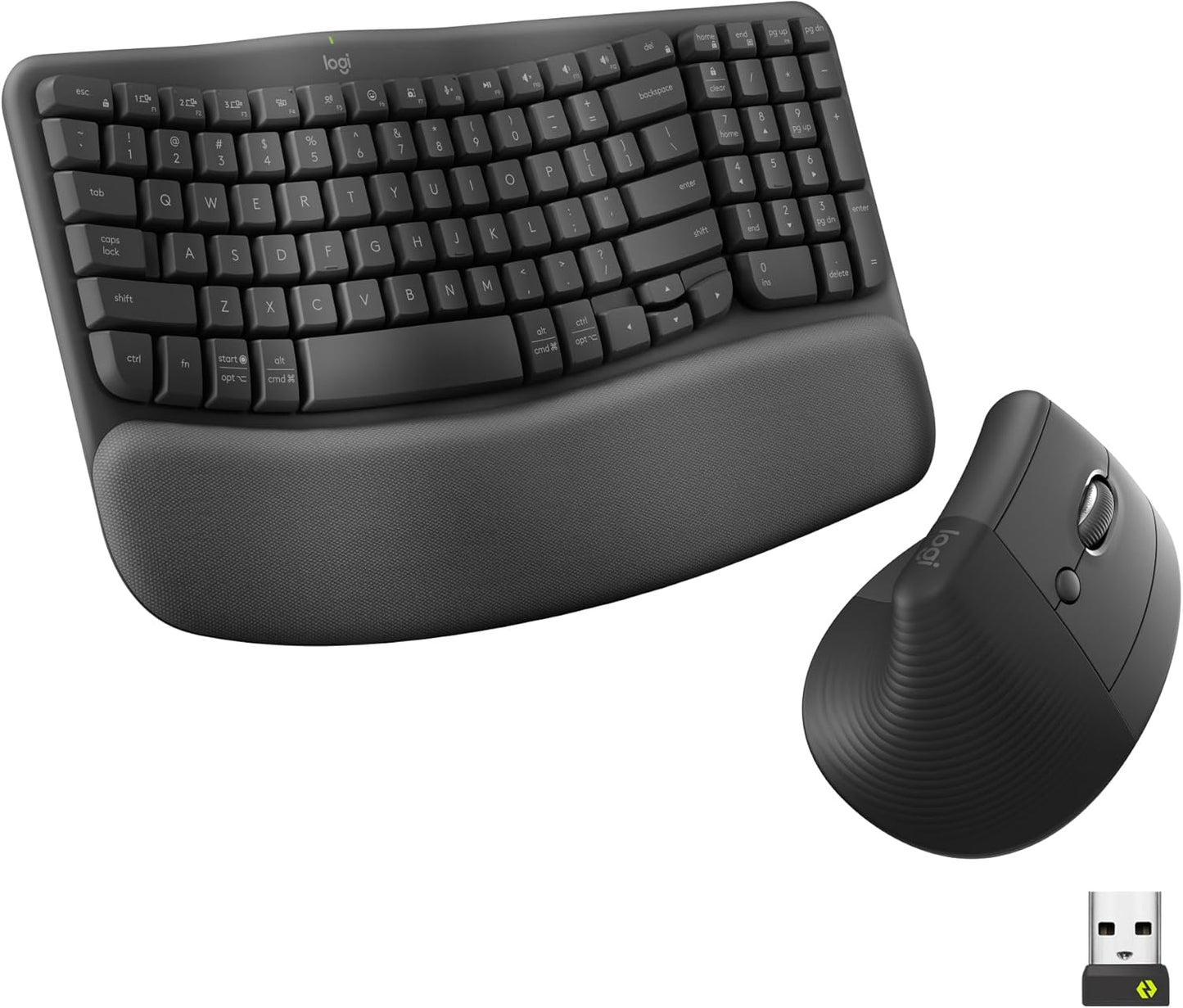
Our review of the Wave Keys & Lift Vertical Mouse combo finds it best for office workers and anyone who spends long stretches typing and mousing and wants a more natural wrist and forearm position. The single biggest reason to buy is comfort: a wavy keyframe plus a cushioned memory foam palm rest pairs with a 57 degree vertical mouse shape to reduce wrist strain and promote a neutral forearm posture for day-long use. The set is thoughtfully engineered, multi-OS compatible, and uses post-consumer recycled plastic in both devices.
Key Features
- Ergonomic wave keyframe: The wave-shaped keyboard supports a natural hand, wrist, and forearm alignment to reduce fatigue during extended typing sessions.
- Cushioned palm rest: The included memory foam palm rest provides extra wrist support and a softer contact surface for comfortable posture over many hours.
- 57 degree vertical mouse shape: The Lift mouse raises the hand into a more neutral position to alleviate pressure on the wrist and encourage a natural forearm posture.
- Customizable workflow: The Logi Options+ app lets users remap buttons and tune the SmartWheel behavior for quieter clicks and adaptive scrolling speed.
- Multi-OS wireless connectivity: Both devices support Bluetooth and Easy-Switch for connecting to multiple systems, making them flexible for mixed Windows and Mac environments.
- Sustainable materials: Plastic parts in the Graphite models include certified post-consumer recycled content to reduce environmental impact.
Who It's For
This combo is ideal for knowledge workers, writers, and designers who need a compact desktop layout with ergonomic benefits; small to medium hands will find the Lift mouse comfortable and the keyboard layout reduces wrist extension. Users who value quiet typing, customizable buttons, and the ability to switch between devices quickly will get the most from this pair.
People with very small hands or those who prefer ultra-compact travel keyboards should look elsewhere, as some users report mixed opinions about size and a few have experienced button issues on the mouse over time. Gamers seeking low-latency gaming hardware or numeric-keypad-heavy users will also want a different, more specialized setup.
Pros & Cons
Pros
- Significant reduction in wrist strain thanks to the wavy keyframe and 57 degree vertical mouse shape.
- Comfortable memory foam palm rest that supports longer typing sessions without hard pressure points.
- Customizable features through Logi Options+ and easy device switching for multi-OS use.
- Use of post-consumer recycled plastic in both keyboard and mouse for a more sustainable choice.
Cons
- Some users report mixed opinions on mouse size; it may feel large for very small hands.
- A minority of users have experienced reliability issues with the left/right mouse buttons over time.
Specifications
| Product | Ergonomic keyboard and vertical mouse combo |
| Keyboard design | Wavy keyframe with plunger key switches |
| Palm rest | Cushioned memory foam palm rest |
| Mouse shape | Vertical 57 degree ergonomic shape with thumb rest |
| Connectivity | Bluetooth, Easy-Switch (multi-device) |
| Compatibility | Multi-OS: Windows and Mac supported |
| Materials | Graphite models contain post-consumer recycled plastic (keyboard ~61%, mouse ~70%) |
Our Verdict
The Wave Keys & Lift combo is a solid investment for anyone prioritizing wrist comfort and a more natural typing posture. Its ergonomic design, cushioned palm rest, and customizable software make it a practical choice for office use or home workstations, offering good value for the comfort and sustainability features it provides.
Frequently Asked Questions
Does the mouse work well for small hands?
The Lift is designed for small to medium hands, but users with very small hands may find the fit larger than ideal and should try it if possible.
Can I customize buttons and scrolling?
Yes, the Logi Options+ app lets you remap buttons and adjust the SmartWheel scrolling speed and behavior.
Is the keyboard quiet enough for shared offices?
The plunger key switches deliver a tactile yet discreet typing feel suitable for quieter environments.
Editor's Take
The Wave Keys & Lift combo delivers noticeable ergonomic benefits through a wavy keyboard, cushioned palm rest, and a 57 degree vertical mouse, making it a strong pick for office workers seeking reduced wrist strain and customizable controls.

Recently viewed
Recently viewed products will appear here as customers browse the store.