

WAVLINK Laptop Docking Station 11-in-1 - Triple 4K or Single 8K
WAVLINK Laptop Docking Station 11-in-1 - Triple 4K or Single 8K
Price subject to change. Tap below for current.
Couldn't load pickup availability
In this review the WAVLINK Laptop Docking Station stands out for users who need a single hub to power multiple displays and charge a modern USB-C laptop. The reviewer found the biggest reason to buy is the combination of the new PD3.1 power delivery with a 140W power adapter and extensive video outputs, which lets a compatible laptop charge at up to 125W while driving up to three external monitors. It is a practical choice for creators and professionals who want a compact docking solution that replaces several adapters without special drivers.
Key Features
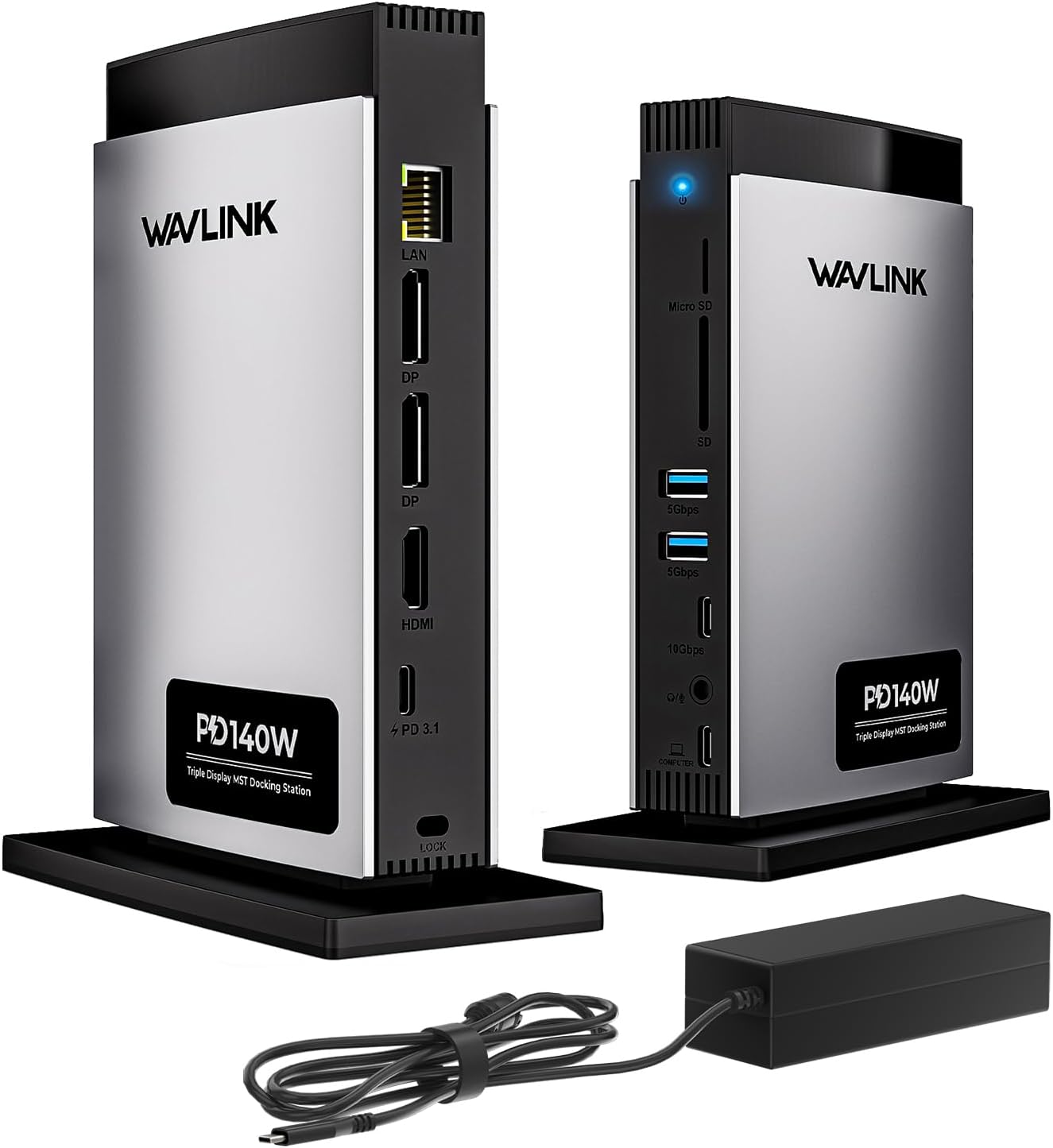
- 11-in-1 connectivity: A single dock puts HDMI, two DisplayPort outputs, multiple USB ports, an SD card reader and Gigabit Ethernet in one place to simplify a desktop setup.
- PD3.1 with 140W adapter: The included 140W adapter and PD3.1 input deliver pass-through charging up to 125W so most USB-C laptops receive fast, reliable power while peripherals remain connected.
- High-resolution video: Under DP1.4 and DSC, Windows hosts can run a single display up to 8K@30Hz or 4K@144Hz, giving a clear advantage for high-resolution workflows and gaming.
- Triple monitor support: The dock supports up to three external monitors from compatible hosts, which is useful for multitasking and extended desktop setups on capable Windows systems.
- Fast data and network: 10Gbps USB-C 3.2 and 5Gbps USB-A ports plus a 1000Mbps Ethernet port make file transfers and wired networking quick and stable.
- Card reader and audio pass-through: Built-in SD/Micro SD reader and a TRRS 4-pole phone jack add convenience for content creators and simple audio needs.
Who It's For
The dock is best for users with full-function USB-C or Thunderbolt 3/4 ports who need one hub to connect displays, Ethernet and accessories while charging their laptop. Visual creators, developers and professionals who require high-resolution or multi-monitor output on Windows laptops will get the most benefit.
Those who should look elsewhere include users with older laptops that lack video output over USB-C, or macOS users who expect true MST multi-monitor chaining beyond a single external screen, since macOS only extends to one different screen and some hosts may limit the number of supported displays.
Pros & Cons
Pros
- Extensive port selection consolidates many adapters into one compact dock.
- PD3.1 with a 140W adapter provides strong pass-through charging up to 125W for modern laptops.
- High-resolution single-display support up to 8K@30Hz or 4K@144Hz on compatible Windows hosts.
- Built-in Gigabit Ethernet and fast USB data ports improve connectivity for demanding tasks.
Cons
- macOS does not support MST, so multi-monitor setups are limited on MacBooks despite the dock's ports.
- Some customers reported intermittent peripheral detection issues, so individual host compatibility may vary.
Specifications
| Dock type | 11-in-1 USB-C docking station |
| Power delivery | PD3.1 input with included 140W adapter, pass-through up to 125W |
| Video outputs | 1x HDMI (8K capable), 2x DisplayPort (DP1.4 & DSC) |
| USB ports | 1x 10Gbps USB-C 3.2 host, 2x 5Gbps USB-A |
| Card reader | SD and Micro SD reader (up to 104MB/s) |
| Ethernet | 1000Mbps RJ45 |
| Audio | TRRS 4-pole phone jack |
Our Verdict
The WAVLINK dock is a strong value for users with compatible full-function USB-C or Thunderbolt laptops who want a single hub for multiple monitors, fast wired networking and high-power pass-through charging. It consolidates many ports into one package and supports very high single-display resolutions, though macOS multi-monitor limits and occasional peripheral detection quirks mean buyers should verify host compatibility before committing.
Frequently Asked Questions
Will this dock charge my laptop?
Yes; with the included 140W adapter the dock supports PD3.1 input and can pass through up to 125W to a laptop that accepts USB-C charging.
Can I run three external monitors from a MacBook?
No; macOS does not support MST multi-monitor chaining in the same way as Windows, so MacBooks are limited to one external display in most cases.
Do I need drivers to use the dock?
No; the dock is plug-and-play and does not require additional drivers for supported systems, but host video and USB-C capabilities must support the desired features.
Editor's Take
The WAVLINK dock is a versatile 11-in-1 hub that delivers strong PD3.1 pass-through charging and high-resolution single-display support, making it a good value for Windows users with compatible USB-C or Thunderbolt ports while macOS users face multi-monitor limits.

Recently viewed
Recently viewed products will appear here as customers browse the store.