

WD19 Dell Docking Station Dual Monitor - Complete USB-C Dock
WD19 Dell Docking Station Dual Monitor - Complete USB-C Dock
Price subject to change. Tap below for current.
Couldn't load pickup availability
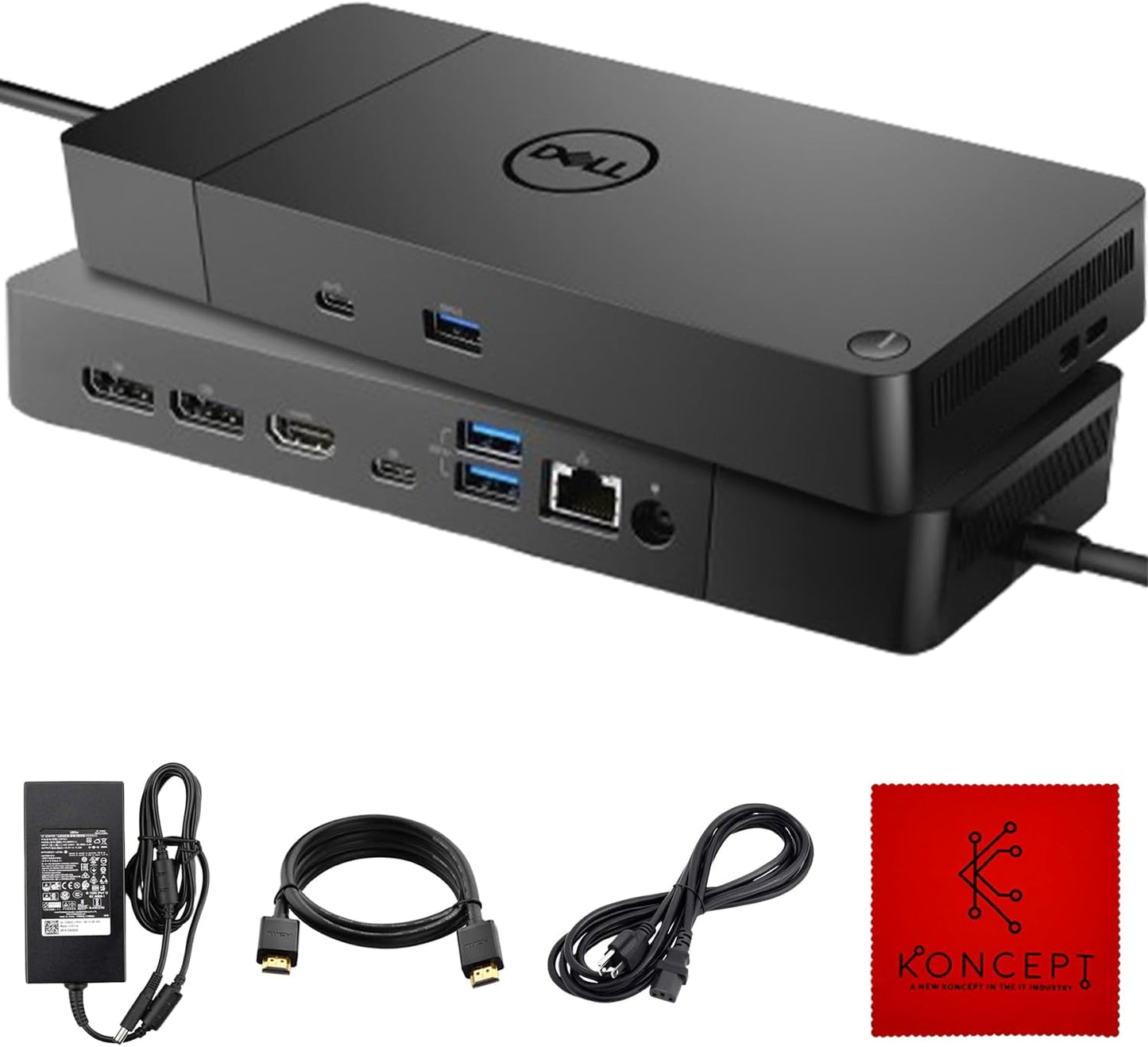
In this review of the WD19 Dell Docking Station Dual Monitor bundle, the bottom line is simple: it is aimed at users who need a single, reliable hub to power dual displays and a full set of peripherals without juggling multiple adapters. The reviewer found the package - a WD19 dock, original 180W power adapter, HDMI cable and cleaning cloth - convenient for home and small office setups. The biggest reason to buy is straightforward connectivity: with DisplayPort over USB-C or Thunderbolt 3 support, this dock consolidates video, ethernet and USB ports into one connection, saving time and desk clutter.
Key Features
- Complete bundle: The package includes the WD19 docking station, an original 180W power adapter, an HDMI cable and a microfiber cloth so users can start using the dock right away without sourcing extras.
- Single-cable convenience: By using USB-C or Thunderbolt 3 with DisplayPort Alt Mode, the dock lets a single connection carry power and multiple video and data signals to simplify laptop docking.
- Multiple video outputs: The dock offers VGA, HDMI and mini-DisplayPort options so users can connect a variety of monitors and projectors without extra dongles.
- Broad port selection: A built-in RJ-45 ethernet jack, headphone-mic combo and a mix of USB 2.0 and USB 3.0 ports make it easy to attach wired networking, audio and peripherals.
- Compatibility with select laptops: It works with supported models in the Inspiron, Venue, Precision, XPS and Latitude families, allowing users of those lines to reuse a single docking solution across machines.
Who It's For
The WD19 bundle is best for remote workers, students and small office users who need to connect two monitors and several peripherals to a laptop using a single USB-C or Thunderbolt 3 cable. It is especially useful for anyone who wants a ready-to-use kit that includes the power brick and an HDMI cable.
It is not ideal for users with laptops that do not support DisplayPort over USB-C or for those who require vendor-specific firmware-managed docking features. Buyers should confirm compatibility with their exact laptop model before purchase.
Pros & Cons
Pros
- Well-rounded port selection that covers video, wired networking and both USB 2.0 and 3.0 devices.
- Includes the original 180W power adapter and an HDMI cable so the dock is ready to use out of the box.
- Simple single-cable workflow when used with laptops that support DisplayPort over USB-C or Thunderbolt 3.
- Customers report easy installation and good compatibility with dual monitor setups in many cases.
Cons
- Not all users enjoyed long-term reliability; some reports indicate the unit can stop working after a period of use.
- Compatibility depends on the laptop supporting DisplayPort Alt Mode; incompatible laptops will not get full functionality.
Specifications
| Product | WD19 Docking Station Dual Monitor bundle |
| Power Adapter | Original 180W power adapter included |
| Video Ports | VGA, HDMI, mini-DisplayPort |
| Network | RJ-45 ethernet port |
| Audio | Headphone-mic combo jack |
| USB Ports | 2 x USB 2.0 and 3 x USB 3.0 ports |
| Compatibility | Select Inspiron, Venue, Precision, XPS and Latitude models (confirm before purchase) |
Our Verdict
The WD19 Dell Docking Station Dual Monitor bundle is a practical, good-value option for users who need immediate, full-featured docking with dual-display capability and wired networking. It shines when used with compatible laptops because it reduces cable clutter and includes the power adapter and HDMI cable. Buyers should verify compatibility and be aware that a minority of customers report intermittent long-term reliability issues.
Frequently Asked Questions
Will this dock power my laptop?
The bundle includes a 180W power adapter which will power many supported laptops, but power delivery depends on your laptop model and power requirements.
Can I run two external monitors?
Yes, the WD19 supports dual displays via its video outputs when used with a laptop that supports DisplayPort over USB-C or Thunderbolt 3.
Do I need drivers?
Most systems will recognize the dock, but some laptops may require driver or firmware updates from the laptop maker to enable full functionality.
Editor's Take
The WD19 Dell Docking Station Dual Monitor bundle is a practical docking solution for users with compatible laptops, offering dual-display support, ample ports and an included 180W adapter; verify compatibility and expect generally reliable performance with occasional long-term reliability reports.

Recently viewed
Recently viewed products will appear here as customers browse the store.