

WD22TB4 Dell Thunderbolt 4 Dock 40Gbps - Multiport 4K Docking
WD22TB4 Dell Thunderbolt 4 Dock 40Gbps - Multiport 4K Docking
Price subject to change. Tap below for current.
Couldn't load pickup availability
In this review the WD22TB4 Dell Thunderbolt 4 Dock is evaluated for professionals who need a single-cable hub to power a laptop and run multiple high-resolution displays. The bottom line: it excels at consolidating connections with robust power delivery and a wide selection of ports, making it a strong choice for workstation users who need to reduce desk clutter. The dock's combination of a 130W host supply, multiple Thunderbolt 4 ports and video outputs is the single biggest reason to choose it if you want a flexible, high-bandwidth docking solution.
Key Features
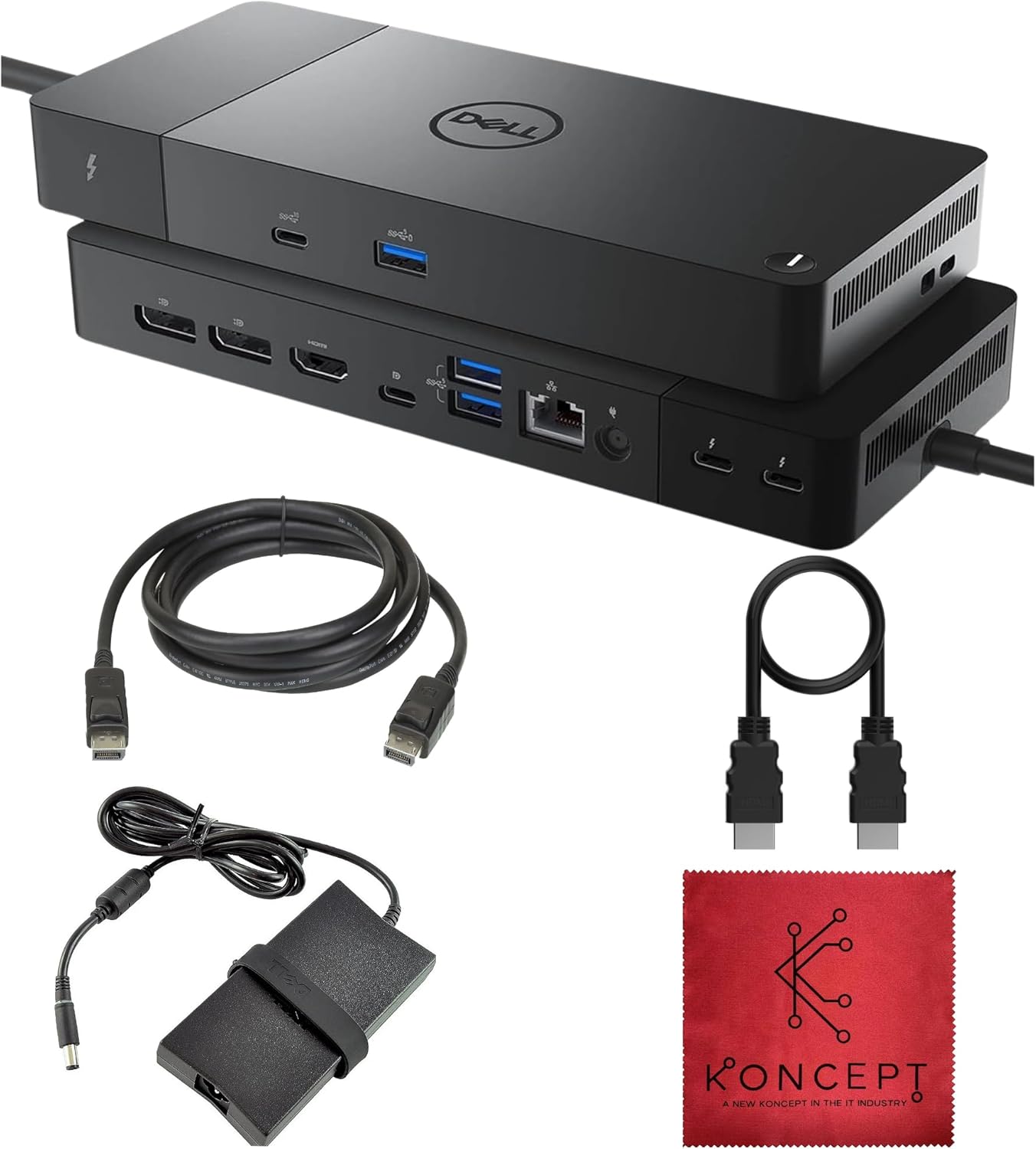
- 13 Ports for Versatility: The comprehensive port array removes the need for multiple adapters by offering Thunderbolt, USB-C, USB-A, HDMI, DisplayPort and Ethernet all in one hub.
- 130W Power Delivery: Up to 130W delivered to a host laptop allows charging of larger notebooks while powering peripherals for a clean, single-cable workspace.
- Thunderbolt 4 Bandwidth: 40Gbps Thunderbolt 4 host and downstream ports support high-speed data transfers and external devices with minimal bottlenecks.
- Flexible Display Support: The dock can drive up to four 4K 60Hz displays on compatible Windows systems, providing expansive desktop real estate for multitasking.
- Reliable Wired Networking: Built-in Gigabit Ethernet supplies a fast, stable network connection for video calls, large file transfers and streaming without Wi-Fi variability.
Who It's For
The WD22TB4 is aimed at power users and professionals who rely on multiple monitors, wired networking and a mix of modern and legacy USB devices. Designers, financial analysts and developers who need reliable high-resolution external displays and fast peripheral throughput will appreciate the dock's mix of DisplayPort, HDMI and Thunderbolt outputs.
It is less appropriate for users with original M1 or some M2 laptops who need more than a single external monitor, because native macOS limits may restrict display counts without DisplayLink workarounds. If you only need a simple USB hub or only one low-resolution external monitor, a lighter, lower-cost dock may be a better fit.
Pros & Cons
Pros
- Extensive port selection consolidates most laptop connections into a single dock.
- Strong power delivery up to 130W supports larger laptops and reduces separate chargers.
- High-bandwidth Thunderbolt 4 ports allow fast data transfers and multiple high-resolution displays on supported hosts.
- Gigabit Ethernet provides a dependable wired network for work or streaming.
Cons
- macOS display limits on original M1 and some M2 models restrict multiple external monitors without extra software or adapters.
- Renewed condition and larger size may be overkill for users who only need basic docking capabilities.
Specifications
| Ports | 1 Thunderbolt 4 host, 2 Thunderbolt 4, 2 DisplayPort 1.4, 1 HDMI 2.0, USB-C multifunction, USB-C 3.2 Gen 2, 3 USB-A 3.2 Gen 1, RJ45, 3.5mm jack |
| Thunderbolt Bandwidth | 40Gbps |
| Power Delivery | Up to 130W to host |
| Display Support | Up to four 4K 60Hz on Windows; single 4K 60Hz native on macOS; dual 4K for M1 Pro/Max |
| Ethernet | Gigabit RJ45 (1GbE) |
| Audio | 3.5mm combo headphone/mic jack |
Our Verdict
The WD22TB4 is a sensible investment for professionals who want a single, capable dock to power a laptop, connect high-resolution displays and reduce cable clutter. Its wide port selection, strong 130W power delivery and Thunderbolt 4 throughput make it good value for intensive desktop setups; caution macOS users with original M1 or single-external-display limits when planning multi-monitor configurations.
Frequently Asked Questions
Can this dock charge my laptop?
Yes. It provides up to 130W of power delivery to a connected Thunderbolt or USB-C host, sufficient for most larger laptops.
How many external monitors can it drive?
On compatible Windows systems it can support up to four 4K 60Hz displays; macOS has native limits (single 4K 60Hz for some Macs) and M1 Pro/Max can do dual 4K 60Hz.
Is wired Ethernet supported?
Yes. The dock includes a Gigabit RJ45 port for stable 1GbE network connections.
Editor's Take
The WD22TB4 is a capable workstation dock offering broad connectivity, 130W power delivery and Thunderbolt 4 bandwidth; it is a strong choice for professionals needing multi-4K support though macOS display limits may apply.

Recently viewed
Recently viewed products will appear here as customers browse the store.