

Webcam for PC 4K Ultra HD with Mic and Privacy Shutter - Clear Video
Webcam for PC 4K Ultra HD with Mic and Privacy Shutter - Clear Video
Price subject to change. Tap below for current.
Couldn't load pickup availability
In this review of the Webcam for PC, the bottom line is simple: this is a capable, easy-to-use external camera for anyone who needs crisp video and clear audio without fuss. It is aimed at remote workers, content creators, and students who want sharper video than a built-in laptop camera and a built-in noise-cancelling microphone that actually reduces background noise. Setup is plug-and-play via USB, the 4K resolution and low-light correction make calls and streams look noticeably better, and the physical privacy shutter plus tripod mounting add practical convenience.
Key Features
- 4K Ultra HD resolution: Delivers sharp, detailed video at 3840x2160 so subjects look clear and well defined on calls and recordings.
- Low-light auto correction: Automatically brightens and refines images in dim rooms so you avoid grainy or washed-out video without manual adjustments.
- Built-in noise-cancelling microphone: AI-driven noise reduction isolates the speaker's voice and reduces background distractions for clearer dialogue.
- Smart beauty filters: Applies light boosting and subtle skin refinement so on-camera appearance is naturally improved in varied lighting.
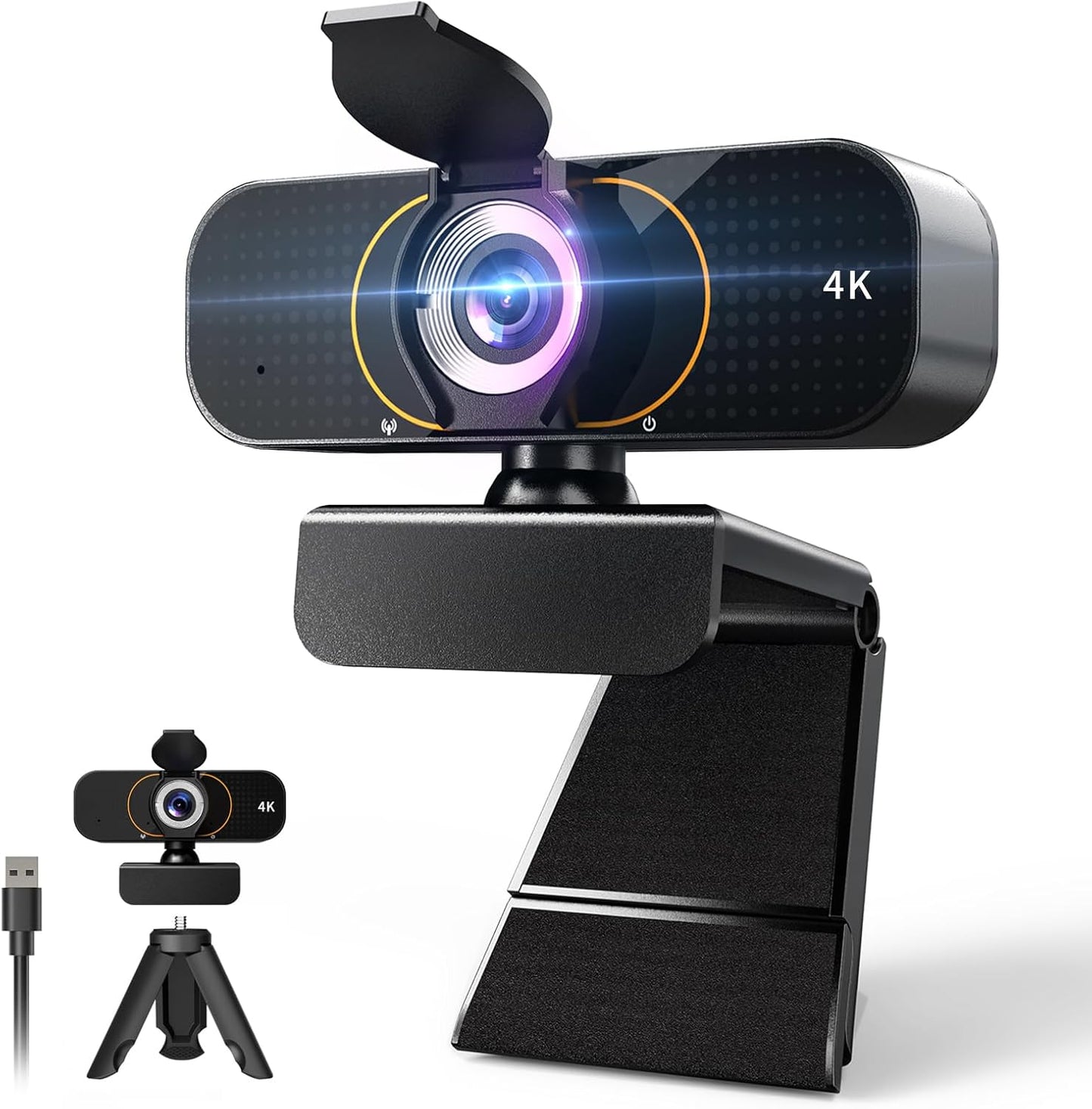
- Privacy shutter and tripod included: A flip privacy cover ensures physical privacy when not in use and the tripod allows flexible mounting options.
- Plug-and-play USB setup: Works with Windows, macOS, and Chrome OS without drivers, and includes a 5ft USB cable and 360 degree swivel.
Who It's For
This webcam is best for remote professionals, streamers, and students who want a simple upgrade from a laptop camera with a real improvement in image clarity and sound. The combination of 4K resolution, low-light correction, and AI noise cancellation is especially useful for frequent video calls, webinars, online classes, and casual streaming where setup time should be minimal.
It is less suited to studio-bound creators who require interchangeable lenses, advanced manual controls, or multi-camera production features. Also, users demanding perfect color accuracy for professional photography should consider dedicated cameras or capture setups instead.
Pros & Cons
Pros
- Excellent picture quality from the 4K sensor with reliable low-light correction for most home setups.
- Clear, focused audio thanks to the built-in microphone and AI noise cancellation that reduces keyboard and background sounds.
- Convenient privacy shutter and included tripod give flexible mounting and real peace of mind when not in use.
- Easy plug-and-play compatibility with Windows, macOS, and Chrome OS and a 5ft USB cable for placement freedom.
Cons
- Color accuracy receives mixed feedback, so professionals needing exact color matching may find it imperfect.
- No advanced manual lens controls or interchangeable optics for high-end video production.
Specifications
| Resolution | 3840x2160 (4K Ultra HD) |
| Microphone | Built-in noise-cancelling mic with AI noise reduction |
| Low-light | Auto low-light correction and smart beauty filters |
| Privacy | Physical flip privacy shutter |
| Mounting | Clip mount plus included tripod (screw-on) |
| Connectivity | USB cable, 5ft length, plug-and-play (no drivers) |
| Compatibility | Windows, macOS, Chrome OS |
Our Verdict
The Webcam for PC is a practical, affordable upgrade for anyone who needs noticeably better video and clearer audio without complicated setup. It offers strong value through 4K clarity, dependable low-light performance, and an effective noise-cancelling microphone, plus useful extras like a privacy shutter and tripod. Pick this if you want an all-in-one external camera for calls, classes, and casual streaming; professional cinematographers should consider higher-end gear instead.
Frequently Asked Questions
Does this webcam work without drivers?
Yes. It is plug-and-play with USB connectivity and requires no additional drivers for Windows, macOS, or Chrome OS.
Is the microphone good for noisy rooms?
The built-in microphone uses AI noise cancellation to reduce background sounds like keyboard clicks and fans, making it suitable for most home office environments.
Can I mount it on a tripod?
Yes. The webcam includes a tripod and also supports clipping to a laptop or monitor with a 360 degree swivel for flexible positioning.
Editor's Take
The Webcam for PC is a practical, affordable 4K upgrade for clearer video and cleaner audio with plug-and-play setup, privacy shutter, and included tripod; great for calls, streaming, and online classes.

Recently viewed
Recently viewed products will appear here as customers browse the store.