

Wireless Phone Controller for iPhone and Android - No Deadzone Mobile
Wireless Phone Controller for iPhone and Android - No Deadzone Mobile
Price subject to change. Tap below for current.
Couldn't load pickup availability
In this review the Wireless Phone Controller for iPhone and Android is evaluated as a portable gamepad aimed at mobile players who use cloud services and controller-supported apps. The single biggest reason to buy is its precise Hall effect joysticks and no-deadzone claim, which make it a good pick for competitive mobile shooters and cloud gaming sessions. The review looks at connectivity, battery life, comfort, and real-world play to help decide if this controller fits a mobile gamer who wants a near-console feel on a phone.
Key Features
- Hall Effect Joystick: Provides ultra-precise control with no drift or deadzone to help maintain accuracy in fast-paced games.
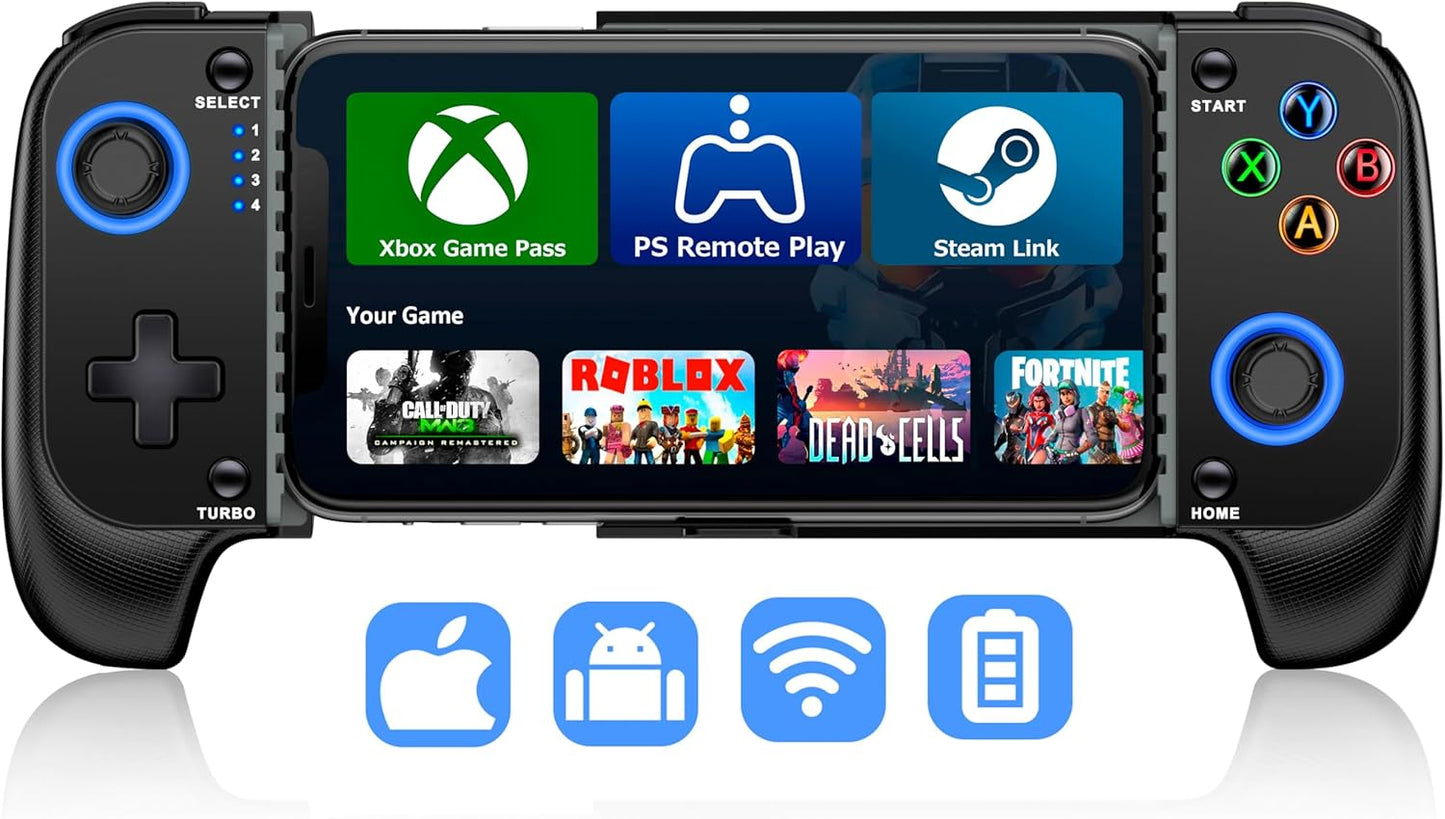
- Broad Compatibility: Works with iPhone and Android and supports many cloud gaming services like Xbox Game Pass, PlayStation Remote Play and Steam Link for flexible play.
- Adjustable Turbo: Turbo modes at 5, 12 and 20 shots per second free your fingers during repeated-fire actions in shooters.
- Long Battery Life: Built-in 600mAh battery offers over 8 hours of play and recharges fully in about 2-3 hours for extended sessions.
- Stretchable, Case Friendly Design: Expands to fit phones 10-17.5cm wide and accommodates most phone cases with non-slip rubber to hold the device steady.
- Dual Vibration and LED: Dual vibration motors enhance immersion while dynamic LED lights provide visual feedback and style while playing.
Who It's For
This controller is best for mobile gamers who frequently play cloud streaming services or controller-supported mobile titles and want a compact solution with precise input. Competitive players who need accurate stick behavior and adjustable turbo settings will appreciate the Hall effect sensors and configurable fire rates.
Casual players who only use touch controls, or users who require wired pro-level controllers with platform-certified hardware may prefer other options. Also, those without access to a stable high-speed network should not expect flawless cloud play, as cloud services demand low latency.
Pros & Cons
Pros
- Precise Hall effect joysticks eliminate noticeable drift and deadzone for tight control.
- Wide service support including Xbox Game Pass, PlayStation Remote Play and Steam Link for versatile use.
- Comfortable stretchable grip that fits phones with cases and provides long play time from the 600mAh battery.
- Adjustable turbo and dual vibration add practical and immersive features for action games.
Cons
- Bluetooth pairing can require following the specific connection guide and may feel fiddly at first.
- Cloud gaming performance depends on a high-speed, low-latency network which is out of the controller's control.
Specifications
| Compatibility | iPhone and Android; cloud gaming services and controller-supported apps |
| Joysticks | Hall effect joysticks (no drift, no deadzone) |
| Battery | 600mAh rechargeable, >8 hours play, 2-3 hours charge |
| Turbo | Adjustable 5 / 12 / 20 shots per second |
| Phone Size | Stretches to fit 10 - 17.5cm phone width (case friendly) |
| Haptics & Lights | Dual vibration motors and dynamic LED lights |
| Connection | Bluetooth pairing with specific HOME + B sequence; reset via back reset hole |
Our Verdict
The Wireless Phone Controller is a practical value pick for mobile and cloud gamers who need precise input and a comfortable grip without removing phone cases. Its Hall effect sticks, adjustable turbo and long battery life make it a strong option for competitive mobile play, though pairing quirks and reliance on network quality for cloud gaming are realistic limitations. Overall it delivers good functionality and value for money for its intended audience.
Frequently Asked Questions
How do I pair this controller with my phone?
Turn off charging, hold B then hold HOME until the fourth LED flashes quickly, then select the controller in your phone Bluetooth settings.
What if the joystick drifts or the controller won't connect?
Try resetting by poking the RESET hole on the back with a needle and restart the controller; then repeat the pairing sequence described in the guide.
Is it suitable for cloud gaming?
Yes, it supports many cloud services but cloud play requires a high-speed, low-latency network for best results.
Editor's Take
A practical, value-oriented mobile gamepad offering precise Hall effect joysticks, adjustable turbo and long battery life; pairing can be fiddly and cloud play requires a good network but it delivers strong functionality for competitive mobile gamers.

Recently viewed
Recently viewed products will appear here as customers browse the store.